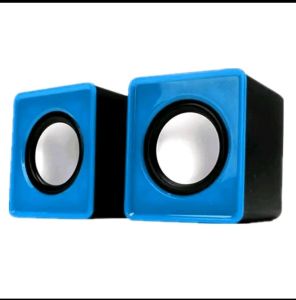
Portable Wired Computer Speaker USB Power Computer Speakers Stereo 3.5mm For Desktop PC Laptop
Portable Wired Computer Speaker USB Power Computer Speakers Stereo 3.5mm For Desktop PC Laptop
Introduction to Portable Wired Computer Speakers
Portable wired computer speakers are compact audio devices designed to provide high-quality sound output for desktop PCs and laptops. These speakers are perfect for users who want to enhance their listening experience without taking up too much desk space. In this article, we will explore the features, benefits, and usage of portable wired computer speakers, specifically focusing on stereo 3.5mm speakers.
Understanding Compact Computer Audio
Compact computer audio refers to the ability of portable wired computer speakers to deliver clear, crisp sound without occupying excessive space. This makes them ideal for users with limited desk space or those who frequently move their computer setup from one location to another. Additionally, compact computer audio solutions offer a cost-effective alternative to larger speaker systems, providing users with a high-quality listening experience at a fraction of the price.
Exploring Stereo 3.5mm Speakers
Stereo 3.5mm speakers are a popular choice among portable wired computer speakers due to their compatibility with a wide range of devices and their ability to deliver clear, stereo sound. These speakers connect to your desktop PC or laptop via a 3.5mm audio jack, allowing you to enjoy immersive audio experiences without the need for additional hardware or software. Moreover, stereo 3.5mm speakers are often equipped with built-in amplifiers, which further enhances their audio performance.
Benefits of Portable Wired Computer Speakers
Portable wired computer speakers offer several benefits over traditional speaker systems, including:
- Compact Design: These speakers are small and lightweight, making them easy to transport and store.
- Compatibility: They are compatible with a wide range of devices, including desktop PCs, laptops, and tablets.
- Affordability: Portable wired computer speakers are often more affordable than larger speaker systems, providing users with a cost-effective solution for enhancing their listening experience.
- Ease of Use: These speakers are simple to set up and use, requiring no additional hardware or software.
Key Features of Portable Wired Computer Speakers
In this section, we will explore the key features of portable wired computer speakers, including signal-to-noise ratio, frequency range, power supply, design, and dimensions.
Signal-to-Noise Ratio & Resolution
Signal-to-noise ratio (SNR) refers to the difference between the desired audio signal and unwanted noise. A higher SNR indicates better audio quality, as it means there is less interference from noise. The resolution of a speaker system refers to its ability to accurately reproduce audio signals at different frequencies. A higher resolution indicates better audio quality, as it means the speaker system can accurately reproduce a wider range of audio signals.
Our portable wired computer speakers feature a signal-to-noise ratio of ≥60dB and a resolution of ≥70dB, ensuring clear, crisp sound output with minimal interference from noise.
Frequency Range & Power Supply
Frequency range refers to the range of frequencies that a speaker system can reproduce. A wider frequency range indicates better audio quality, as it means the speaker system can accurately reproduce a wider range of audio signals. Our portable wired computer speakers have a frequency range of 90Hz-20kHz, allowing them to deliver immersive audio experiences across a wide range of genres.
Power supply refers to the voltage required to power the speaker system. Our portable wired computer speakers are powered by DC5V, making them compatible with a wide range of devices.
Design & Dimensions
Our portable wired computer speakers have a compact design, measuring 656565cm. This makes them easy to transport and store, ideal for users with limited desk space or those who frequently move their computer setup from one location to another.
How to Use Portable Wired Computer Speakers
In this section, we will explore how to connect, set up, configure audio settings, and troubleshoot common issues with portable wired computer speakers.
Connecting to Desktop PC & Laptop
To connect our portable wired computer speakers to your desktop PC or laptop, simply plug the 3.5mm audio cable into the appropriate port on your device. Most desktop PCs and laptops have a dedicated audio jack for connecting external speakers, so look for a port labeled with a speaker icon.
Setting Up & Configuring Audio Settings
Once connected, you can adjust the audio settings on your device to optimize the sound output from your portable wired computer speakers. On Windows, you can access the audio settings by right-clicking the speaker icon in the system tray and selecting "Sounds." On macOS, you can access the audio settings by clicking the Apple menu and selecting "System Preferences," then selecting "Sound."
Troubleshooting Common Issues
If you encounter issues with your portable wired computer speakers, try the following troubleshooting steps:
- Check the connection: Ensure that the 3.5mm audio cable is securely connected to both your device and the speakers.
- Adjust the volume: Make sure the volume is turned up on both your device and the speakers.
- Restart your device: Sometimes, restarting your device can resolve audio issues.
Conclusion & Final Thoughts
Portable wired computer speakers are a great choice for users who want to enhance their listening experience without taking up too much desk space. With their compact design, compatibility with a wide range of devices, affordability, and ease of use, these speakers offer a cost-effective solution for delivering high-quality audio output. Whether you're watching videos, listening to music, or playing games, portable wired computer speakers are sure to provide you with an immersive audio experience.

A&U
You May Also Like
New V2 Wireless Bluetooth Speaker Outdoor Mech Bass Cannon Desktop Small Speaker Trendy Play
VAORLO Original QKZ AK9 Earphone: A Comprehensive Guide

Memory Foam Earpads Enhances Sound and Comfort for SRH1540 Wireless Over Ear Headphones Covers
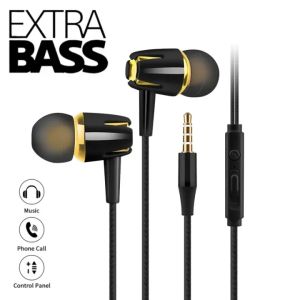
In-ear Wired Earphone with Mic HiFi Sound Noise Cancelling Stereo Extra Bass Earbuds 3.5mm Jack for IPhone Samsung Xiaomi
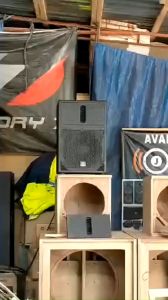
Joson Mid Vocal 10 Professional Audio Speaker with 850 Watts rated power (Original) - Lazada
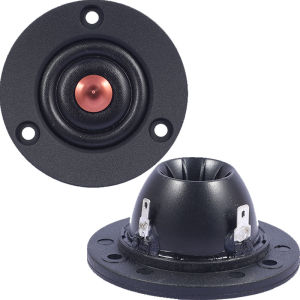
1pcs 1pair davidlouis audio XT25A (vifa made) hifi Tweeters 4Ohm 6Ohm 40W speaker
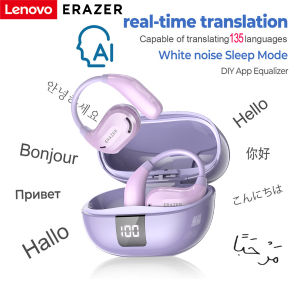
ERAZER XT66PRO Bluetooth Earphones ASMR Headsets DIY APP AI Translator Earbuds Wireless Headphones 13 Hours long life Display
Clear Communication Headset for VX-10 VX-110 VX-130 VX-131 VX-132 VX-150 VX-160 VX-168 VX-180 VX-231 VX-241 VX-261 Radio
VAORLO Bluetooth V5.4 Smart Earphones LCD Touch Screen Wireless Headphone ANC Active Noise Cancel Sports Gaming Earplugs HiFi Stereo Music Headset With HD Microphone Switching Between Multiple National Languages For Android IOS All Smartphone
MUSICHOUSE TTD-2810A Enhanced Bass Stereo Bass Speaker Bluetooth Portable Wireless Partybox Dual 8.5 Inches Speaker Karaoke System Music House Partybox Partybox 2810A - Lazada

The Ftstar FT-SK800 Bluetooth Professional Wireless Speaker (BT/TF/DSP/USB/MP3/EQ) FT SK-800 8Inch