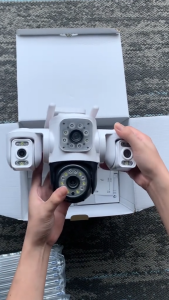
V380 Q15 CCTV Camera: A Comprehensive Guide
V380 Q15 CCTV Camera: A Comprehensive Guide
Introduction to V380 Q15 CCTV Camera
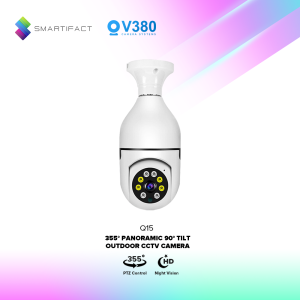
The V380 Q15 CCTV Camera is a cutting-edge security solution designed to provide reliable surveillance and monitoring for indoor spaces. This 1080P wireless camera offers a range of advanced features, including auto tracking, full color night vision, and two-way audio intercom. In this guide, we will explore the key features, setup process, and how to make the most out of your V380 Q15 CCTV Camera.
Key Features Overview
- Auto Tracking Security Camera: Automatically rotates to track moving objects within its field of view.
- Full Color Night Vision Camera: Captures clear images even in low-light conditions, thanks to its built-in IR-CUT switch.
- 1080P Wireless Indoor Camera: Provides high-definition video quality for crystal-clear surveillance footage.
- 360° Rotation PTZ Camera: Offers a horizontal rotation of 355° and vertical rotation of 120°, ensuring comprehensive coverage.
Connecting Your Camera to Your Phone
To connect your V380 Q15 CCTV Camera to your smartphone, download the official app available for both iOS and Android devices. Once installed, follow these steps:
- Power on the camera and connect it to your Wi-Fi network.
- Open the app and sign in or create an account.
- Add the camera to your account by scanning the QR code or manually entering the device ID.
- Once connected, you can access live video feeds, receive motion alerts, and control the camera's pan/tilt functions remotely.
Setting Up Your V380 Q15 CCTV Camera
Installation & Setup Instructions
Before installing your V380 Q15 CCTV Camera, ensure you have all the necessary accessories, including the mounting set and user manual. Follow these steps for a successful setup:
- Mount the camera securely on a wall or ceiling using the provided mounting set.
- Connect the camera to power using the E27 standard lamp holder and AC110-220V power supply.
- Connect the camera to your Wi-Fi network by following the instructions in the user manual.
- Download and install the official app on your smartphone.
- Add the camera to your account and start monitoring your indoor space.
Connecting to WiFi & AP Hotspot
Your V380 Q15 CCTV Camera supports both Wi-Fi and AP hotspot connections. To connect to Wi-Fi, follow the steps outlined in the previous section. For AP hotspot connection, follow these steps:
- Power on the camera and wait for it to enter AP hotspot mode.
- Connect your smartphone to the camera's Wi-Fi network.
- Open the app and sign in or create an account.
- Follow the on-screen instructions to complete the setup process.
Using V380 Q15 CCTV Camera
Two-Way Audio Intercom & Voice Alarm
The V380 Q15 CCTV Camera features excellent two-way audio quality, allowing you to communicate with individuals in your indoor space. To use the two-way audio intercom, simply open the app and tap the microphone icon. The camera also includes a voice alarm feature, which can be activated manually or triggered by motion detection.
Picture Push & TF Card Recording
With the V380 Q15 CCTV Camera, you can easily capture and share images using the picture push feature. Simply open the app, select the desired image, and share it via email or messaging apps. The camera also supports TF card recording, allowing you to store up to 128GB of video footage locally.
Motion Detection & Auto Tracking
The V380 Q15 CCTV Camera includes advanced motion detection capabilities, which automatically trigger alerts and activate the auto tracking function. This feature allows the camera to rotate and follow moving objects within its field of view, ensuring you never miss a moment.
Enhancing Security with V380 Q15 CCTV Camera
Full Color Night Vision & IR-CUT Switch
One of the standout features of the V380 Q15 CCTV Camera is its full color night vision capability. Thanks to the built-in IR-CUT switch, the camera seamlessly transitions between day and night modes, capturing clear images even in low-light conditions.
Pan/Tilt Rotating with Horizontal 355° & Vertical 120°
The V380 Q15 CCTV Camera offers a horizontal rotation of 355° and vertical rotation of 120°, allowing you to cover a wide range of angles and ensure comprehensive surveillance coverage.
MicroSD Card Slot Supporting up to 128GB Memory
To store video footage locally, the V380 Q15 CCTV Camera includes a microSD card slot supporting up to 128GB of memory. This allows you to record and save surveillance footage for later review and analysis.

Smartifact Technology
Review
You May Also Like
V380 PRO HD 1080P WiFi CCTV Camera: AI Motion Detection Baby Monitor, Infrared Night Vision Security Camera, Mini Indoor IP Camera, Two Way Audio Home Surveillance

Children Portable Instant Camera Print HD Photography and Video Recording Kids Digital Gifts
V380 Pro Wifi Panorama Camera 1080P Security Camera 360 Degree Panoramic Fisheye IP Camera Night Vision Surveillance Cam

Hikvision CCTV 2MP Full HD Smart IR Turret Camera CCTV Camera Wired Indoor Night Vision Security Camera Analog Camera
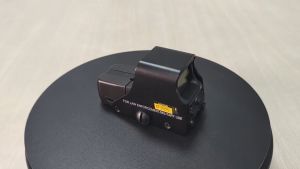
【Shipping From Manila+COD】100% Original 551 Optic Scope Sight Green Red Dot Reflex Sight Tactical Optical Sight For 20mm Rail Mount 551/553/558/G33
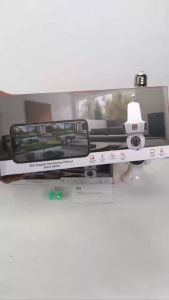
360-degree na pagsubaybay sa mobile na may 1080P high-definition night vision function two-way voice call function.
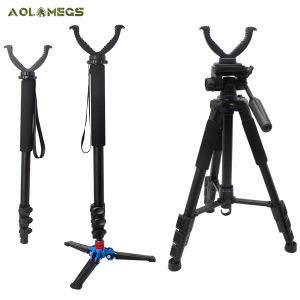
3 Types Outdoor Hunting Shooting Holder Portable Threelegged Bracket Aluminum Telescopic Shooting Head Rack Equipment
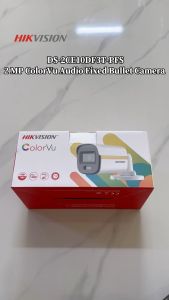
Hikvision CCTV Camera 2MP HD Full-Color With Audio Security Camera Bullet Camera Outdoor IP67 Waterproof Analog Camera
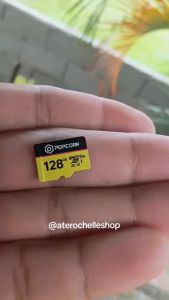
Popcorn Smart Baby Camera with App - Night Vision Motion Detection & Cloud Storage CCTV with Memory Storage
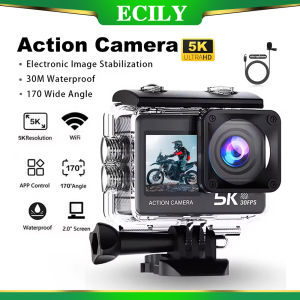
ECILY Action Camera 5K 4K 60FPS EIS Wi-Fi Dual Screen 170D 2.0 Inch Touch Screen 30M Waterproof Sport Camera With Remote Control

Endura Modular Crimping Tool for RJ45 Passthrough Connector Utp/Stp Cat5/5E/6 Cable