Printhead Print Head for Epson L1110 & L3100 Series: High-Quality Replacement & Compatible Printer Parts
Printhead Print Head for Epson L1110 & L3100 Series: High-Quality Replacement & Compatible Printer Parts
What Are High-Quality Epson Printheads?
High-quality Epson printheads are crucial components of inkjet printers, responsible for delivering precise and vibrant prints. These printheads are designed to work seamlessly with various Epson printer models, including the L1110 and L3100 series. In this article, we will delve into the key features of high-quality Epson printheads, discuss their compatibility with different Epson printers, provide a step-by-step guide for installation, and offer troubleshooting tips for common issues.
Key Features of High-Quality Epson Printheads
High-quality Epson printheads boast several notable features, which contribute to their superior performance and reliability. Some of these features include:
- Precision printing: High-quality printheads ensure accurate ink droplet placement, resulting in sharp and clear prints.
- Durability: Built to withstand the rigors of daily use, these printheads are designed to last longer than their lower-quality counterparts.
- Compatibility: Designed to work with a wide range of Epson printer models, these printheads offer users greater flexibility and choice.
OEM Code: FA04000 & FA04010
The OEM codes FA04000 and FA04010 refer to specific Epson printhead models compatible with various printer series. These codes help users identify the correct printhead for their printer model and ensure seamless integration with their device.
Compatible Epson Printer Parts
Epson printheads are compatible with a wide range of printer models, including the L1110 and L3100 series. In this section, we will explore which Epson printers can use these printheads and discuss their compatibility with different printer series.
Which Epson Printers Can Use These Printheads?
High-quality Epson printheads, such as those with OEM codes FA04000 and FA04010, are compatible with numerous printer models, including:
- Epson L1110, L1118, L1119
- Epson L3100, L3106, L3108, L3110, L3115, L3116, L3117, L3118, L3119, L3150, L3156, L3158, L3180, L3210
- Epson L395, L300, L301, L351, L355, L358, L111, L120, L210, L211, ME401, ME303, XP 302, 402, 405, 2010, 2510
- Epson L110, L132, L130, L220, L222, L310, L362, L365, L366, L455, L456, L565, L566, WF-2630, XP-332, WF2630
Epson L1110 & L3100 Series Printheads Compatibility
The Epson L1110 and L3100 series printheads are compatible with a wide range of printer models within their respective series. This compatibility ensures that users can easily find replacement printheads for their specific printer model, making it easier to maintain optimal print quality.
How to Install Replacement Epson Printheads
Installing replacement Epson printheads is a straightforward process that can be completed by following a few simple steps. In this section, we will provide a step-by-step guide to installing Epson printheads and offer troubleshooting tips for common issues.
Step-by-Step Guide to Installing Epson Printheads
To install replacement Epson printheads, follow these steps:
- Turn off your printer and unplug it from the power source.
- Open the printer lid and locate the printhead compartment.
- Carefully remove the old printhead by gently pulling it out of its slot.
- Insert the new printhead into the slot, making sure it clicks into place.
- Close the printer lid and plug the printer back into the power source.
- Turn on the printer and follow the on-screen instructions to calibrate the new printhead.
Troubleshooting Common Issues with Installation
If you encounter any issues during the installation process, refer to the following troubleshooting tips:
- Printhead won't click into place: Ensure that the printhead is properly aligned and inserted into the slot.
- Printer won't recognize new printhead: Check that the printhead is fully inserted and properly aligned. If the issue persists, try resetting the printer or contacting Epson support for further assistance.
Conclusion & Next Steps
In conclusion, high-quality Epson printheads offer numerous benefits, including precision printing, durability, and compatibility with various printer models. By following the steps outlined in this article, users can easily install replacement printheads and maintain optimal print quality.
Final Thoughts on High-Quality Epson Printheads
High-quality Epson printheads are essential components for maintaining optimal print quality and ensuring the longevity of your printer. With their precision printing capabilities and compatibility with various printer models, these printheads are a valuable investment for any Epson printer owner.
Where to Purchase Compatible Epson Printer Parts
To purchase compatible Epson printer parts, including high-quality printheads, visit authorized Epson retailers or online marketplaces such as Amazon, eBay, or Best Buy. Be sure to verify the authenticity and compatibility of the printhead before making a purchase to ensure optimal performance.

wxd290
![[Spot inventory!!]Printhead Print Head for Epson L1110 L1118 L1119 L3100 L3106 L3108 L3110 L3115 L3116 L3117 L3118 L3119 L3150 L3156 L3158 L3180 L3210 L360](https://img.lazcdn.com/g/p/3be1df5e8a639dc4acbb613998ad14a7.jpg_300x300q80.jpg)
Review

You May Also Like
Luxury Rotating Stand Phone Case for Apple 16Promax iPhone 15Plus Protective Cover Soft Silicone Flashing Creative Light Upgraded

Ultimate Guide to Honor X9c, Vivo Y100, and Samsung A16 5G Phone Cases
Professional Manual Burr Coffee Grinder With Detachable Glass Jar Ceramic Burrs For Grinding Coffee

Ultra-Thin Matte Protection Phone Case for Samsung S24 Series Black Soft Shell Shockproof Business Style Men Women Simple Design

New Phone Case Samsung Galaxy A55 A35 A25 A15 A05s A05 LTE 5G 4G Ins Fun Cute Cartoon Briquette Kuromi Bear Stitch Anti-drop Leather Grain Casing with Lanyard 2025
Efficient Coffee Pods Filler Set Aluminum Film Press Device Hassle Release Brewing Solution For Various Machines

Fuyuanli 2026 Triple Combination Six Happiness Metal Sticker Phone Decal Lucky Year Wealth Attraction Emperor Coin Phone Case
Airpods Case & BTSS-613 KPOP Cover: A Comprehensive Guide
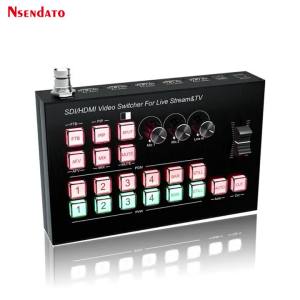
3G SDI HDMI Video Encoder Switcher Multi 4 Camera Live Production Station For Video Capture Recorder Live Streaming Audio Mix

AXNEN A10 Smartphone Handheld Gimbal with Fill Light Extension Rod RemoteCellphone Video Record Stabilizer for Android
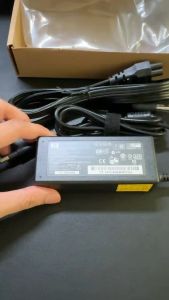
HP Laptop Charger 19.5V 3.33A for Chromebook 14-B 14-C Envy 14T-3100 4-1000 4T-1000 4T-1200 6-1000 Pavilion Touchsmart Sleekbook 14-B000 14-b000ed 14-b000ee 14-b000ei 14 15 14-1000 14-B100 14T-B 15-2099 15-B100 15Z-B