For Xiaomi Mijia X20 C101 Robot Vacuum Cleaner Main Brush, Side Brush, HEPA Filter, Mop Cloth Spare Parts Accessory
For Xiaomi Mijia X20 C101 Robot Vacuum Cleaner Main Brush, Side Brush, HEPA Filter, Mop Cloth Spare Parts Accessory
Maintaining the efficiency and longevity of your Xiaomi Mijia X20 C101 Robot Vacuum Cleaner requires regular cleaning and replacement of its parts, including the main brush, side brush, HEPA filter, and mop cloth. In this article, we will discuss the key features and benefits of these components, guide you through finding compatible replacement parts, and provide step-by-step instructions for replacing and maintaining them.
Understanding Xiaomi Mijia X20 Robot Vacuum Cleaner Parts
Main Brush: Key Features & Benefits
The main brush plays a crucial role in the cleaning process by removing dirt, dust, and debris from carpets and hard floors. Its flexible bristles adapt to different floor types, ensuring efficient cleaning. Additionally, the main brush helps prevent hair and other materials from clogging the suction ports, maintaining optimal suction power.
Side Brush: Key Features & Benefits
The side brush is responsible for cleaning along walls, corners, and other hard-to-reach areas. Its rotating design allows it to effectively remove dirt and debris from these areas, providing a thorough clean throughout your home.
HEPA Filter: Key Features & Benefits
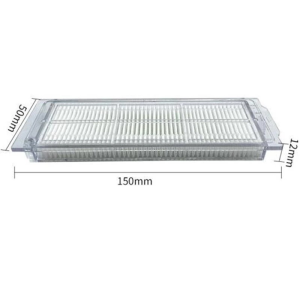
The HEPA filter captures fine particles like dust, pollen, and pet dander, ensuring cleaner air quality in your home. It also helps prevent these particles from being recirculated back into the air, providing a healthier living environment.
Finding Compatible Replacement Parts for Robot Vacuum
Mop Cloth Spare Parts Accessory: Where to Buy
When looking for compatible replacement parts, it is essential to ensure they are specifically designed for the Xiaomi Mijia X20 C101 Robot Vacuum Cleaner. You can purchase these parts directly from Xiaomi's official online store or authorized retailers.
Xiaomi Mijia X20 Compatible Parts: What to Look For
When purchasing replacement parts, make sure they are compatible with your Xiaomi Mijia X20 C101 Robot Vacuum Cleaner. Look for products that explicitly state they are compatible with this model and have positive customer reviews.
How to Replace Main Brush, Side Brush & HEPA Filter
Step-by-Step Guide: Replacing Main Brush
- Turn off the robot vacuum cleaner and unplug it from the power source.
- Locate the main brush at the front of the vacuum cleaner.
- Press the release button and gently pull the main brush out.
- Insert the new main brush and press down until it clicks into place.
Step-by-Step Guide: Replacing Side Brush
- Turn off the robot vacuum cleaner and unplug it from the power source.
- Locate the side brush at the front corners of the vacuum cleaner.
- Press the release button and gently pull the side brush out.
- Insert the new side brush and press down until it clicks into place.
Step-by-Step Guide: Replacing HEPA Filter
- Turn off the robot vacuum cleaner and unplug it from the power source.
- Locate the HEPA filter compartment at the back of the vacuum cleaner.
- Open the compartment and remove the old HEPA filter.
- Insert the new HEPA filter and close the compartment.
Maintaining Xiaomi Mijia X20 Robot Vacuum Cleaner Parts
Cleaning Main Brush, Side Brush & HEPA Filter
Regular cleaning of the main brush, side brush, and HEPA filter helps maintain their efficiency and prolong their lifespan. Clean the brushes by removing any debris or hair using scissors or a brush comb. For the HEPA filter, gently shake it to remove any loose particles.
Extending the Life of Xiaomi Mijia X20 Robot Vacuum Cleaner Parts
To extend the life of your robot vacuum cleaner parts, clean them regularly and replace them when necessary. Following these maintenance steps will help ensure optimal performance and longevity of your Xiaomi Mijia X20 C101 Robot Vacuum Cleaner.

Sandetech
Review

You May Also Like

My World iPad10 pro 2024 Case 11 Inch 5 Apple Air6 Mini7 4 Fold with Pen Slot Compatible 2018 Ninth 2020 Surrounding 2021

Racing Wheel Stand Height Adjustable & Foldable Steering Wheel Stand Compatible With Logitech G25 G27 G29 G920 Gaming Cockpit
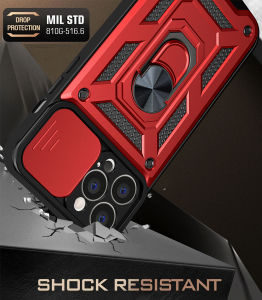
VRQR & Military Grade Armor Phone Cases: A Comprehensive Guide
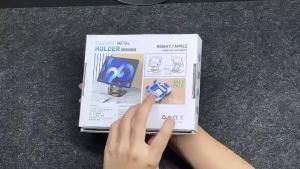
Laptop Carbon steel bracket 360° Rotation Metal Phone Tablet Foldable Holder Stand Steady and Not Toppling Stand

Hongcun Original Travel Fridge Magnets: A National Trend Wooden Material Magnetic Decor

Simple Korean Style Acrylic Flower Phone Case Transparent Electroplated Black for iPhone 15 pro Max 14 Apple Phones Protective Cover

Magic Girls Witch Trial Sticker for Laptop Mobile Suit Luggage Travel Box Cartoon Style Personalized Decal
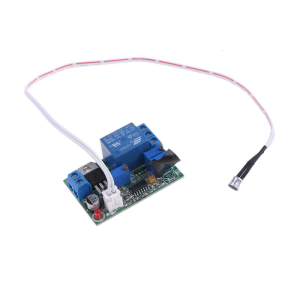
Sound Light Control Module Relay Switch Delay Sensor Adjustable 5 V 12 V 24 V

A Comprehensive Guide to Professional Equipment Storage: PGYTECH Camera Bag & OneMo Lite Photography Shoulder Bag
![[PERNG] Tehe Ins Flower Butterfly Charger Data Cable Winder Protective Cover Kits For IPhone 18W 20W Charger Case Anti-break Bites Wire](https://img.lazcdn.com/g/p/dbe30a454252e23bba07238817b9450f.jpg_300x300q80.jpg)
[PERNG] Tehe Ins Flower Butterfly Charger Data Cable Winder Protective Cover Kits For IPhone 18W 20W Charger Case Anti-break Bites Wire
Nylon 240W 3-in-1 Super Charging Cable Micro USB Type C Fast Charger Data Cable with fluorescent light LED digital