ORICO 2.5\" Hard Drive Case: A Comprehensive Guide
ORICO 2.5" Hard Drive Case: A Comprehensive Guide
What is ORICO 2.5" Hard Drive Case?
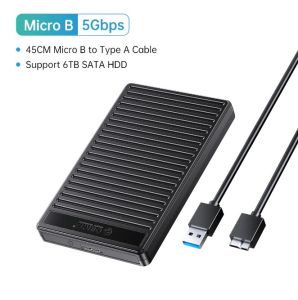
The ORICO 2.5" Hard Drive Case is a high-quality external hard drive enclosure designed specifically for 2.5-inch SSDs and HDDs with thicknesses of 9.5mm and 7mm. This compact and stylish case provides a USB 3.0 to SATA III adapter that allows users to easily connect their internal hard drives to a computer, enabling them to access their data on the go.
Key Features
- Compatibility: Compatible with both 9.5mm and 7mm SSDs and HDDs.
- USB 3.0 to SATA III Adapter: Provides fast data transfer speeds of up to 5 Gbps.
- UASP TRIM Support: Optimizes SSD performance by enabling UASP (USB Attached SCSI Protocol) and TRIM commands.
- Durable Design: Built with high-quality materials to protect your hard drive from physical damage.
Benefits
The ORICO 2.5" Hard Drive Case offers several benefits for users who want to expand their storage capacity or access their data on the go. These include:
- Portability: The compact design makes it easy to carry around and store your hard drive.
- Fast Data Transfer: With USB 3.0 connectivity, you can transfer large files quickly and efficiently.
- Optimized Performance: UASP TRIM support helps maintain optimal performance of your SSD.
- Cost-effective: An affordable alternative to purchasing a new external hard drive.
How to Use ORICO 2.5" Hard Drive Case
Using the ORICO 2.5" Hard Drive Case is simple and straightforward. Follow these steps to get started:
Connecting Your Hard Drive
- Ensure that your hard drive is compatible with the ORICO 2.5" Hard Drive Case.
- Remove any existing cables or connectors from your hard drive.
- Insert your hard drive into the case, making sure it is securely seated.
- Connect the included USB 3.0 cable to your computer and the case.
Enabling UASP & TRIM Support
To enable UASP and TRIM support on your SSD, follow these steps:
- Connect your SSD to the ORICO 2.5" Hard Drive Case and your computer.
- Open Device Manager and locate your SSD under "Disk drives".
- Right-click on your SSD and select "Properties".
- Go to the "Policies" tab and select "Optimize for performance".
- Click "OK" to apply the changes.
Troubleshooting Common Issues
If you encounter any issues while using the ORICO 2.5" Hard Drive Case, refer to the following troubleshooting tips:
- Hard drive not recognized: Ensure that your hard drive is securely connected to the case and that the USB cable is properly connected to your computer.
- Slow data transfer speeds: Check if UASP support is enabled on your SSD. If not, follow the steps above to enable it.
- Hard drive not working properly: Try connecting your hard drive to another computer or using a different USB port to rule out any hardware issues.
ORICO 2.5" Hard Drive Case vs. Competitors
When comparing the ORICO 2.5" Hard Drive Case to other similar products on the market, there are several factors to consider:
Performance Comparison
The ORICO 2.5" Hard Drive Case offers fast data transfer speeds thanks to its USB 3.0 connectivity and UASP TRIM support. This makes it a competitive option compared to other external hard drive enclosures on the market.
Price Comparison
The ORICO 2.5" Hard Drive Case is priced competitively compared to other similar products, making it an affordable option for users who want to expand their storage capacity or access their data on the go.
Customer Reviews & Ratings
Based on customer reviews and ratings, the ORICO 2.5" Hard Drive Case has received positive feedback for its durability, ease of use, and fast data transfer speeds. Users appreciate its compact design and compatibility with both SSDs and HDDs.

OricoCN
Review
You May Also Like
4 Slot Reader Memory Stick Adapter USB to TF/MS Reader for Camera Phone Laptop Computer Memory Reader
Lightweight mSATA Adapter mSATA to USB Adapter for Convenient Data Management Across Devices ASM225 Main Control
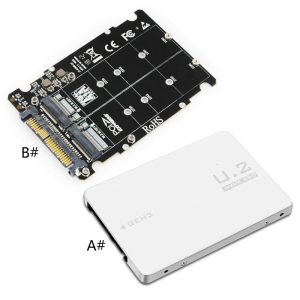
Adapter Riser for M.2 SSD To U.2 Adapter for M.2 NVMe + for M.2 NGFF SSD To PCI-e U.2 SFF-8639 Adapter PCIe M2 Conv
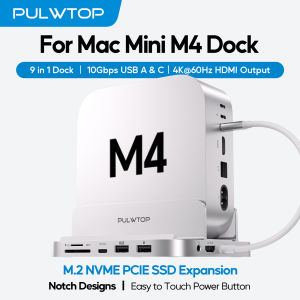
PULWTOP Mac Mini M4 Dock with 4TB M.2 SSD Enclosure & HD4K USB-A/C 10Gbps SD/TF (SSD NOT Included) for Mac Mini M4 Pro
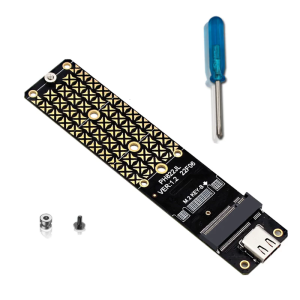
M.2 B Key SSDs To USB 3.2 Adapter Type C 10G Expansion Adapter Converters for 2230/2242/2260/2JMS580 Risers Ca
High-speed solid-state mobile hard drive Mobile SSD High Speed Solid Drive
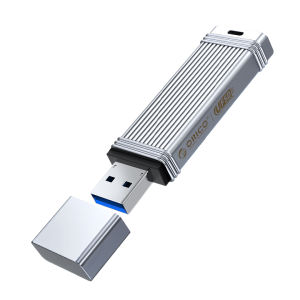
ORICO 100MB/S USB3.2 Gen1 USB Flash Drive Pendrive32GB 64GB 128GB 256GB Memory Stick Type-C USB A Devices
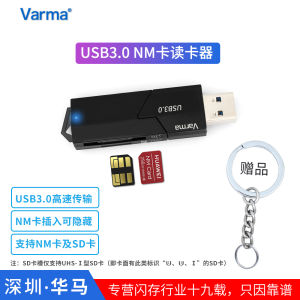
High-Speed USB 3.0 Pull-Out Design Camera Card Reader with Light for Huawei NM Card Varma Simple Style 2-In-1 Digital Accessories
【Ready Stock】Western Digital 1TB/2TB WD My Passport USB 3.0 External Hard Drive
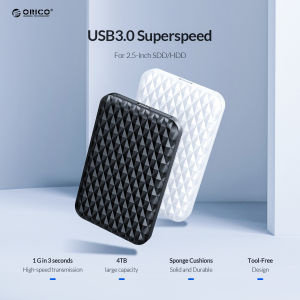
ORICO 2.5Inch HDD Enclosure Case USB 3.0 To SATA HDD Hard Drive External Enclosure Black Case Without Screws For Windows/Mac OS
Hp USB 64GB 2.0 flash Drive cartoon ice cream Pink flash disk 8GB 16GB 32GB 64GB