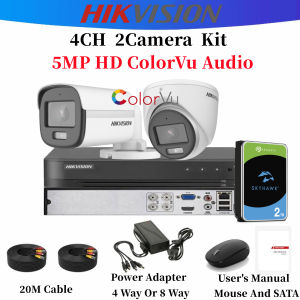
Hikvision CCTV Camera Set 5MP HD Full-Color With Audio CCTV Package Security Systems 4/8 Channel Complete CCTV Kit
Hikvision CCTV Camera Set 5MP HD Full-Color With Audio CCTV Package Security Systems 4/8 Channel Complete CCTV Kit
What is a High-Performance Surveillance Package?
A high-performance surveillance package, like the Hikvision CCTV Camera Set, is designed to provide comprehensive security solutions for residential and commercial properties. These systems offer advanced features such as high-definition video quality, night vision capabilities, and audio recording, making them ideal for monitoring and securing various environments.
Key Features of the Hikvision CCTV Camera Set
The Hikvision CCTV Camera Set comes with several key features that set it apart from other security systems:
- 5MP HD Full-Color: This camera set offers high-definition video quality, allowing you to capture clear and detailed images even in low-light conditions.
- Audio Recording: The cameras are equipped with audio recording capabilities, enabling you to hear what's happening in real-time.
- 4/8 Channel Systems: You can choose between a 4-channel or 8-channel system, depending on the size of your property and the number of cameras needed.
- Complete CCTV Kit: The package includes everything you need to set up your security system, from the cameras to the DVR/NVR and cables.
Benefits of a Complete CCTV Kit with Audio
A complete CCTV kit with audio offers several benefits, including:
- Enhanced Security: With audio capabilities, you can hear what's happening in real-time, helping you make informed decisions about potential threats.
- Improved Monitoring: High-definition video quality allows you to see every detail, making it easier to identify suspicious activity.
- Convenience: A complete kit includes all the necessary components, making installation quick and easy.
How to Choose the Right Security System
Choosing the right security system depends on several factors, including the size of your property and the number of cameras needed.
Understanding the Differences Between 4 & 8 Channel Systems
The main difference between a 4-channel and 8-channel system is the number of cameras that can be connected to the DVR/NVR. A 4-channel system can accommodate up to four cameras, while an 8-channel system can support up to eight cameras.
Deciding on the Number of Cameras Needed
To determine the number of cameras needed, consider the size of your property and the areas that require monitoring. For example, if you have a small home with a front yard and backyard, a 4-channel system may be sufficient. However, if you have a larger property with multiple entrances and exits, an 8-channel system may be more appropriate.
Installation & Setup Guide
Setting up your Hikvision CCTV Camera Set is easy, thanks to the step-by-step instructions provided in the package.
Step-by-Step Instructions for Setting Up Your System
Follow these steps to install and set up your Hikvision CCTV Camera Set:
- Unpack the components and identify the DVR/NVR, cameras, cables, and other accessories.
- Connect the cameras to the DVR/NVR using the provided cables.
- Power on the DVR/NVR and follow the on-screen instructions to configure the system settings.
- Position the cameras according to your needs, making sure they cover the desired areas.
Tips for Optimal Placement of Cameras
To get the most out of your Hikvision CCTV Camera Set, consider these tips for optimal camera placement:
- Place cameras at strategic locations, such as entrances, exits, and areas with high foot traffic.
- Ensure cameras have a clear view of the area being monitored.
- Avoid placing cameras in direct sunlight or areas with strong shadows.
Maintenance & Troubleshooting
Regular maintenance and troubleshooting can help ensure the longevity and optimal performance of your Hikvision CCTV Camera Set.
Regular Maintenance Tips for Longevity
To keep your system running smoothly, follow these maintenance tips:
- Clean the camera lenses regularly to remove dust and debris.
- Check the camera connections periodically to ensure they are secure.
- Update the firmware on your DVR/NVR to ensure compatibility with the latest software updates.
Common Issues & Solutions
If you encounter issues with your Hikvision CCTV Camera Set, refer to the troubleshooting guide provided in the package. Some common issues and solutions include:
- Camera Not Working: Check the camera connection and power source. If the issue persists, contact Hikvision customer support for assistance.
- Poor Video Quality: Adjust the camera settings or check the lighting conditions. If the issue continues, contact Hikvision customer support.
- Audio Not Working: Check the audio settings and ensure the camera is positioned correctly. If the issue persists, contact Hikvision customer support.

Hikvision-Dimoon Online Store
You May Also Like
♥Original Product+FREE Shipping♥5MP Tuya Ycc365 E27 Bulb Surveillance Camera Wifi Night Vision Full Color Auto Human Track 4x Zoom Video Indoor Security Monitor
Kawaii Hello Kitty Digital Cameras & Mini Camcorders: The Perfect Children's Gift
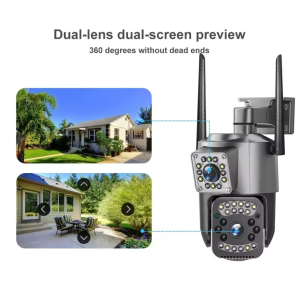
CCTV Security Protection 4K 8MP Dual Lens WiFi IP Camera Night Vision Ai Human Detect PTZ Outdoor Video Wireless Camara
Camp Snap CS-8 Digital Video Camera
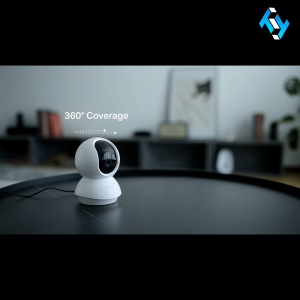
Gigaware TP-Link Tapo C210 Home Security WiFi Camera
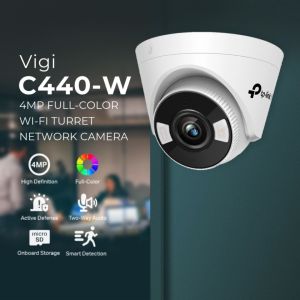
TP-Link VIGI C440-W 4MP Full-Color Wi-Fi Turret Network Camera
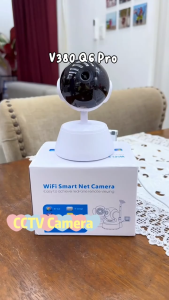
Intelper V380 Q6 Pro CCTV Camera Connect Cellphone 1080P 2MP IP Security Camera Two-way Audio Motion Detection Smart Home CCTV Camera WIFI Connect Security Surveillance with Audio and Speaker
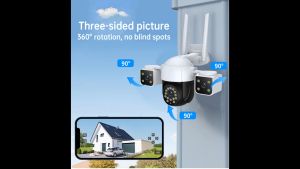
V380 PRO Q29: A Comprehensive Guide to AI Human Motion Tracking & Wireless WiFi Security Camera
Hikvision DVR 4/8/16 CH DVR XVR Network HD Surveillance Host 7200 Series

V380 Pro 16MP Solar CCTV Camera – Outdoor Security with WiFi Multi-Lens 4G Capability No WiFi Needed 10x Night Vision
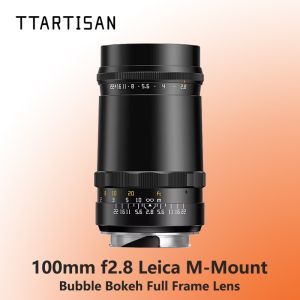
TTArtisan 100mm F2.8 Bubble Bokeh Full Frame Lens for Leica M-Mount Cameras