SeeMore Projector Mini Portable Android 11 Projector Full HD 720P LED Portable Projector Dual-Band WiFi 2.4G+5G 4K 720P Smart Projector for Home [Global Version]
SeeMore Projector Mini Portable Android 11 Projector Full HD 720P LED Portable Projector Dual-Band WiFi 2.4G+5G 4K 720P Smart Projector for Home [Global Version]
Product Overview
The SeeMore Projector is a mini portable Android 11 projector designed for home use. This dual-band WiFi projector features a Full HD 720P LED projection and offers versatile connectivity options. With its compact design, it provides a perfect solution for home entertainment, education, and presentations.
Key Features
- Operating System: Android 11.0
- CPU: Quad-core ARM Cortex-A53
- GPU: Mali-G31 supports OpenGL ES3.2, Vulkan 1.1, and OpenCL2.0
- Buffer Memory (RAM): 1GB
- Storage (ROM): 8GB
- WiFi: AW869A -- Dual band WiFi6 + BT5.0 Module Spec
- HDMI: HDMI IN
- Projection Technique: 2.69-inch LCD TFT display
- Native Resolution: 1920*1080P
- Supported Resolution: 1080P
- Color Temperature: 8000K ±(1000K)
- Brightness (Lumens): 8000 lumens (150 ANSI lumens)
- Contrast Ratio: 1500:1
- Image Flip: 360 degrees flip
- Aspect Ratio: 16:9 & 4:3
- Keystone Correction: Voluntary
- Language: Support for multiple languages
- Bulb Life: 50,000 hours
- Lamp Type: 60W
- Adjustment Mode: Manual focus
- Operation Mode: Button panel and remote control
- Projection Distance: 1.2-4M
- Optimal Projection Distance: 1.68M
- Projection Size: 40-130 inches
Specifications
The SeeMore Projector is equipped with a powerful quad-core ARM Cortex-A53 processor and Mali-G31 graphics processing unit, which supports OpenGL ES3.2, Vulkan 1.1, and OpenCL2.0. It comes with 1GB of buffer memory and 8GB of storage space. The projector also supports dual-band WiFi6 and Bluetooth 5.0, providing a seamless connection experience.
Compatibility
The SeeMore Projector is compatible with various devices, including smartphones, tablets, laptops, and gaming consoles. It supports Full HD 720P resolution and offers a native resolution of 1920*1080P. With its versatile connectivity options, the projector is ideal for home entertainment, education, and presentations.
Setup & Installation
Setting up the SeeMore Projector is easy and straightforward. Follow these steps to get started:
Connecting to WiFi
- Power on the projector and select the WiFi option from the menu.
- Choose your preferred network and enter the password.
- Once connected, the projector will automatically save the network settings.
HDMI Connection
Connect your device to the projector using an HDMI cable. Make sure both devices are powered on and the projector is set to the correct input source.
Manual Focus Adjustment
To adjust the focus manually, use the focus ring located on the lens. Turn the ring clockwise to move the lens closer to the screen, and counterclockwise to move it away.
Usage & Features
Full HD 720P LED Projection
The SeeMore Projector offers Full HD 720P LED projection, providing crystal-clear visuals and vibrant colors. With its 1500:1 contrast ratio and 150 ANSI lumens brightness, the projector delivers an immersive viewing experience.
Dual-Band WiFi Projector
With dual-band WiFi capabilities, the SeeMore Projector offers fast and stable internet connectivity. It supports both 2.4GHz and 5GHz frequencies, allowing you to enjoy smooth streaming and gaming experiences.
Android 11 Smart Projector Capabilities
As an Android 11 smart projector, the SeeMore Projector allows you to access a wide range of apps and services. Browse the internet, stream videos, play games, and more, all from the comfort of your home.
Troubleshooting & Support
Common Issues & Solutions
If you encounter any issues with the SeeMore Projector, refer to the troubleshooting guide below:
- No sound: Check if the volume is turned up and the audio output is set correctly.
- No picture: Verify that the projector is connected to a power source and the input source is selected correctly.
- Connection problems: Restart the projector and try connecting again.
Customer Support & Warranty
For further assistance, please contact our customer support team at [email protected]. The SeeMore Projector comes with a one-year warranty, covering manufacturing defects and malfunctions.

SeeMore PH
![SeeMore Projector Mini Portable Android 11 Projector Full HD 720P LED Portable Projector Dual-Band WiFi 2.4G+5G 4K 720P Smart Projector for Home [Global Version]](https://img.lazcdn.com/g/p/8b4f6645c9f0f1df2aae0f9bd7fd2216.jpg_300x300q80.jpg)
Review

You May Also Like
Universal Drawing Projector With Portable Modifiable Stand For Artists And Creative Projects
MeeGoo play5Max Home Projector 16:9 1080P Full HD Portable Projector Android 12.0 Small Desktop Projector Mini Projecter 4K
ZDSSY HY300 Ultra Mini Projector 4K Support Portable Projector with WiFi 6 and Bluetooth 5.4 Smart Proyector 5w Soundbase Speaker 180 Rotation for Home Projector
Vankyo Burger 101 Mini Projector
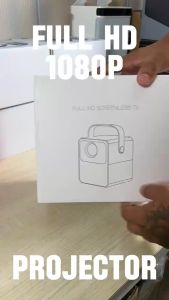
Free Shipping CY400 PROJECTOR 1080 FULL HD WIFI LED Projector Home TV Projector Mini Projector and Android Projector (Free Tripod and Screen)

Yaber Entertainment Projector L1 Mini Projector 720P with Wi-Fi 6 Bluetooth 5.2 Smart System and Built-in Apps

HY320 Projector Mini Portable Support WiFi/Bluetooth/Android 4k HD Automatic Keystone Correction
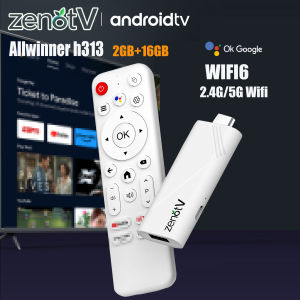
ZENOTV Android TV Stick Allwinner H313 4K 2.4G 5G Wifi 3D Voice Remote 16GB

Global TFlag L36P Projector Full Hd 1080P 4K Wifi Mini LED Portable Projetor 2.4G 5G For Smartphone Video Home Office Camping

Do It Home MGK BN-01 Banana CD-R Spindle 700mb
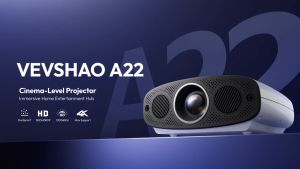
VEVSHAO A22 1000ANSI Full HD 1080P Projector 4K Auto Focus 10W*2 Home Cinema Day or Night Still Bright