OFIYAA 14inch P1/P2 Portable Triple Monitor Screen: The Ultimate Travel Laptop Monitor Extender
OFIYAA 14inch P1/P2 Portable Triple Monitor Screen: The Ultimate Travel Laptop Monitor Extender
Introduction to OFIYAA 14inch P1/P2 Portable Triple Monitor Screen
OFIYAA has introduced the world's first novel, all-metal appearance, multi-scene, multi-application, and portable dual-screen splitter, F1 and F2. These portable triple monitor screens are perfect for extending your laptop display and provide a seamless experience for work, gaming, and entertainment. With strong compatibility and durable design, the OFIYAA 14inch P1/P2 Portable Triple Monitor Screen is a must-have accessory for every laptop user.
Key Features & Benefits
- All-metal appearance material for durability
- Full-function TYPE-C and HDMI(MINI) interfaces for external expansion
- Complete interfaces for faster and more stable data transmission
- Storage box feature for easy storage and heat dissipation
- Support rod with 360-degree rotation in both vertical and horizontal directions
- FHD1080p IPS monitor extender for high-quality display
Compatibility & Applications
The OFIYAA 14inch P1/P2 Portable Triple Monitor Screen is compatible with various devices, including laptops, mobile phones, and tablets. It supports multiple operating systems such as MAC, Windows, Android, Linux, and Chrome OS. The product can be used in different scenarios, including office work, gaming, video editing, and entertainment.
How to Use OFIYAA 14inch P1/P2 Portable Triple Monitor Screen
Using the OFIYAA 14inch P1/P2 Portable Triple Monitor Screen is simple and straightforward. Here are the steps to connect and adjust the screen:
Connecting to Your Laptop
Connect the OFIYAA 14inch P1/P2 Portable Triple Monitor Screen to your laptop using the provided TYPE-C or HDMI(MINI) cable. Ensure that your laptop has the necessary ports to support the connection.
Adjusting Screen Orientation & Angle
Adjust the screen orientation and angle according to your preference. The support rod allows 360-degree rotation in both vertical and horizontal directions, providing maximum flexibility.
Using the Storage Box Feature
Store the screen in the storage box when not in use. The storage box can also be used as a bracket to assist your computer in dissipating heat.
Why Choose OFIYAA 14inch P1/P2 Portable Triple Monitor Screen?
There are several reasons why you should choose the OFIYAA 14inch P1/P2 Portable Triple Monitor Screen for your laptop:
Durability & Design
The all-metal appearance material makes the structure more durable, ensuring a long-lasting product. The compact design and lightweight make it easy to carry around.
Portability & Versatility
The portable triple monitor screen is perfect for travel and can be used in various scenarios, including office work, gaming, video editing, and entertainment. The storage box feature provides easy storage and heat dissipation.
Compatibility with Multiple Devices
The OFIYAA 14inch P1/P2 Portable Triple Monitor Screen supports multiple devices, including laptops, mobile phones, and tablets. It is compatible with different operating systems, making it a versatile accessory for every user.

Fancytoy Market
![[Fancytoy] OFIYAA 14inch P1/P2 Portable Triple Monitor Screen For Laptop Extender Suit For All Laptop Model And Mobile Phone Portable Dual Monitor FHD1080p Ips Supported C-Type Travel Laptop Monitor Extender MAC/Windows/Android/Linux/Chrome OS/Phone](https://img.lazcdn.com/g/p/88fb972f94cc7d454e3414854c01e6ef.jpg_300x300q80.jpg)
Review

You May Also Like

Kingston | Notebook Compatible SSD

Bykski G1/4 to G1/4 Extender 15mm Fitting Adapter Water Cooling Adaptors Female to Female Double-sided Thread B-DPJ-10
Hasee Switch Board for Notebook Computer Parts And Accessories Z7 Z7M Z7T G8 Z8 G9 TX8 TX9 Laptop Cable Switch Assembly
Original for bosch CTL636EB6 CTL636ES6 coffee machine oven display lcd screen touch screen repair parts free shipping
IINE PS5 Slim Intelligent Temperature-Controlled Cooling Fan Low-noice Working Compatible with PS5 Slim Disc & Digital Edition
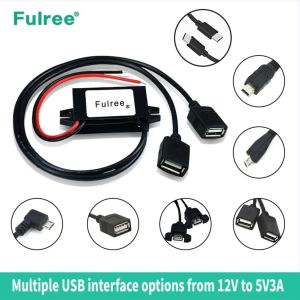
12v DC Power Supplyto 5V3A15W DC24v DC Power Supply to 5V Converter Power Supply MiniUSB Micro USB Male Female Type-C 5v Power
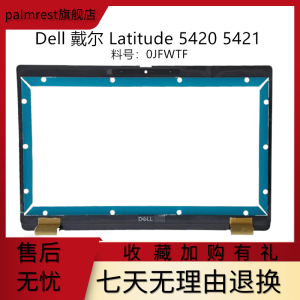
Dell Latitude 5420 5421 B Shell Screen Frame Proximity IR Camera Compatible Laptop Computer Part Accessory Palmrest Exterior

97mm Blower Fan for NMB BG0903-B044-00S 97x97x33mm 12V/1.34A Server Blowers 28.6CFM 3700RPM Turbo Cooling
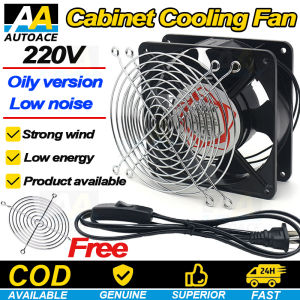
220 Volt Metal 120x120mm Blower Cooling Fan with Grill Plug Iron Mesh Original/Heat Resistant/Rust Resistant Axial Cooling Fan AC Motor Industrial Ventilation Blower/Computer/Incubator
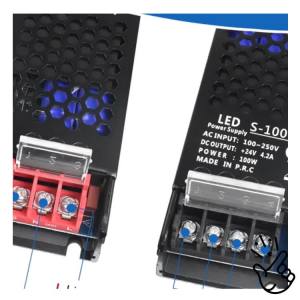
Ultra Slim LED Transformer Quiet Low Volt LED Driver AdapterLED Power Supply for LED Strip LightsLED Lamp-24V 100/200W
4 In 1 PTFE Adapter Pipe Expansion Port Five Way 4 Feeding Module For X1C P1S P1P 3D Printer Connector Replacement