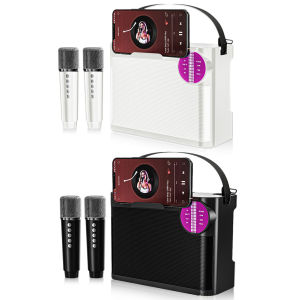
Bluetooth Speaker with Mic & 3D Stereo Sound: YS209
Bluetooth Speaker with Mic & 3D Stereo Sound: YS209
Introduction to YS209 Bluetooth Speaker with Mic
The YS209 speaker is a cutting-edge audio device designed to provide exceptional sound quality and convenience for users. This Bluetooth speaker with mic is perfect for family parties, KTV gatherings, and any other event where great music and clear voice transmission are desired.
Overview of the YS209 Speaker
The YS209 speaker boasts a sleek design, compact size, and impressive features that make it stand out among its competitors. With a built-in microphone, 3D stereo sound, and colorful LED dance lights, this speaker is perfect for creating an immersive audio experience.
Key Features of the YS209 Speaker
- Bluetooth Connectivity: Seamlessly connect the YS209 speaker to your smartphone, tablet, or computer via Bluetooth technology.
- Built-in Microphone: Enjoy clear voice transmission during phone calls or video chats, even in noisy environments.
- 3D Stereo Sound: Experience rich, immersive sound with excellent clarity and depth.
- Colorful LED Dance Lights: Create a vibrant atmosphere at parties with customizable LED lights that sync with the music.
- Compact Size: Portable and lightweight, making it easy to take the YS209 speaker wherever you go.
How to Use the YS209 Speaker at Family Party KTV
Now that you know about the YS209 speaker's features, let's dive into how to use it at family party KTV gatherings.
Connecting the YS209 Speaker to Your Device
To connect the YS209 speaker to your device, simply follow these steps:
- Turn on your device and enable Bluetooth connectivity.
- Press and hold the power button on the YS209 speaker until the LED indicator starts blinking.
- On your device, select the YS209 speaker from the list of available devices.
- Once connected, you can start playing music or making phone calls.
Setting Up Colorful LED Dance Lights
To set up the colorful LED dance lights on the YS209 speaker, follow these steps:
- Connect the YS209 speaker to your device.
- Press the LED button on the speaker to turn on the lights.
- Adjust the lighting effects by pressing the LED button repeatedly.
Tips for Using YS209 Speaker at KTV Parties
Here are some tips to help you get the most out of your YS209 speaker at family party KTV gatherings:
- Volume Control: Adjust the volume to a comfortable level that won't overpower the room.
- Battery Life: Ensure the speaker's battery is fully charged before the party.
- Placement: Place the speaker in a central location for optimal sound distribution.
Comparing YS209 Speaker with Other Bluetooth Speakers with Mic
While there are many Bluetooth speakers with mic available on the market, the YS209 speaker stands out due to its unique features and advantages.
Advantages of YS209 Speaker over Competitors
- Built-in Microphone: The YS209 speaker offers clear voice transmission during phone calls and video chats, even in noisy environments.
- 3D Stereo Sound: Enjoy rich, immersive sound with excellent clarity and depth.
- Colorful LED Dance Lights: Create a vibrant atmosphere at parties with customizable LED lights that sync with the music.
- Compact Size: Portable and lightweight, making it easy to take the YS209 speaker wherever you go.
Key Differences Between YS209 Speaker & Other Bluetooth Speakers with Mic
Compared to other Bluetooth speakers with mic, the YS209 speaker offers a unique combination of features, including 3D stereo sound, built-in microphone, and customizable LED lights, making it the perfect choice for family party KTV gatherings.
Maintaining and Troubleshooting the YS209 Speaker
To ensure the YS209 speaker remains in excellent condition, follow these maintenance and troubleshooting tips.
Basic Maintenance Tips for YS209 Speaker
- Cleaning: Wipe the speaker with a soft, dry cloth to remove dust and dirt.
- Storage: Store the speaker in a cool, dry place away from direct sunlight.
- Battery Care: Charge the speaker regularly to maintain optimal battery life.
Common Issues & Solutions for YS209 Speaker
If you encounter any issues with your YS209 speaker, try the following solutions:
- No Sound: Check if the speaker is connected to your device via Bluetooth. If not, reconnect the speaker and try again.
- Low Volume: Adjust the volume on both the speaker and your device to ensure optimal sound output.
- LED Lights Not Working: Press the LED button to turn on the lights. If they still don't work, try resetting the speaker by holding down the power button for 10 seconds.
In conclusion, the YS209 speaker is an excellent choice for family party KTV gatherings due to its impressive features, including Bluetooth connectivity, built-in microphone, 3D stereo sound, and customizable LED lights. With proper maintenance and troubleshooting, you can enjoy years of great music and clear voice transmission with this versatile audio device.

BYTE BEAT
You May Also Like

ACEFAST L4 3.5MM IN-EAR WIRED EARPHONES WITH MIC BLACK
ZNW Wireless Blue Tooth Headphones Noise Cancelling Earphone Foldable Retractable Earbuds Cordless for Sports Travel Home Office
Modern Earphone Clip Quickly snap Technology for Freeclip Wireless Earbuds Zircon Construction For Active Lifestyles
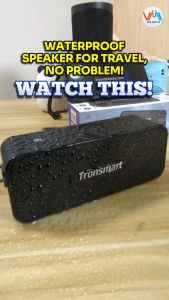
Tronsmart Element T2 Plus 20W Bluetooth Speaker
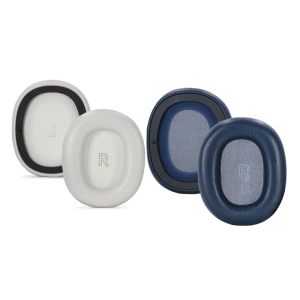
Sheepskin Leather Ear Cushions For H95ANC Headsets Earmuff Earpads Enhances Noise Reduction And Long Last Comfort Fit
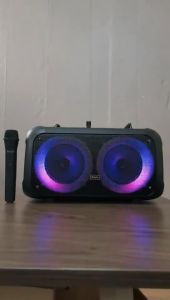
6.5 Inch Rechargeable Bluetooth Wireless Trolley Type Portable Speaker with Wireless MIC and AUX USB/ SD Card FM Radio Wireless Bluetooth Speaker BTS-1709
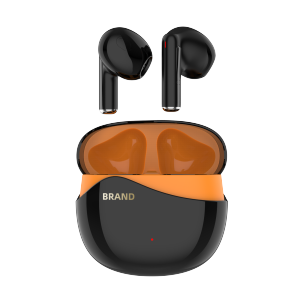
MAX90 Mini True Wireless Bluetooth Earbuds Stereo Sound Waterproof Deep Bass One-Step Pairing Comfort Fit for iPhone/Android
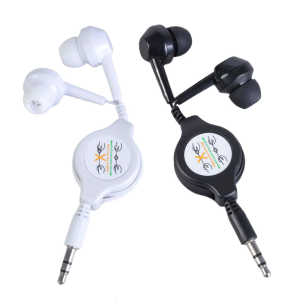
3.5mm Retractable Earphone Sound Cable Male In-Ear Earphone for Car Phone MP3 MP4 Music Speaker Computer Laptops

SIVGA SV021/Robin Over-ear Close-back Wood Headphone with Balanced High Fidelity Sound 50mm Wired Dynamic Driver Headset
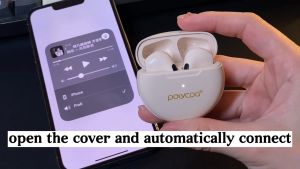
POLVCDG-PRO6 TWS Wireless Bluetooth Earbuds with Stereo Noise Reduction Bluetooth Earphones For Android and IOS
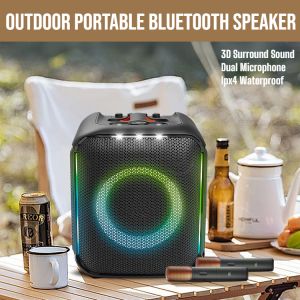
High Quality Outdoor Portable Bluetooth Speaker Mini Wireless Bluetooth Speaker Dual Microphone Family Ktv Set