Aluminum Ignition Switch Cover: A Guide for Honda Beat Vario & Other Motorcycles
Aluminum Ignition Switch Cover: A Guide for Honda Beat Vario & Other Motorcycles
What is an Aluminum Ignition Switch Cover?
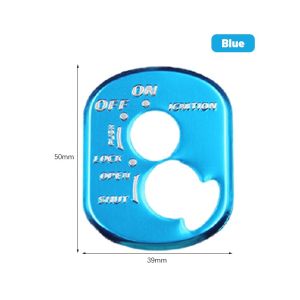
An aluminum ignition switch cover is a protective metal sticker designed to enhance the aesthetics and functionality of your motorcycle's ignition switch. This cover is specifically crafted for Honda Beat Vario, Wave Pcx, V1, V2, Wh100t, 125t, and 110t motorcycles. It serves as a stylish replacement for the original ignition switch cover, improving the overall look of your bike while offering additional protection against wear and tear.
Key Features of the Aluminum Ignition Switch Cover
- Durable Material: Made from high-quality aluminum, this ignition switch cover ensures long-lasting performance and resistance to corrosion.
- Custom Fit: Designed specifically for Honda Beat Vario and other compatible models, the cover fits seamlessly over the existing ignition switch.
- Enhanced Appearance: Adds a sleek, modern look to your motorcycle, making it stand out from the crowd.
Benefits of Using an Aluminum Ignition Switch Cover
- Improved Protection: The aluminum material provides superior protection against scratches, dents, and other forms of damage.
- Easy Installation: Simple installation process allows you to replace the original cover quickly and easily.
- Compatibility: Compatible with a wide range of motorcycle models, ensuring a perfect fit for your specific bike.
How to Install the Aluminum Ignition Switch Cover
Installing an aluminum ignition switch cover is a straightforward process that requires minimal tools and effort. Follow these steps to install the cover on your motorcycle:
Tools Needed for Installation
- Phillips Head Screwdriver: To remove the screws securing the original ignition switch cover.
- Tweezers: To carefully remove any debris or dirt from the ignition switch area.
- Rubber Gloves: To protect your hands during installation.
Step-by-Step Installation Process
- Remove the Original Cover: Using a Phillips head screwdriver, carefully remove the screws securing the original ignition switch cover.
- Clean the Area: Use tweezers to remove any debris or dirt from the ignition switch area.
- Install the New Cover: Align the aluminum ignition switch cover with the ignition switch and secure it in place using the provided screws.
- Test the Functionality: Once installed, test the functionality of the ignition switch to ensure proper operation.
Choosing the Right Aluminum Ignition Switch Cover for Your Motorcycle
Selecting the appropriate aluminum ignition switch cover for your motorcycle is crucial to ensure a perfect fit and optimal performance. Consider the following factors when choosing a cover:
Compatibility with Honda Beat Vario & Other Models
Ensure the cover is compatible with your specific motorcycle model. Check the manufacturer's specifications to confirm compatibility before purchasing.
Factors to Consider When Selecting a Cover
- Material Quality: Opt for a cover made from high-quality aluminum to ensure long-lasting performance and resistance to corrosion.
- Design and Aesthetics: Choose a cover that complements the overall look of your motorcycle and enhances its visual appeal.
- Ease of Installation: Select a cover that offers a simple installation process, allowing you to replace the original cover quickly and easily.
Maintenance Tips for Your Aluminum Ignition Switch Cover
To ensure the longevity and optimal performance of your aluminum ignition switch cover, follow these maintenance tips:
Cleaning and Care Instructions
- Regular Cleaning: Clean the cover regularly using a soft cloth and mild soap solution to remove dirt and grime.
- Avoid Harsh Chemicals: Refrain from using harsh chemicals or abrasive materials that may damage the surface of the cover.
- Protect from Moisture: Store the cover in a dry place to prevent moisture buildup and potential rust formation.
Troubleshooting Common Issues
If you encounter any issues with your aluminum ignition switch cover, refer to the following troubleshooting tips:
- Loose Screws: Tighten the screws securing the cover to ensure a secure fit.
- Corrosion: Apply a rust inhibitor to prevent further corrosion and protect the cover from damage.
- Misalignment: Realign the cover with the ignition switch and adjust the screws as needed to achieve proper alignment.
By following these guidelines, you can enjoy the enhanced aesthetics and functionality of an aluminum ignition switch cover on your Honda Beat Vario or other compatible motorcycles.

SOYA
Review

You May Also Like

YAMAHA Mio 125 MXI: Choosing & Installing Small Heavy-Duty Side Mirrors
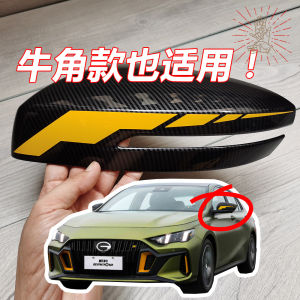
Car Rearview Mirror Stickers Carbon Fiber Reflective Bull Horn Decals Body Pull Flowers Suitable for Legendary Shadow Leopard

Summer Ebike Tubeless High Quality Tubeless Tire 100/90-8 100/90-10
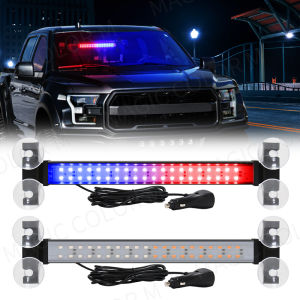
40 LED Strobe Light Emergency Flash Warning Lamp Auto Windshield Bar Traffic Advisor Flashlight Red Blue Car Accessories 12V-24V
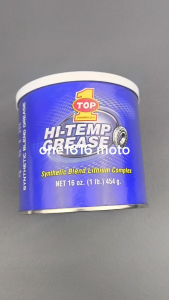
TOP 1 HI-TEMP GREASE (GRASA) SYNTHETIC MULTI-PURPOSE 454 GRAMS ORIGINAL
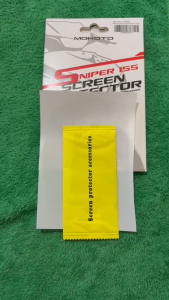
DAVIDSY MOKOTO SCREEN PROTECTOR SNIPER155 SMOKE AND CLEAR

3 In 1 Quick Coating Spray Set: Antifouling Cleaning & Car Surface Care
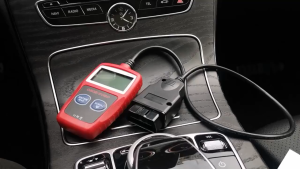
Smart New MS309 Automotive Fault Code Reader: Accurate Engine Diagnostic Scanner Tool

H2C FRONT WINDSHIELD CLEAR VISOR FOR HONDA GIORNO 125
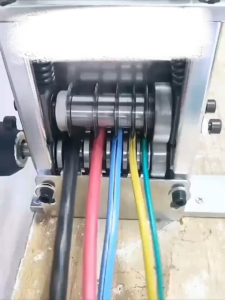
1-17mm Double Drive Automatic Wire Stripper Machine for Scrap Copper Leftover Cable Stripping Tool

Rain Protection & Anti-Fog Film for Helmets: Safe Driving Accessories