Magic Keyboard Wireless Mouse For iPad 9th Generation Case 2025 iPad A16 11th Cover iPad Pro 11 M4 M2 M3 Air 11 5 4 10th Funda
NOTE :The default keyboard is English keyboardKeyboard and mouse connection method: please turn off the iPads Bluetooth first,and then turn on the iPads Bluetooth. After powering on, immediately turn on theBluetooth of the keyboard or mouse for pairing. Please press " FN + C " for Bluetoothpairing. The first connection may be slow. Please try a few more times. thanks4 steps to open a new era of office. The power light is on. The bluetooth light is on. Turn on iPad Bluetooth. Connect BluetoothDUAL MODE BLUETOOTH MOUSE(BT 4.0 + 2.4GHz): dual mode wireless mouse realizes free switches between two devices with one mouse only by only one click. 【Please turn on the "Assistive Touch" on iPad: Setting-Accessibility- Assistive Touch for an iPad usage.】How to connect BluetoothStep 1: Turn on bluetoothStep 2: Hold down the three keys "Ctrl + FN + C" at the same time, the connection is successful.Keyboard introductionConnection method: BluetoothConnection distance: 8m-10mCompatible system: IOS/Android/MicrosoftSuitable for: smart phone/tablet/laptop (need to have Bluetooth function)Smart sleep: no use, sleep after 30 minutesContinuous use time: 100 hoursStandby time: 100 daysCharging time: 3-4 hoursMouse introductionConnection method: Bluetooth/2.4GHz Wireless USBConnection distance: 8m-10mMouse DPI: 800/1200/1600Compatible system: IOS/Android/MicrosoftSuitable for: smartphone/tablet/laptop/computerSmart sleep: no use, sleep after 3 minutesContinuous use time: 100 hoursStandby time: 100 daysCharging time: 2-3 hoursMulti-function Shortcut Keys Let you operate iPad more convenientlyBasic key combinationSwitch apple system: FN+EChinese and English input method switching: FN+SpaceShow physical keyboard: FN+ControlSwitch software: Conmmand+TabCase switching: Capslock (If the iPad cannot be set first: Set one +general + keyboard + physical keyboard + turn off the caps lock keyto switch the Latin keyboard)Note: If you need to use various countries (Korean, Japanese,etc.), please set the system toadd a keyboard (IPAD Settings-General-Keyboard-Add Keyboard)

Global Merch Park

You May Also Like

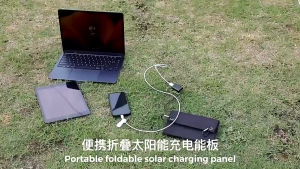
Anker Laptop Power Bank 25000mAh Portable Charger with Triple 100W USB-C Ports for Multi-Device Charging Built-in and Retractable Cables for iPhone 17/16/15 Series MacBook Samsung and More A1695
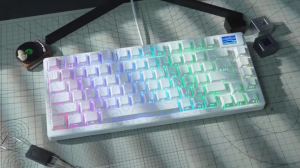
Purple Topographic Side Print Shine Through Keycap 130 Key Cherry Profile Double Shot Dye Sub PBT Keycaps for MX Switch Keyboard
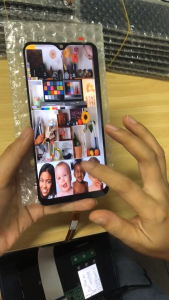
For Vivo Y33S Y33T Y76 5G Y74S 5G Y76S 5G Y31 Y51 LCD Digital Touch Screen Display Assembly for Replacement
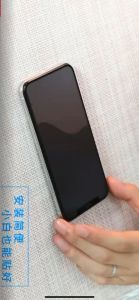
HONOR 90 LITE 5G Premium FULL GlueTempered Glass Screen Protector
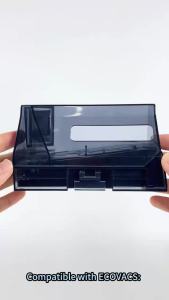
Dustbin For Ecovacs X8 / X8 Pro Plus / T80 Robot Vacuum Cleaner Replacement Dust Bin Accessories Dust Collection Box Spare Parts

JCSYFAC 2x Stove Top Coffee Maker Moka Replacement Spare Rubber Gasket Seal Ring
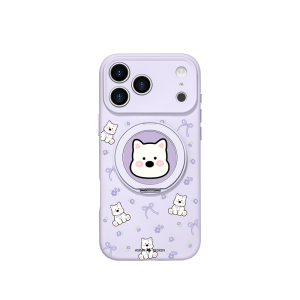
Asina | New Magnetic Stand Liquid Silicone Phone Case for iPhone 18
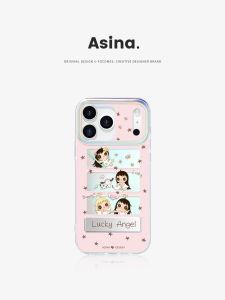
Asina | Integrated Hidden Bracket Full Coverage Drop Protection Case 18 Promax for iPhone
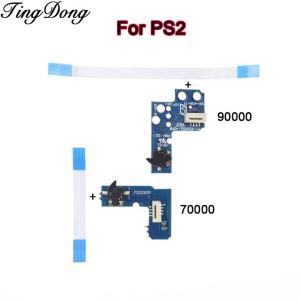
1/2/5Set Power Switch Board with Cable For PS2 70000/90000 Power On/Off Switch Board For PS2 thin machine 7W 9W series
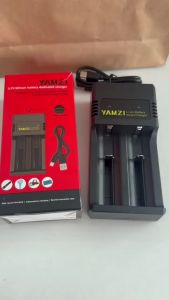
YAMZI 2-Slot Smart Portable USB Charger + Sony US18650 VTC6 3.7V 3000mAh Li-ion rechargeable battery
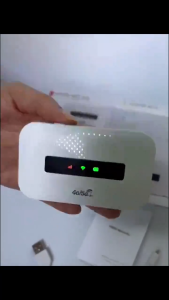
Expose Portable Router USB Wireless 5G 4G Mini Wifi 2100mAh WIFI Receiver Multi-Mode ALL SIM High Speed Hotspot