19, 22, 24, 27 Inch IPS Gaming Monitor 75Hz 1080P Framless Curved/Flat FHD Gaming Monitor for Computer PC Monitor
19, 22, 24, 27 Inch IPS Gaming Monitor 75Hz 1080P Framless Curved/Flat FHD Gaming Monitor for Computer PC Monitor
Choosing the right gaming monitor is essential for an immersive and enjoyable gaming experience. This comprehensive guide will help you understand the various options available in the market, specifically focusing on 19, 22, 24, and 27-inch IPS gaming monitors with 75Hz refresh rates and 1080p resolution. We'll discuss factors to consider when choosing the right size, the benefits of IPS technology, and how to choose the best monitor for your PC.
Understanding Your Options: 19, 22, 24 & 27 Inch Gaming Monitors
Choosing the Right Size: Factors to Consider
When selecting a gaming monitor, it's crucial to consider the size that best suits your needs. Here are some factors to take into account:
- Screen Size: Smaller monitors (19 and 22 inches) are ideal for limited desk spaces, while larger monitors (24 and 27 inches) offer a more immersive gaming experience.
- Viewing Distance: The distance between you and the monitor plays a significant role in determining the optimal screen size. A smaller monitor may appear too small if viewed from a distance, while a larger monitor may be overwhelming if placed too close.
- Budget: Larger monitors tend to be more expensive. Determine your budget and select a monitor that fits within it.
Key Features: 75Hz Refresh Rate & 1080p Resolution
Two essential features to consider when purchasing a gaming monitor are the refresh rate and resolution. Here's what you need to know:
- Refresh Rate: A 75Hz refresh rate means the screen updates 75 times per second, providing smoother motion and reducing screen tearing.
- Resolution: 1080p resolution offers a sharp and clear picture, making it easier to see details in your games.
Benefits of IPS Technology
IPS (In-Plane Switching) technology is known for its excellent color accuracy, wide viewing angles, and fast response times. These features make IPS monitors ideal for gaming, as they provide a more realistic and immersive experience.
Types of IPS Gaming Monitors: Curved vs Flat
Curved Monitors: Enhancing Immersion
Curved monitors offer a more immersive gaming experience by reducing eye strain and providing a wider field of view. However, they tend to be more expensive than flat monitors.
Flat Monitors: Balancing Performance & Cost
Flat monitors strike a balance between performance and cost, making them a popular choice among gamers. While they may not offer the same level of immersion as curved monitors, they still provide excellent gaming experiences.
Which One Suits Your Needs?
Consider your priorities when deciding between curved and flat monitors. If immersion is your top priority, a curved monitor may be the better choice. However, if you're looking for a more affordable option, a flat monitor could be the way to go.
Key Features to Look For in a Gaming Monitor
Refresh Rates: 75Hz Explained
A 75Hz refresh rate ensures smooth gameplay and reduces screen tearing, making it an essential feature for any gaming monitor.
Resolution: What is 1080p & Why Does It Matter?
1080p resolution offers a sharp and clear picture, making it easier to see details in your games. This resolution is ideal for most gaming scenarios.
Frameless Design: Advantages & Disadvantages
Frameless monitors offer a sleek and modern look, as well as improved immersion when used in multi-monitor setups. However, they may be more susceptible to damage due to the lack of protective edges.
How to Choose the Best IPS Gaming Monitor for Your PC
Setting Your Budget
Determine your budget and select a monitor that fits within it. Keep in mind that larger monitors and curved monitors tend to be more expensive.
Identifying Your Priorities
Consider your priorities when selecting a gaming monitor. Do you prioritize immersion, affordability, or both? This will help you narrow down your options and find the perfect monitor for your needs.
Researching & Comparing Models
Research different models and compare their features, prices, and reviews. This will help you make an informed decision and find the best IPS gaming monitor for your PC.
In conclusion, choosing the right gaming monitor requires careful consideration of factors such as screen size, refresh rate, resolution, and type of monitor. By following this guide, you'll be able to select the perfect IPS gaming monitor that meets your needs and budget.
Keywords: Framless Gaming Monitor for PC, 19 22 24 27 Inch Gaming Monitor, 75Hz 1080P Gaming Monitor, IPS Curved/Flat FHD Monitor, Computer Monitor with IPS Technology

XTYLE TECH
You May Also Like

Mobile Phone Cooler for Gaming Radiator Processor Adjustable Portable Charging Silent Phone Cell Phone Cool Heat Sink
Mechanical Revolution Z2 & Z3PRO: A Comprehensive Guide to Notebook Computer Components
Automatic Power Cutoff Switches For Auto Electrical Systems Features Fast Response Time And 50% Higher Current Capacity
Enhances Heat Dissipation 4010 Cooling Fan For Ender 3 Printer Quiet Operations Blower FAN
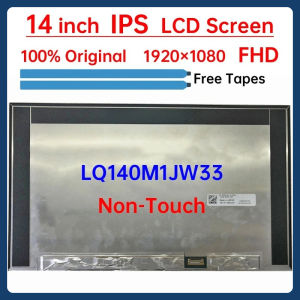
14 Inch IPS Laptop LCD Screen LQ140M1JW33 DVT1 LQ0DASC780 Display Matrix Panel Replacement 1920x1080

Aluminum Graphics Card Holder Jack Bracket Desktop PC Computer Case Video Card Water Cooling Kit Support Stand for Computer
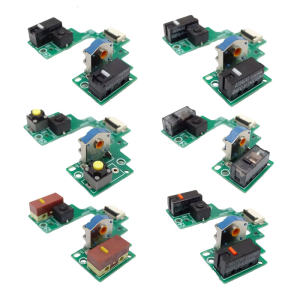
Mouse Key Motherboards Microswitches Button Board for GPRO2 LIGHTSPEEDs Welded Switches
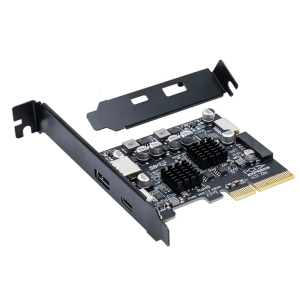
Internal External USB 3.2 Expansion Connector PCIE 4X To USB 3.2 10Gbps Full Speed Transmisson for Desktop
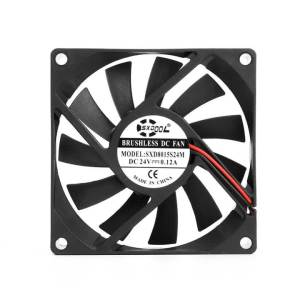
2pcs SXDOOL 8015 24v fan Sleeve Silent quiet PC Computer Fan 80mm 8cm fan 24V 0.12A Chassis Power case axial Cooling Fans
14" Laptop LCD Screen NE140WUM-N6F B140UAN02.6 N140JLG-GT3 LP140WU1-SPH1 For Dell Latitude 7440 Display Matrix Panel Non-Touch
16CH 5 IN 1 Modbus Rtu Digital IO Module RS485 NPN DI-DO Pin Cores Board Switching Output Remote IO Board