Wavlink USB-C Universal Triple 4K Display Docking Station: A Comprehensive Guide
Wavlink USB-C Universal Triple 4K Display Docking Station: A Comprehensive Guide
Introduction
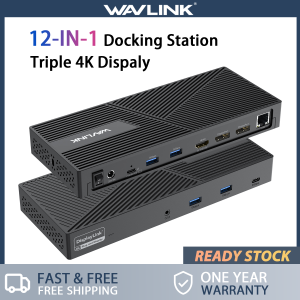
The Wavlink USB-C Universal Triple 4K Display Docking Station is a versatile device that allows users to connect up to three monitors to their laptop or tablet, making it ideal for those who require a multi-monitor setup. This 12-IN-1 DisplayLink dock supports 3 monitors, max 130W PD input, and features dual DP HDMI Type-C ports. It is compatible with a wide range of devices, including laptops, tablets, and phones, making it a valuable addition to any workspace.
Overview of Wavlink USB-C Universal Triple 4K Display Docking Station
The Wavlink USB-C Universal Triple 4K Display Docking Station is a compact and powerful device that enables users to connect up to three monitors to their laptop or tablet. It supports 3 monitors, max 130W PD input, and features dual DP HDMI Type-C ports. This versatile dock is compatible with a wide range of devices, including laptops, tablets, and phones, making it a valuable addition to any workspace.
Key Features & Benefits
- 3 Monitor Support: Connect up to three monitors to your laptop or tablet for a seamless multi-monitor experience.
- Dual DP HDMI Type-C Ports: Connect two monitors via DisplayPort and one monitor via HDMI for maximum flexibility.
- Max 130W PD Input: Charge your laptop or tablet while using the dock, thanks to its support for up to 130W PD input.
- 12-IN-1 DisplayLink Dock: With 12 ports, including USB-A and USB-C, Ethernet, and audio ports, this dock provides a comprehensive solution for connecting all your devices.
Setup & Installation
Setting up the Wavlink USB-C Universal Triple 4K Display Docking Station is a straightforward process that can be completed in just a few steps.
Unboxing & Initial Setup
- Unbox the Wavlink USB-C Universal Triple 4K Display Docking Station and locate the included USB-C cable.
- Connect the USB-C cable to the dock and plug it into your laptop or tablet.
- Power on your device and wait for the dock to initialize.
Connecting to Your Device
Once the dock has initialized, you can connect your monitors to the appropriate ports. For example, connect two monitors to the DisplayPort ports and one monitor to the HDMI port.
Configuring Displays
After connecting your monitors, you may need to configure them in your operating system's display settings. This will allow you to adjust the resolution, orientation, and positioning of each monitor.
Usage & Tips
The Wavlink USB-C Universal Triple 4K Display Docking Station offers a wide range of features and applications that can enhance your productivity and workflow.
Optimizing Performance
To optimize the performance of your multi-monitor setup, consider the following tips:
- Adjust the refresh rate: Set the refresh rate of your monitors to match the capabilities of your graphics card for the best possible performance.
- Use a dedicated graphics card: If your laptop or tablet has a dedicated graphics card, enable it in the BIOS settings to improve performance.
- Update drivers: Ensure that your graphics drivers are up-to-date to take advantage of the latest features and improvements.
Troubleshooting Common Issues
If you encounter any issues with the Wavlink USB-C Universal Triple 4K Display Docking Station, try the following troubleshooting tips:
- Check connections: Ensure that all cables are securely connected to the dock and your devices.
- Update drivers: Ensure that your graphics drivers are up-to-date to resolve any compatibility issues.
- Restart your device: Restarting your laptop or tablet can resolve any temporary software issues.
Additional Features & Applications
In addition to connecting up to three monitors, the Wavlink USB-C Universal Triple 4K Display Docking Station offers a wide range of additional features and applications, including:
- USB-A and USB-C ports: Connect external storage devices, printers, and other peripherals via the USB-A and USB-C ports.
- Ethernet port: Connect to a wired network for a stable and fast internet connection.
- Audio ports: Connect headphones, speakers, and microphones via the audio ports.
Conclusion
The Wavlink USB-C Universal Triple 4K Display Docking Station is a versatile and powerful device that enables users to connect up to three monitors to their laptop or tablet. With its support for dual DP HDMI Type-C ports, max 130W PD input, and 12-IN-1 DisplayLink dock, this device offers a comprehensive solution for connecting all your devices. Whether you're a professional or a student, the Wavlink USB-C Universal Triple 4K Display Docking Station is a valuable addition to any workspace.
Summary of Key Points
- 3 Monitor Support: Connect up to three monitors to your laptop or tablet for a seamless multi-monitor experience.
- Dual DP HDMI Type-C Ports: Connect two monitors via DisplayPort and one monitor via HDMI for maximum flexibility.
- Max 130W PD Input: Charge your laptop or tablet while using the dock, thanks to its support for up to 130W PD input.
- 12-IN-1 DisplayLink Dock: With 12 ports, including USB-A and USB-C, Ethernet, and audio ports, this dock provides a comprehensive solution for connecting all your devices.
Final Thoughts
The Wavlink USB-C Universal Triple 4K Display Docking Station is a powerful and versatile device that can enhance your productivity and workflow. With its support for up to three monitors, max 130W PD input, and 12-IN-1 DisplayLink dock, this device offers a comprehensive solution for connecting all your devices. If you're looking for a reliable and efficient way to connect multiple monitors to your laptop or tablet, the Wavlink USB-C Universal Triple 4K Display Docking Station is definitely worth considering.

wavlink-SG-MT
Review

You May Also Like

2025 Folding Desktop Fan USB Charging Stand Fan/Hanging Fan/Ceiling Fan 3-in-1 Portable Light Sound with Three Speed Wind Speed Regulation and Night Light Illumination - Chargeable

Buzz Lightyear Anime Cartoon Phone Case Full Lens Protection Personality Simple Design Compatible with iPhone And Huawei
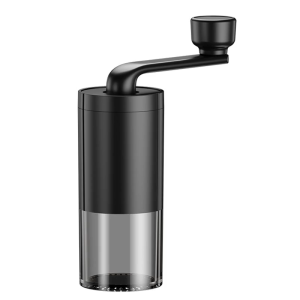
Manual Small Coffee Mill Travel Friendly Coffee Grinder Manual Coffee Mill Plastic Texture for Camping and Indoor Use
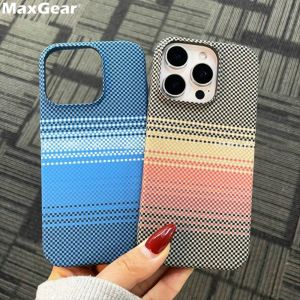
Ultra Thin Carbon Fibre Pattern Case For iPhone 16 15 14 Plus 13 12 Pro Max 11 16Pro Luxury Matte Cooling Hard Plastic Cover

YUWO 10PCS Universal Metal Phone Sim Card Tray Pin Eject Removal Tools Needle Opener
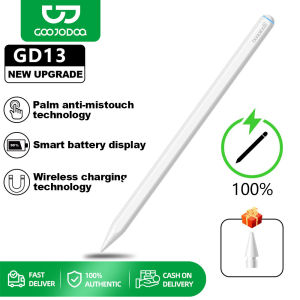
GOOJODOQ 13th GD13 Pencil Stylus Pen Palm Rejection with Wireless Charging for Air 4 Air 5 Pro 11

Silicone Phone Case Full Cover Protection for Xiaomi 15 Ultra 14 pro 13 pro 12 S Anti-Fall MI15 Compatible with Men And Women

Embroidered Heart Denim Flip Cover Leather Case for iPhone 15 Cartoon Apple 14 pro Max New Model 16 pro Fashion Accessories

Boorca Angel Eye Liquid Silicone Soft Shell for Huawei Mate40 pro Light Blue Protective Case Men Women Couple Back Cover
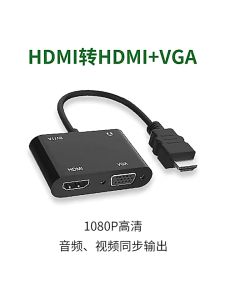
HDMI To HDMI + VGA Adapter Splitter 3.5mm Audio Video Converter For Laptop PC TV
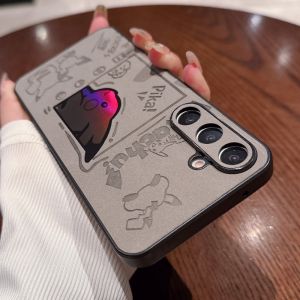
Luxury Leather Samsung A55 Phone Case Galaxy A54 A56 New Model A56 Laser Pikachu Full Cover Protection Shell A15 Anti-Fall