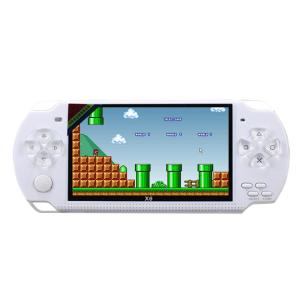
MXQ PRO M8/K8/X6TV: A Comprehensive Guide to Game Consoles & TV Boxes
MXQ PRO M8/K8/X6TV: A Comprehensive Guide to Game Consoles & TV Boxes
Introduction to MXQ PRO M8/K8/X6TV
Welcome to our comprehensive guide on the MXQ PRO M8/K8/X6TV game console set, designed to bring endless entertainment to your living room. This article will delve into the features, setup, and optimization of the MXQ PRO M8/K8/X6TV game console set, so you can make the most of your gaming experience.
Overview of MXQ PRO M8/K8/X6TV Game Console Set
The MXQ PRO M8/K8/X6TV game console set offers a variety of models, including the MXQ PRO M8 Mini TV Box+Game Console Set, MXQ PRO M8 Pro TV Box+Game Console Set, and MXQ G10 TV Box+Game Console Set. These devices come equipped with built-in games consoles, providing instant access to thousands of games right out of the box.
Key Features of MXQ PRO M8/K8/X6TV Game Console Set
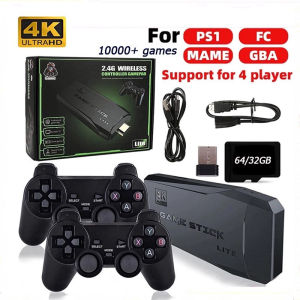
- Built-in games console with 7600+ (MXQ PRO M8 Mini), 10000+ (MXQ PRO M8 Pro and MXQ G10) games
- Two controllers and a game stick included
- Compatible with both Android and iOS devices
- HDMI output for seamless connection to your TV
- Easy-to-use interface and intuitive setup process
Built-in Games Console: A Closer Look
One of the standout features of the MXQ PRO M8/K8/X6TV game console set is its built-in games console, which offers a vast library of games for users to enjoy. Here's a closer look at the game libraries for each model:
- MXQ PRO M8 Mini TV Box+Game Console Set: With 7600+ games, this compact device is perfect for casual gamers looking for a diverse selection of titles.
- MXQ PRO M8 Pro TV Box+Game Console Set: Offering 10000+ games, this model is ideal for gamers seeking a wider range of options.
- MXQ G10 TV Box+Game Console Set: Also featuring 10000+ games, the MXQ G10 provides a robust gaming experience for enthusiasts.
Setting Up Your MXQ PRO M8/K8/X6TV Game Console
Setting up your MXQ PRO M8/K8/X6TV game console is a straightforward process. Follow these steps to get started:
How to Install Controllers & Game Stick
- Connect the controllers and game stick to the console using the provided USB cables.
- Power on the console and select the appropriate controller/game stick settings.
Connecting to Your TV & Wi-Fi Network
- Connect the console to your TV using the HDMI cable.
- Power on the console and connect to your Wi-Fi network by selecting the desired network and entering the password.
Customizing Your Gaming Experience
Once connected, you can customize your gaming experience by adjusting the console's settings, such as brightness, contrast, and audio levels. Additionally, explore the built-in games and apps to discover new entertainment options.
Maximizing Your MXQ PRO M8/K8/X6TV Game Console Experience
To get the most out of your MXQ PRO M8/K8/X6TV game console, consider these tips:
Exploring Built-in Games & Apps
Take advantage of the built-in games and apps to discover new entertainment options. From classic arcade games to modern hits, there's something for everyone in the vast library of titles available.
Tips for Optimal Performance
- Keep the console updated with the latest firmware to ensure optimal performance.
- Regularly clean the console and controllers to prevent dust buildup, which can affect performance.
Troubleshooting Common Issues
If you encounter any issues with your MXQ PRO M8/K8/X6TV game console, refer to the user manual or contact customer support for assistance. Some common issues include connectivity problems, lag, and audio/sync issues.
Conclusion: Why Choose MXQ PRO M8/K8/X6TV Game Console Set?
The MXQ PRO M8/K8/X6TV game console set offers a fantastic gaming experience for users of all skill levels. With built-in games consoles featuring thousands of titles, two controllers, and a game stick, there's no better way to bring endless entertainment to your living room. So why wait? Get your MXQ PRO M8/K8/X6TV game console set today and start exploring the world of gaming!

SONNEMAN Motors
Review

You May Also Like
96-144HZ Active Shutter 3D Glasses For Xgimi Z3/Z4/Z6/H2 Nuts G1/P2 Rechargeable BenQ Acer And DLP LINK Projector Dropshipping
Nintendo Switch Lite Protection Sticker Kuroko Soft Shell Colorful NS Film Pain Relief TPU Cover Case Gaming Accessories
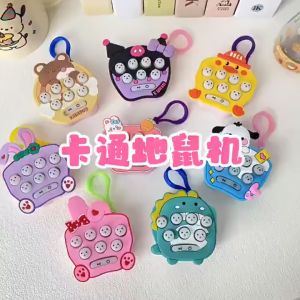
Kuromi Pop It Keychain & Sanrio Mini Whack-a-mole: A Fun Game Console for Kids
VILCORN GB300 Portable Handheld Game Console: A Comprehensive Guide
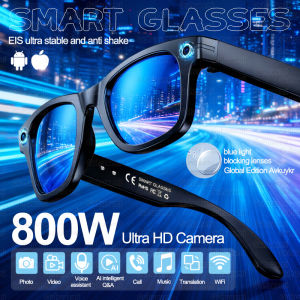
2026 New Upgrade Smart Glasses With Camera Video Recording AI Photo Recognition Bluetooth Call Translation Voice Sunglasses Man
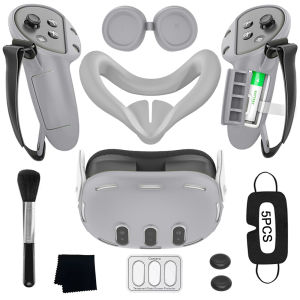
VR Accessories For Oculus/Meta Quest 3/3s/2 Silicone 9 in 1 Cover Kit Headset Shell Face Cover Controller Grip Case Idea Gift
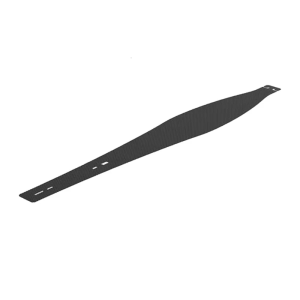
Game Console Host Middle Strip Dust Cover Flexible Mesh Protections Net for PS 5 Dustproof Skin Heatsink Barrier Cover
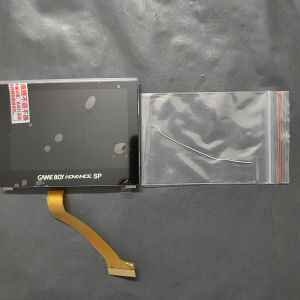
Replacement GBA SP IPS V4 Laminated Screen LCD Kits for Gameboy Advance SP IPS V4 Backlight High Brightness 8 Levels Gaming Screen
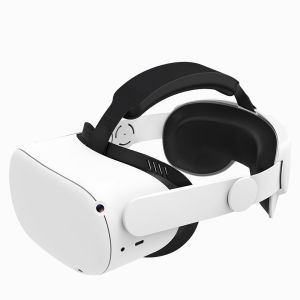
HUNDAI Design For Meta Quest 2/Oculus Quest 2 Elite Strap Adjustable Head Strap
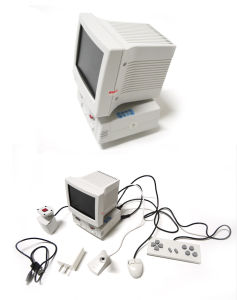
Retro Nostalgic Desktop 3.5-inch Mini Computer Small TV Home Game Console Childrens Gift

Handheld Game Machine: Discover the Joy of Portable Gaming