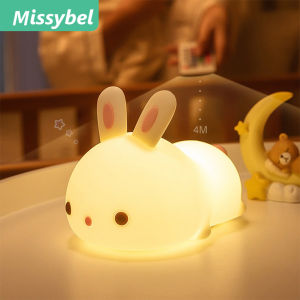
HDMI 2.0 Device Sync Box & Smart Ambient Lighting: A Comprehensive Guide
HDMI 2.0 Device Sync Box & Smart Ambient Lighting: A Comprehensive Guide
HDMI 2.0 Device Sync Box, Google Assistant Control, Wifi Smart Ambient Lighting, Led Strip Lights Kit, and Alexa Voice Control are the latest innovations in home entertainment technology. In this comprehensive guide, we'll explore how to set up and optimize your HDMI 2.0 Device Sync Box and smart ambient lighting system to enhance your smart home experience.
What is HDMI 2.0 Device Sync Box?
The HDMI 2.0 Device Sync Box is a device that allows you to synchronize your LED strip lights with your TV, creating a dynamic and immersive viewing experience. It supports HDMI 2.0, ensuring compatibility with the latest TVs and gaming consoles.
Key Features & Benefits
- HDMI 2.0 support
- Compatibility with LED strip lights
- Easy setup and configuration
- Enhances visual experience
How to Set Up Your HDMI 2.0 Device Sync Box
- Connect the HDMI 2.0 Device Sync Box to your TV using an HDMI cable.
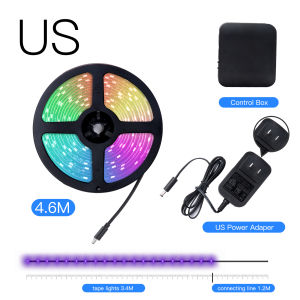
- Connect the LED strip lights to the HDMI 2.0 Device Sync Box using the included adapter.
- Power on your TV and select the appropriate input source.
Google Assistant Control & Alexa Voice Control: Enhancing Your Smart Home Experience
Integrating Google Assistant and Alexa with your HDMI 2.0 Device Sync Box allows you to control your LED strip lights using voice commands, enhancing your smart home experience.
Integrating Google Assistant & Alexa with Your HDMI 2.0 Device Sync Box
- Download the Google Home app or Amazon Alexa app on your smartphone.
- Connect your smartphone to the same Wi-Fi network as your HDMI 2.0 Device Sync Box.
- Follow the on-screen instructions to add your HDMI 2.0 Device Sync Box to your Google Home or Alexa account.
Controlling Your LED Strip Lights with Voice Commands
Once integrated, you can control your LED strip lights using voice commands like "Hey Google, turn on the LED lights" or "Alexa, change the color of the LED lights."
Understanding WiFi Smart Ambient Lighting
WiFi smart ambient lighting, such as LED strip lights, allows you to control and customize the lighting in your home using a smartphone app or voice commands.
What Are LED Strip Lights & How Do They Work?
LED strip lights are flexible strips of LEDs that can be cut to size and powered using a low-voltage power supply. They work by emitting light through small diodes, providing a wide range of colors and brightness levels.
How to Install & Configure Your LED Strip Lights Kit
- Cut the LED strip lights to the desired length.
- Peel off the adhesive backing and stick the LED strip lights to your desired location.
- Connect the LED strip lights to the power supply.
- Download the smartphone app and follow the on-screen instructions to configure your LED strip lights.
Setting Up Your HDMI 2.0 Device Sync Box & Smart Ambient Lighting System
Connecting your HDMI 2.0 Device Sync Box to your TV and synchronizing your LED strip lights will create a dynamic and immersive viewing experience.
Connecting Your HDMI 2.0 Device Sync Box to Your TV
- Connect the HDMI 2.0 Device Sync Box to your TV using an HDMI cable.
- Power on your TV and select the appropriate input source.
Synchronizing Your LED Strip Lights with Your HDMI 2.0 Device Sync Box
- Connect the LED strip lights to the HDMI 2.0 Device Sync Box using the included adapter.
- Follow the on-screen instructions to synchronize your LED strip lights with your HDMI 2.0 Device Sync Box.
Conclusion: Maximizing Your Smart Home Entertainment Experience
By setting up your HDMI 2.0 Device Sync Box and smart ambient lighting system, you can enhance your smart home entertainment experience. With the ability to control your LED strip lights using voice commands and synchronize them with your TV, you'll enjoy a dynamic and immersive viewing experience like never before.

BOIOSMART
Review

You May Also Like

Spades Printed Playing Card Poster: Retro Art for Your Modern Kitchen

Retro Creative Cartoon Decorative Cloth Wall Hanging Bedding Room Background Beautiful Mosaic Tapestry Art Home Decor

LED Solar Outdoor Light Warmlight Lawn Lamp Waterproof Solar Powered Courtyard Lighing for Garden Landscape Lights
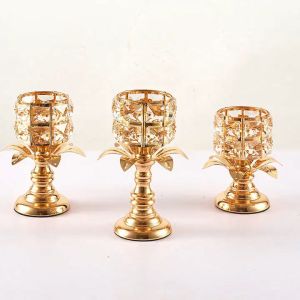
Golden Crystal Candle Holder/Candlestick Party Ornaments Wedding Candelabra Romantic Dinner Table Sparklers Decor Candelabra Tealight Candlestick
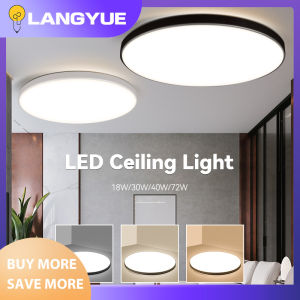
LANGYUE Modern LED Ceiling Lights: A Comprehensive Guide
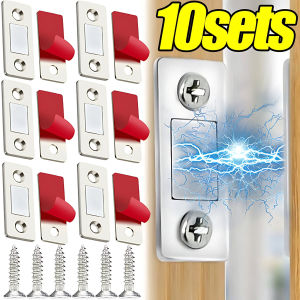
【Hibeautylife】10Sets Invisible Strong Magnetic Cabinet Catches Ultra-Thin Door Magnets Stops Adhesive Drawer Magnet Catch for Kitchen Closet Closer
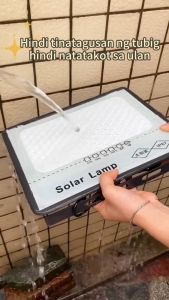
Solar outdoor lighting IP67 Solar Light 12000W waterproof street lamp indoor and outdoor courtyard lighting with panel outdoor light
MS/20/30 LED Solar Bulb Lights: Outdoor Waterproof Patio Hanging Decor Christmas Fairy Light
BGVP 7M 12M 22M Solar Christmas Light String Holiday Light Party Light Garden Lights Waterproof Light Party Light String Birthday Light Solar Light Decoration Fairy Lights
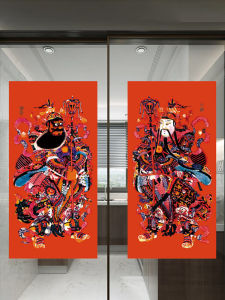
Traditional New Year Door God Snake Year High-end Cultural Creative Decoration Paper Material Normal Specification Festive Supplies
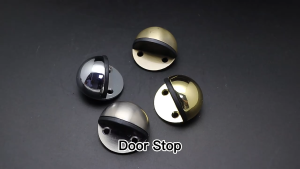
Half Moon Shaped Stainless Steel Door Stopper: Installation & Usage Guide