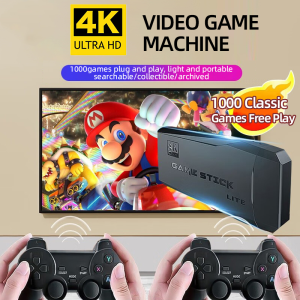
Controller Game 4K HDMI GAME STICK TV 64GB 10000 Video Game Console 2.4G Wireless Controller Family
Controller Game 4K HDMI GAME STICK TV 64GB 10000 Video Game Console 2.4G Wireless Controller Family
Welcome to our comprehensive guide on the 64GB Family Gaming Device, a powerful and versatile gaming console that brings thousands of video games to your living room. In this article, we will explore the key features, benefits, and how to use the device to enhance your gaming experience.
What is the 64GB Family Gaming Device?
The 64GB Family Gaming Device is a compact and portable gaming console designed to connect to your TV via HDMI. With 64GB of built-in storage, this device can store thousands of video games, making it an ideal choice for families looking to enjoy a wide range of gaming experiences.
Key Features
- 64GB of built-in storage
- 4K HDMI output for high-definition gaming
- 2.4G wireless controller for seamless gameplay
- Access to over 10,000 video games
Benefits of the 64GB Family Gaming Device
The 64GB Family Gaming Device offers several benefits, including:
- Portability: With its compact design, this device can easily be carried around and connected to any TV with an HDMI port.
- Large game library: The built-in storage allows you to store thousands of video games, giving you access to a wide range of gaming experiences.
- High-definition gaming: The 4K HDMI output ensures that you can enjoy high-definition gaming on your TV.
- Wireless controller: The 2.4G wireless controller provides seamless gameplay without the hassle of wires.
How to Use the 4K HDMI Game Stick
Using the 4K HDMI Game Stick is simple and straightforward. Here are the steps to get started:
Connecting the Game Stick to Your TV
- Connect the 4K HDMI Game Stick to your TV using the provided HDMI cable.
- Turn on your TV and select the appropriate input source.
- Power on the game stick by pressing the power button.
Setting Up the 2.4G Wireless Controller
- Insert the batteries into the wireless controller.
- Press and hold the pairing button on the controller until the LED light turns green.
- Press and hold the pairing button on the game stick until the LED light turns green.
Exploring 10,000 Video Games
With access to over 10,000 video games, the 64GB Family Gaming Device offers a wide range of gaming experiences. Here are some tips for finding new games:
Top Genres and Categories
- Action games
- Adventure games
- Sports games
- Puzzle games
- Role-playing games
Tips for Finding New Games
- Browse the game library by genre or category.
- Check out the most popular games.
- Read reviews and ratings from other players.
Enhancing Your Gaming Experience
The 64GB Family Gaming Device offers several features to enhance your gaming experience. Here are some tips for customizing settings and connecting with friends online:
Customizing Settings and Controls
- Adjust the audio and video settings to your preference.
- Customize the controller settings, such as button mapping and sensitivity.
Connecting with Friends Online
- Create an account to connect with friends online.
- Join multiplayer games and compete against other players.
Conclusion
The 64GB Family Gaming Device is a powerful and versatile gaming console that brings thousands of video games to your living room. With its compact design, large game library, and high-definition gaming capabilities, this device offers a wide range of gaming experiences for families. Follow the steps outlined in this guide to get started and enhance your gaming experience.

GSE PH
Review

You May Also Like
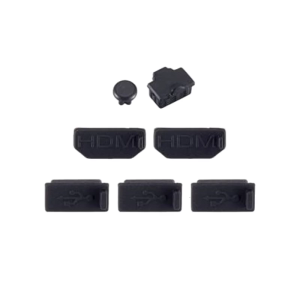
7 in 1 Silicone Dust Plugs Set Interfaces Anti-Dusts Cover Dustproof Plugs Kit for XB One X Game Console Accessories

2 In 1 Bluetooth Glasses with Mic Earphone Wireless Headset Glasses for Outdoor Bluetooth Sun Glasses
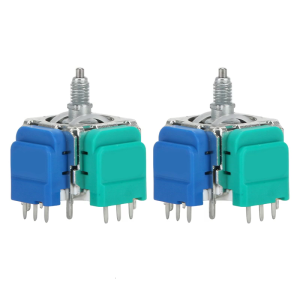
Advanced TMR Hall Joystick TMR Electromagnetic Joystic Enhances Precisions & Durability 2.2cm for Consoles Series 2
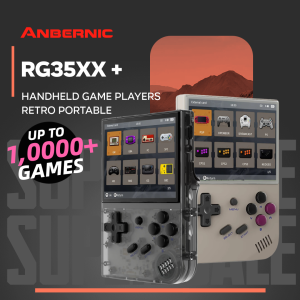
Anbernic RG35XX+: A Portable Linux OS Game Console
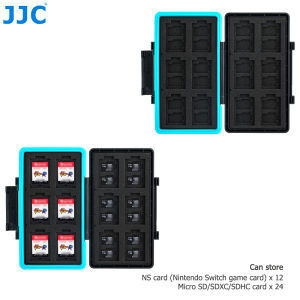
JJC 36 Slots Memory Card Case Memory Card Wallet for 24 Micro SD SDXC SDHC Cards And 12 NS Card Nintendo Switch Game Card Case

Customize Rate Army in the Field Basketball Jersey Design Source File
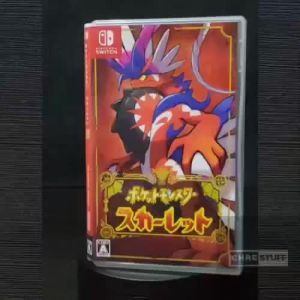
Nintendo Switch Pokemon Scarlet
Flexible Mesh Heatsink Barrier Cover Protections Net for PS 5 Game Console Gamepad Anti-scratch Skin Host Middle Strip
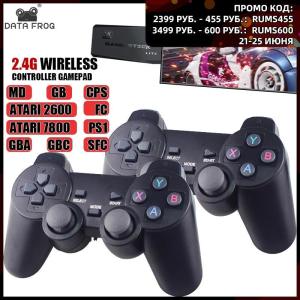
4K Game Stick USB 2.4G Wireless Console 10000 Classic Games Video Game 8 Bit Mini Retro Controller HDMI-compatible Dual Gamepad
LIGE AI Smart Glasses 8MP HD Camera 1080P Video Record Bluetooth Call 300mAh Battery Voice Assistant Control Sunglasses Lenses
ORIGINAL PS4 GAMES BATCH #3 (500+ choices)