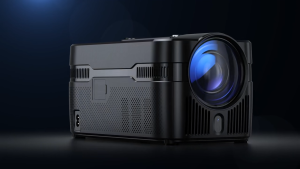
Salange P09 Mini DLP Projector: A Portable Wireless Movie Solution
Salange P09 Mini DLP Projector: A Portable Wireless Movie Solution
Introduction to Salange P09 Mini DLP Projector
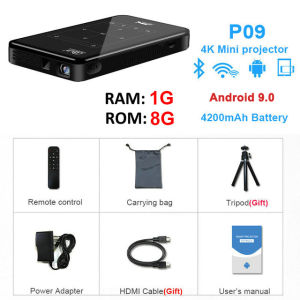
The Salange P09 Mini DLP Projector is a portable wireless movie solution that offers high-quality visual experience and ease of use. This compact projector supports 1080P resolution and features a 4K Android 9.0 operating system, making it perfect for home theater enthusiasts who desire a flexible and convenient way to watch movies, videos, and other media.
What is Salange P09 Mini DLP Projector?
The Salange P09 Mini DLP Projector is a compact projector that utilizes Digital Light Processing (DLP) technology to deliver sharp and vibrant images. It supports both Bluetooth and WiFi connectivity, allowing users to stream movies and videos from various sources. This projector is designed to be easy to set up and use, making it an ideal choice for anyone looking to enjoy a cinematic experience at home.
Key Features & Benefits
Some of the key features and benefits of the Salange P09 Mini DLP Projector include:
- High-Quality Visuals: With 1080P resolution and a 4K Android 9.0 operating system, this projector delivers sharp and vibrant images that make every viewing experience a treat.
- Portability: The compact design of the Salange P09 Mini DLP Projector makes it easy to take on the go, whether you're camping, traveling, or simply want to move it from room to room.
- Ease of Use: Setting up the projector is quick and easy, thanks to its intuitive interface and support for both Bluetooth and WiFi connectivity.
- Versatility: The Salange P09 Mini DLP Projector can be used with a wide range of devices, including smartphones, tablets, laptops, and gaming consoles.
How to Choose the Right Plug for Your Region
Salange P09 Mini DLP Projector automatically replaces the plug based on your region. Here are the sending specifications:
- Malaysia and Singapore: UK Plug
- Philippines and Thailand: US Plug
- Indonesia and Vietnam: EU Plug
If you need to replace the plug, please contact customer service.
How to Set Up Salange P09 Mini DLP Projector
Setting up the Salange P09 Mini DLP Projector is straightforward and can be done in just a few simple steps.
Connecting to Bluetooth & WiFi
To connect the projector to Bluetooth and WiFi, follow these steps:
- Turn on the projector and press the “Menu” button on the remote control.
- Navigate to the “Settings” menu and select “Bluetooth/WiFi”.
- Follow the on-screen instructions to connect your device to the projector’s Bluetooth or WiFi network.
Setting Up Your Home Theater System
To set up your home theater system with the Salange P09 Mini DLP Projector, follow these steps:
- Connect the projector to your power source and turn it on.
- Position the projector at the desired distance from your screen or wall.
- Adjust the focus and zoom settings to achieve the desired image size and clarity.
Troubleshooting Common Issues
If you encounter any issues while setting up or using the Salange P09 Mini DLP Projector, here are some troubleshooting tips:
- No Picture: Check that the projector is connected to a power source and that the input source is selected correctly.
- No Sound: Check that the audio settings are configured correctly and that the volume is turned up.
- Image Quality: Adjust the focus and zoom settings to achieve the desired image size and clarity.
How to Use Salange P09 Mini DLP Projector
The Salange P09 Mini DLP Projector is easy to use and offers a wide range of features to enhance your viewing experience.
How to Stream Movies & Videos
Streaming movies and videos with the Salange P09 Mini DLP Projector is simple:
- Connect your device to the projector’s Bluetooth or WiFi network.
- Launch the media player app on your device and select the movie or video you want to watch.
- Press the “Play” button to start streaming the movie or video.
Customizing Settings for Optimal Viewing Experience
To customize the settings for optimal viewing experience, follow these steps:
- Press the “Menu” button on the remote control.
- Navigate to the “Settings” menu and select the desired setting.
- Adjust the setting to your preference and press “OK” to save the changes.
Tips for Maintaining Your Projector
To ensure the longevity and optimal performance of your Salange P09 Mini DLP Projector, here are some tips for maintaining it:
- Keep the projector clean: Regularly clean the projector’s lens and air vents to prevent dust buildup.
- Avoid overheating: Do not cover the projector or place it in direct sunlight, as this can cause overheating.
- Store properly: When not in use, store the projector in a cool, dry place.
Conclusion & Next Steps
The Salange P09 Mini DLP Projector is a portable wireless movie solution that offers high-quality visuals, ease of use, and versatility. Whether you’re looking to set up a home theater system or take your entertainment on the go, this projector is an excellent choice. Remember to follow the setup instructions carefully and maintain your projector properly to ensure optimal performance.
Why Salange P09 Mini DLP Projector is Worth Considering
The Salange P09 Mini DLP Projector offers several benefits that make it worth considering:
- High-Quality Visuals: With 1080P resolution and a 4K Android 9.0 operating system, this projector delivers sharp and vibrant images.
- Portability: The compact design of the Salange P09 Mini DLP Projector makes it easy to take on the go.
- Ease of Use: Setting up the projector is quick and easy, thanks to its intuitive interface and support for both Bluetooth and WiFi connectivity.
- Versatility: The Salange P09 Mini DLP Projector can be used with a wide range of devices, including smartphones, tablets, laptops, and gaming consoles.
Follow Us for More Updates & Support
For more updates and support, please follow us on social media. We’ll keep you informed about new product releases, firmware updates, and other important news.
Contact Customer Service for Plug Replacement
If you need to replace the plug on your Salange P09 Mini DLP Projector, please contact customer service. Our team will be happy to assist you.

Salange Projector Store
You May Also Like
Remote Control Multicolored LED Analog Projection Clock 180Degree Adjustable with Switchable Dials for Bedroom Decors
Mini 4K Portable Projector Home Theater DLP Android Smart Ceiling Car Outdoor Wifi Bluetooth Mobile Battery Rechargeable LED
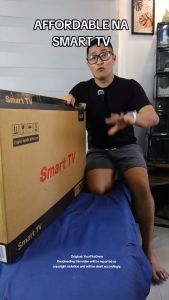
EXPOSE Smart Tv 43 inch Android 12 Bluetooth tv box 32 inch Flat screen Ultra-slim television HDMI Cable Full HD
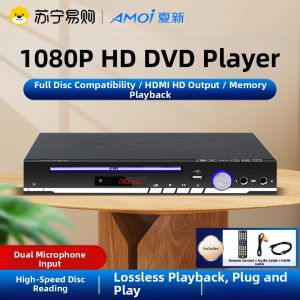
Amoi | Amoi New 2025 Home DVD Player High Definition EVDEVD VCD Disc Player Integrated 310 Full HD 1080P Blu-ray Player with Mic Slot
H00 Stratos Vision 4K Projector Android 11 8000 Lumens Dual WiFi Portable Mini Cinema
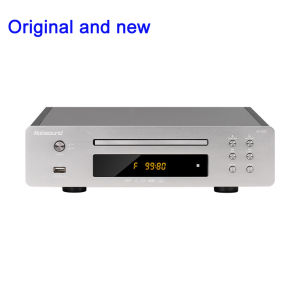
Nobsound DV925: A Comprehensive Guide to HDMI-Compatible Multi-Function Media Player
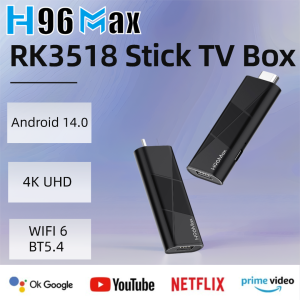
H96 MAX RK3518 BLACK Stick mini TV Box Android14.0 Wifi6 BT5.4 4KHD Dongle Ethernet Google Voice Assistant Media Player TV Stick

Office Desk Partition Windproof PVC Sunshade Board Student Desk Exam Partition Screen Windproof Board Desktop Barrier
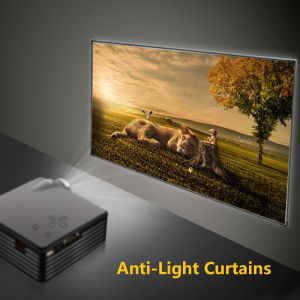
Portable Foldable Projector Screen Ultra HD Ambient Light Rejecting Video Screen for Home Theater Indoor Outdoor Office,projector screen wall,screen projector
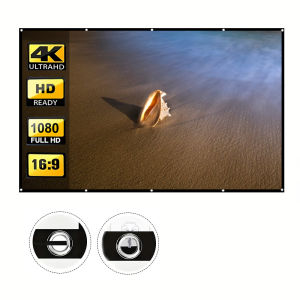
Projection screen with rope high-density white soft screen. Can be cleaned folded easy to carry suitable for both indoor and
EXPOSE Bluetooth 32 Inch Smart TV Digital 4K LED TV Android 14.0 Tablet TV Google Netflix and YouTube HDMI/USB