Portable Wireless Numeric Keypad 18 Keys Digital Mini 2.4G Wireless Keyboards for Laptop Notebook Macbook
Portable Wireless Numeric Keypad 18 Keys Digital Mini 2.4G Wireless Keyboards for Laptop Notebook Macbook
Introduction to Portable Wireless Numeric Keypad
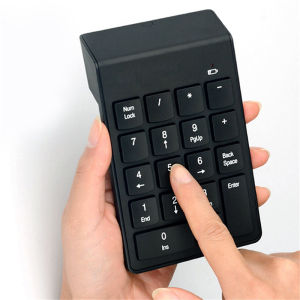
In today's fast-paced world, users demand versatile and efficient tools to enhance their productivity. A portable wireless numeric keypad, such as the 18 Keys Digital Mini 2.4G Wireless Keyboard, provides a convenient solution for both laptop and MacBook users. This compact numeric keypad offers numerous benefits, including improved efficiency, enhanced user experience, and seamless integration with various devices.
Understanding the Importance of Compact Numeric Kepads
A compact numeric keypad, like the 18 Keys Digital Mini 2.4G Wireless Keyboard, enables users to input numbers quickly and accurately. It is ideal for tasks such as data entry, financial calculations, and spreadsheet management. By providing a dedicated number pad, users can save time and minimize errors compared to using the traditional keyboard layout.
Key Features of 2.4G Wireless Laptop Keyboards
The 18 Keys Digital Mini 2.4G Wireless Keyboard boasts several key features that make it an excellent choice for laptop and MacBook users:
- Compact Design: With its small form factor, this wireless numeric keypad is easy to carry around and store when not in use.
- 2.4G Wireless Technology: Utilizing 2.4G wireless technology, the keypad ensures stable connectivity and a reliable user experience.
- Multi-Device Compatibility: The keypad is compatible with various devices, including laptops, notebooks, and MacBooks.
- Durable Build: Constructed from high-quality materials, the keypad is built to last and withstand daily use.
How to Choose the Right Portable Wireless Numeric Keypad
When selecting a portable wireless numeric keypad, consider the following factors to ensure you find the perfect match for your needs:
- Compatibility: Verify that the keypad is compatible with your device, whether it's a laptop, notebook, or MacBook.
- Wireless Technology: Opt for a keypad that utilizes reliable wireless technology, such as 2.4G, to avoid connectivity issues.
- Durability: Look for a keypad made from durable materials to ensure long-lasting performance.
- Portability: Choose a keypad with a compact design for easy transport and storage.
Comparing Portable Wireless Keyboards: Macbook vs. Laptop Models
When comparing portable wireless keyboards for MacBook and laptop models, consider the following differences:
- MacBook Compatibility: Some keypads may have unique features tailored specifically for MacBook users, such as compatibility with macOS shortcuts.
- Laptop Compatibility: Other keypads may focus on compatibility with Windows-based laptops, offering features like Num Lock functionality.
Benefits of Using a Portable Wireless Numeric Keypad
Using a portable wireless numeric keypad, like the 18 Keys Digital Mini 2.4G Wireless Keyboard, offers numerous advantages for laptop and MacBook users:
- Improved Productivity and Efficiency: With a dedicated number pad, users can input numbers quickly and accurately, saving time and minimizing errors.
- Enhanced User Experience with Mini Keypad for Macbook: For MacBook users, a compact numeric keypad can provide a more intuitive and enjoyable typing experience.
How to Set Up and Use a Portable Wireless Numeric Keypad
To set up and use a portable wireless numeric keypad, follow these simple steps:
- Connect the keypad to your device using the included USB receiver.
- Turn on the keypad by pressing the power button.
- Begin using the keypad to input numbers and perform tasks.
Tips for Maximizing the Performance of 18 Keys Digital Keyboards
To get the most out of your 18 Keys Digital Mini 2.4G Wireless Keyboard, keep the following tips in mind:
- Keep the USB receiver close to the keypad: To maintain a strong connection, keep the USB receiver within range of the keypad.
- Regularly clean the keypad: Wipe down the keypad regularly to remove dust and debris, ensuring optimal performance.
Conclusion: The Future of Portable Wireless Numeric Keypads
As technology continues to evolve, the future of portable wireless numeric keypads looks promising. Emerging trends include increased compatibility with various devices, improved wireless technology, and enhanced durability.
Why Choose a Compact Numeric Keypad for Your Laptop or Macbook
By choosing a compact numeric keypad, like the 18 Keys Digital Mini 2.4G Wireless Keyboard, you can enjoy improved productivity, enhanced user experience, and seamless integration with your laptop or MacBook. Embrace the convenience and efficiency of a portable wireless numeric keypad today!

Tech_Pulse
Review
You May Also Like
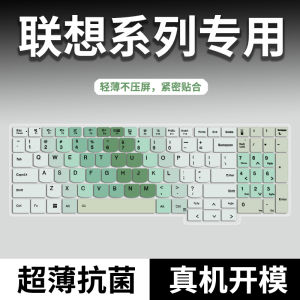
Full Cover Keyboard Protective Film for Lenovo Rescue Y9000P Y7000P R7000 ThinkBook16+14+16P Small New Pro16CPro14GT

Clear Card Holder Soft Phone Case: Protect Your Device & Enhance Style

XUNDD Beatle Series AIRBAG Shockproof Case IPHONE 13 PRO MAX / 13 PRO / 13 / 13 MINI

UUMIR Cinnamoroll Mobile Phone Strap Sanrio Kuromi Bag Pendant Keychain Cute Hello Kitty Phone Lanyard
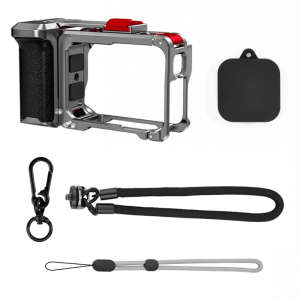
Ergonomic Camera Stabiliser Handle Feature Quick Release And Modular Design for Dedicated Models Outdoor Filming
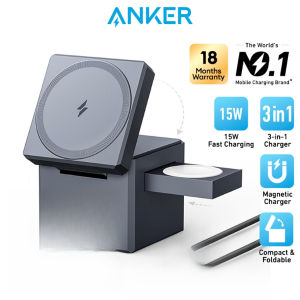
Anker 3 in 1 Cube MagSafe 15W Foldable Fast Charging Station with 30W charger 5ft/1.5m USB C to USB C cable (Y1811)
13 in 1 Mobile Cellphone repair tool set Notebook Laptop Tablet Watch Opening Disassembly Repairs Tools Kits Screwdriver Set
NEXION KY-610 Real Mechanical Gaming Keyboard: High Performance & Colorful Backlit Keys
High Quality Armor Casing Samsung Galaxy A06 A16 A26 A36 A56 LTE 4G 5G Phone Case New Design Shockproof Lens Protection Hard Cover with 360° Rotating Metal Stand

Flydigi B8X Cellphone Cooler Frequency Conversion Super Heat Dissipation Magnetic Radiator RGB Light For Iphone Ipad Android
Metal Edge Cutting iPhone Cases: Strong Anti-drop & Shockproof Protection