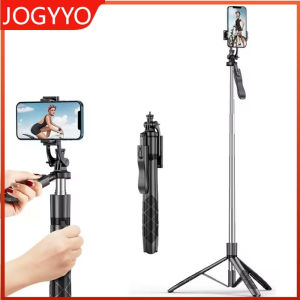
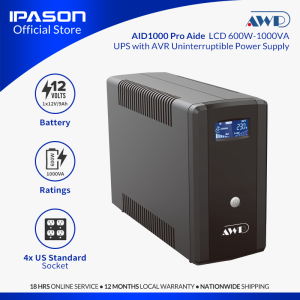
IPASON | AWP AID1000 Pro Aide Pro LCD 600W-1000VA UPS with AVR Uninterruptible Power Supply (4 Sockets)
IPASON | AWP AID1000 Pro Aide Pro LCD 600W-1000VA UPS with AVR Uninterruptible Power Supply (4 Sockets)
Overview of the IPASON AWP AID1000 Pro UPS
The IPASON AWP AID1000 Pro is a top-of-the-line 600W-1000VA Uninterruptible Power Supply (UPS) designed to provide reliable backup power during unexpected power outages. This advanced UPS features an LCD display with Automatic Voltage Regulation (AVR), ensuring consistent and stable power supply to connected devices. With its 4 sockets, this UPS is perfect for protecting essential electronics like computers, routers, and other critical equipment.
Key Features & Benefits
-
LCD Display: The IPASON AWP AID1000 Pro comes equipped with a clear LCD display that allows users to monitor battery status, power levels, and other vital information at a glance.
-
Automatic Voltage Regulation (AVR): This feature helps maintain a consistent power supply by regulating voltage fluctuations, ensuring that connected devices receive stable power.
-
Wide Compatibility: The AWP AID1000 Pro is compatible with various devices, including computers, routers, and other electronic equipment, making it a versatile solution for any home or office setting.
-
Compact Design: Despite its powerful capabilities, the AWP AID1000 Pro has a compact design, making it easy to install and fit in tight spaces.
Compatibility & Applications
The IPASON AWP AID1000 Pro UPS is suitable for a wide range of applications, including:
- Home offices
- Small businesses
- Gaming setups
- Network devices (routers, switches, etc.)
How to Install & Set Up Your AWP AID1000 Pro UPS
Setting up your IPASON AWP AID1000 Pro UPS is a straightforward process. Follow these steps to get started:
Connecting Devices to the 4 Sockets
- Connect the UPS to a power outlet using the provided power cord.
- Plug your essential devices into the 4 sockets on the front of the UPS.
Setting Up the LCD Display
- Press the 'Menu' button on the front of the UPS to access the LCD display menu.
- Use the arrow buttons to navigate through the menu options and customize settings as needed.
Using the AWP AID1000 Pro UPS Effectively
To maximize the performance and efficiency of your IPASON AWP AID1000 Pro UPS, follow these tips:
Monitoring Battery Status & Power Levels
Regularly check the battery status and power levels displayed on the LCD screen. This will help you stay informed about the remaining backup time and take necessary actions if needed.
Optimizing Energy Efficiency
To conserve energy and extend the lifespan of your UPS, avoid connecting unnecessary devices and unplug non-essential equipment when not in use.
Troubleshooting Common Issues with the AWP AID1000 Pro UPS
If you encounter any issues with your IPASON AWP AID1000 Pro UPS, refer to these troubleshooting tips:
Resolving Connectivity Problems
If you experience connectivity issues with connected devices, try the following steps:
- Check the power cord connections and ensure they are secure.
- Restart the UPS by pressing the 'Power' button and waiting for it to turn back on.
Addressing Battery Performance Concerns
If you notice a decrease in battery performance, follow these steps:
- Check the battery status and power levels on the LCD display.
- If the battery is low, recharge it by connecting the UPS to a power outlet.
Conclusion & Additional Resources
The IPASON AWP AID1000 Pro Aide Pro LCD 600W-1000VA UPS with AVR is an excellent choice for protecting your essential electronics during power outages. Its advanced features, compact design, and wide compatibility make it a versatile solution for any home or office setting.
Product Warranty & Support
For warranty and support information, please refer to the included warranty receipt and quick user guide.
User Guides & Documentation
For more detailed instructions and troubleshooting tips, consult the user guides and documentation provided with your AWP AID1000 Pro UPS.

IPASON
You May Also Like
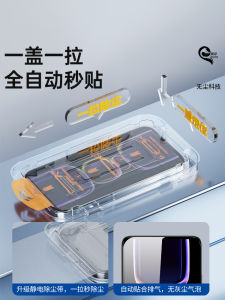
Dust-Free Warehouse Compatible Tempered Glass Film for Redmi K60 K50 K40 K30 K70 Full Screen Xiaomi 13 10 Youth Edition 14 Note12 11 10 9 pro 12 Turbo New 10X

Vivo Fast Charger High Quality 2in1 Complete Set Cable & Adapter Micro USB Charger
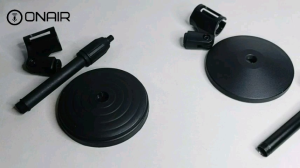
ONAIR Desktop Mic Stand Round Base (Plastic or Metal)
Convenient Cleaning Machine Efficient Small Floor Sweeper Cleaning Tool ABS Texture Suitable for Working Individuals
Air Conditioning Exhaust Hose Coupler Adapter Air Conditioning Hose Extension Set Plastic Texture Suitable for Ports

Plastic glass bottle faucet 1PCS bottle bucket water tank faucet

For Samsung Galaxy S25 S24 S23 Ultra S22 S21 S20 S10 S9 S8 Note 20 10 9 8 Plus Screen Protector With Install Kit Not Glass
Smart Watch Case Glass+Case Bumper Screen Protector Cover Accessories For Apple iWatch Serie 49mm 45mm 41mm 44mm 40mm 38mm 42mm

C.B.【Ready in Stock】 Needle Threader Threading Device Household Waist Rope Hat Rope DIY Sewing Tools 2pcs/set

Applicable to Huawei Nova7 Tempered Film Nova12/13pro Mobile Phone Film Nova13/10/9/8/5i/Z Full Screen Nava6 Drop-Resistant Se Curved Screen Nova4/3 Vitality 3e/4e Version Anti-IPro Peep
High Definition Full Screen Coverage Tempered Glass Film for Xiaomi Tablet 8/8Pro Protective Screen Shield against Blue Light