



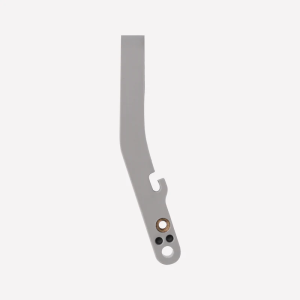
Bambu Lab - Filament Cutter Lever - X1 Series/P1 Series BAMBULAB
Bambu Lab - Filament Cutter Lever - X1 Series/P1 Series BAMBULABThe filament cutter lever is used for holding the cutter and pushing it to cut filamentsSteps for replacing the cutterRemove the magnetic coverRemove the magnetic front cover of the extruder and lay it on the carbon rods.Unscrew the cutter armUnscrew the small screw on the cutter arm using the 1.5mm hex key. And allow the cutter to slide out of the gearbox.When unscrewing the filament cutter retention screw, you should keep the filament cutter pressed. This ensures you can remove the screw completely, to avoid damaging the plastic section of the extruder.Unhook the cutting bladeUnhook the cutting blade from the cutter arm and replace with a new cutting blade.Re-engage the new cutterRe-engage the new cutter into the gearbox. While holding the cutter arm all the way in, tighten back up the screw from earlier. Once done replace the magnetic cover back onto the extruder.

Puzzlebox 3D Printer Philippines Main Distributor
Review

You May Also Like

Stand Flip Wallet Case For Motorola Moto G77 G75 G73 G72 G71 G7 G8 G9 Plus G8 G9 Play G9 G8 Power Lite Wallet Card Holder Cover
AULA | Gaming & Office Use Mouse and Keyboard Headset Combo
Amoled For Samsung S10 Plus LCD Display and Touch Screen Digitizer Assembly Replacment With Defect
KISSCASE For iPhone15ProMax MagSafe Case Letter Laser Matte Gradient Color Shell Shockproof TPU Cover Phone Case For iPhone 15 Pro Plus 14 13 12 11
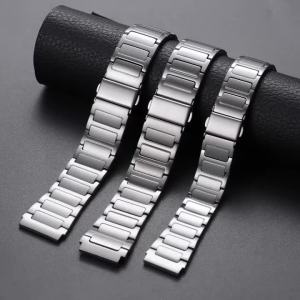
18mm 20mm 22mm Quick Release Stainless Steel Watch Strap Replacement for Huawei GT6/5pro Universal Watch Band Accessories

BETTERFORM Dustproof TV Hood Cover Elastic 55-65 Inch LCD Dust Cover Universal Solid Color TV Dust Cloth Sun Protection

NUBE Anti Lost Leather Cover Portable Shockproof Storage Bag Universal Protective Case for Airpods Pro 3 2 1

AULA | Wireless Bluetooth Multi-Mode Keyboard Aesthetic Office
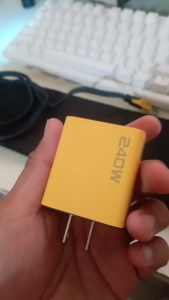
LP: 240W Fast Charger 2C+2USB Adapter QC 3.0 PD USB Type-C Quick Charging Plug for Mobile Phone

Compatible for Roborock Saros 10R / Qrevo CurvX / Qrevo Curv 2 Pro / Qrevo Curv 2 ProX / G20S Ultra Replacement Accessories
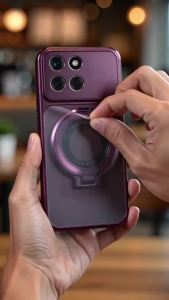
PBZZ Case for VIVO Y12 y11 2019 V15 Y15 Y17 Y19 y12i phone casing Softcase Silicone shockproof Cover new design aesthetic cute Burgundy with holder for girls DSCDZJ1