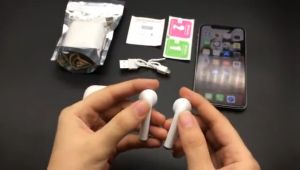
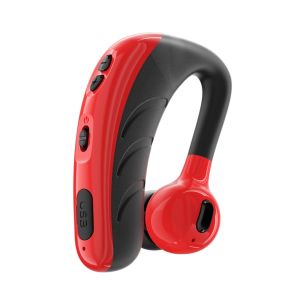
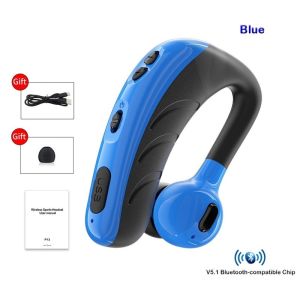
🎧COD+original+Ready Stock🎧P13 50 Wireless Bluetooth Noise Reduction Headphones Small For Business
🎧COD+original+Ready Stock🎧P13 50 Wireless Bluetooth Noise Reduction Headphones Small For Business
Introduction to Wireless Bluetooth Noise Reduction Headphones
In today's fast-paced business environment, clear communication is essential. P13 wireless headphones provide a solution that enhances your productivity while keeping you connected. These small business headphones feature intelligent noise cancellation and an HD microphone, making them perfect for phone calls, video conferences, and other business-related activities.
Key Features of P13 Wireless Headphones
- Intelligent Noise Cancellation: P13 headphones utilize advanced noise reduction technology to eliminate unwanted background noise, ensuring crystal-clear communication.
- HD Microphone: The built-in HD microphone captures your voice with precision, providing excellent sound quality during conversations.
- Long Battery Life: With a battery life of up to 20 hours, P13 headphones offer extended use without needing to recharge frequently.
- Easy Pairing: P13 headphones can be paired with your device in just a few simple steps, making them easy to use for both novice and experienced users.
How to Pair P13 Headphones with Your Phone
To pair your P13 headphones with your phone, follow these steps:
- Turn on your phone's Bluetooth settings.
- Press and hold the power button on the headphones for 6 seconds until the LED light starts blinking.
- Select the P13 headphones from the list of available devices on your phone.
- Once connected, the LED light will stop blinking and remain solid.
Benefits of Intelligent Noise Cancellation & HD Microphone Headset
Intelligent noise cancellation works by analyzing the ambient sounds around you and filtering out unwanted noise, allowing you to focus on the conversation at hand. This feature is particularly useful in noisy environments, such as open-plan offices or busy streets.
The HD microphone ensures that your voice is captured accurately, even in challenging acoustic conditions. This results in better sound quality during phone calls and video conferences, making it easier for your colleagues to understand you.
How to Use & Maintain Your Wireless Bluetooth Headphones
Charging & Battery Life of P13 Headphones
To charge your P13 headphones, simply plug the included USB charging cable into the headphone's charging port and connect it to a power source. The battery life of P13 headphones is up to 20 hours, which means you can enjoy uninterrupted use throughout the day without worrying about running out of power.
Troubleshooting Common Issues with P13 Headphones
If you experience any issues with your P13 headphones, try the following troubleshooting steps:
- Headphones won't turn on: Make sure the power button is pressed firmly and held for at least 6 seconds.
- Poor sound quality: Check that the volume is turned up on both your device and the headphones.
- No connection: Try restarting both your device and the headphones, then pair them again.
Conclusion & Final Thoughts on Wireless Bluetooth Headphones for Business
P13 wireless headphones offer a perfect solution for small businesses looking to improve their communication and productivity. With intelligent noise cancellation, an HD microphone, and a long battery life, these headphones are a must-have accessory for any professional. Order yours today and experience the difference for yourself!

mxuvdi store
Review

You May Also Like
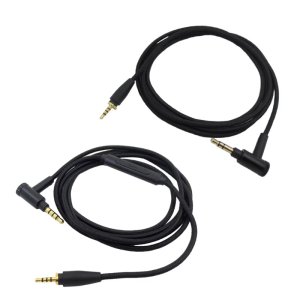
Replacement Headphone Aux Cable Cord Gold Plating for Sennheiser Urbanite L XL Headphone
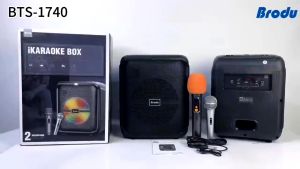
Brudo BTS-1740 IKARAOKE BOX Professional System Bluetooh Speaker With rechargeable wireless Mic
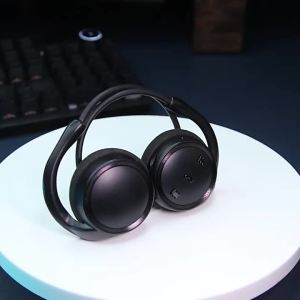
DANTE Bluetooth Earphones CVC Noise Reduction Waterproof Stereo HiFi Sports Earbuds with Mic Wireless Bluetooth Headphones
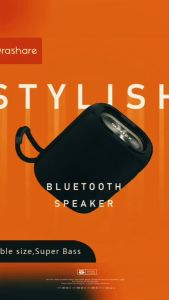
Suntex Portable Outdoor Wireless Bluetooth Speaker: A Comprehensive Guide
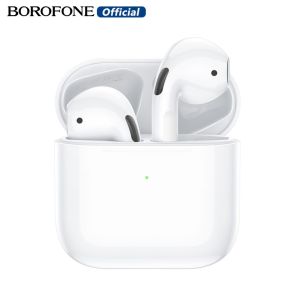
BOROFONE BW34 TWS Wireless Stereo Headset Bluetooth 5.3 Headphones Built-In Microphone Touch Control Earbuds HD Stereo Sports Headphones For Android/ip All Smartphones Universal
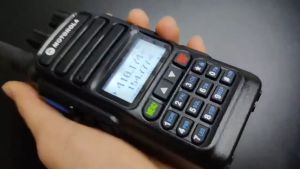
【Free Earphones】Motorola Walkie Talkie 370s 20KM Long Range Audio 15W High Power Two Way Radio IP54 Waterproof Portable Clear Microphone VHF/UHF 199 Channels for Outdoor/Hotel/Mountain Area/Construction

Sanrio S02 TWS Cute Bluetooth Earphone BT5.2 Transparent Shell Design Brand Quality Mini Wireless Earbuds Sport Gaming Bluetooth Headset with Mic Support Call Video Android Universal Mobile Phone

UHF Wireless Microphone Karaoke Dual UHF Handheld Microphones Heavy Duty Cordless 4 Wireless Metal Mics Work Range 80m / 180ft Meeting Conferences Public Speaking Events
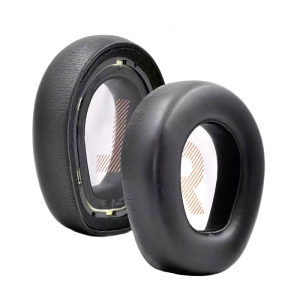
Replacement Ear Cushions for QuantumOne Headsets Earpads Earmuff Ear Pad for Offering Superior Comfort Sound Quality
Polk Audio Reserve R600 Floor-standing speakers (black) Polk R600 tower speakers
QKZ ENZO PRO In-Ear Wired Headset With Microphone 3.5MM Gaming EarbudsLarge Dynamic Drive Earphone