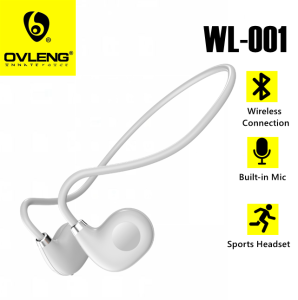
WL-001 TWS Wireless Headphones Bluetooth 5.3 Air Conduction Ear Hanging Sports Touch Noise Cancellation Headset
WL-001 TWS Wireless Headphones Bluetooth 5.3 Air Conduction Ear Hanging Sports Touch Noise Cancellation Headset
Product Overview
Introducing the WL-001 TWS Bluetooth 5.3 Earphones, a top-of-the-line wireless headset designed specifically for sports enthusiasts. With advanced noise cancellation technology, air conduction design, and touch controls, these earphones deliver a premium audio experience that keeps up with your active lifestyle.
Key Features
- Bluetooth 5.3: Connect seamlessly to your devices with ultra-low latency and extended range.
- Air Conduction Design: Enjoy clear sound quality without the need for earplugs.
- Sports Touch Controls: Easily adjust volume, skip tracks, and control calls with intuitive touch gestures.
- Noise Cancellation: Stay focused on your workout with active noise cancellation technology.
- Long Battery Life: Get up to 8 hours of playtime on a single charge, with an additional 24 hours from the charging case.
Included Accessories
- 1 x WL-001 TWS Bluetooth Wireless Hanging Headphone
- 1 x Type-C Charging Cable
- 1 x User Manual
Setup & Configuration
Getting started with the WL-001 TWS Earphones is easy and straightforward. Follow these steps to pair your earphones with your device and adjust sound settings.
Pairing Process
- Charge the earphones using the included Type-C charging cable until the battery indicator lights turn off.
- Press and hold the power button on both earphones simultaneously until the LED lights flash blue.
- On your device, go to the Bluetooth settings and select "WL-001 TWS Earphones" from the list of available devices.
- Once connected, the LED lights will stop flashing and remain solid blue.
Adjusting Sound Settings
To customize your listening experience, use the touch controls on the earphones:
- Single Tap: Play/Pause audio
- Double Tap: Skip to the next track
- Triple Tap: Go back to the previous track
- Long Press: Answer/end calls
For more advanced sound settings, refer to the user manual or consult the manufacturer's website.
Usage Tips
Maximize the performance and longevity of your WL-001 TWS Earphones by following these usage tips.
Maximizing Battery Life
- Charge the earphones fully before first use.
- Keep the earphones in the charging case when not in use.
- Turn off Bluetooth when the earphones are not paired with a device.
- Regularly clean the charging contacts on both the earphones and charging case.
Cleaning & Maintenance
To ensure optimal performance and extend the life of your earphones, follow these cleaning and maintenance tips:
- Clean the earphones and charging case regularly with a soft, dry cloth.
- Avoid exposing the earphones to water, dust, or extreme temperatures.
- Do not use harsh chemicals or abrasive materials to clean the earphones.
Troubleshooting
If you encounter any issues with your WL-001 TWS Earphones, consult the troubleshooting guide below.
Common Issues & Solutions
- Earphones not connecting: Ensure both earphones are charged and within range of your device. Press and hold the power button on both earphones simultaneously until the LED lights flash blue, then try pairing again.
- Audio quality poor: Adjust the equalizer settings on your device or refer to the user manual for advanced sound settings.
- Battery draining quickly: Charge the earphones fully before first use and avoid leaving them in extreme temperatures.
Contacting Customer Support
If you require further assistance or have any questions about your WL-001 TWS Earphones, please contact our customer support team at [support email address] or visit our website for more information.

Ovleng Philippines
Review

You May Also Like
Langsdom Theta Pro TG12 Wireless Bluetooth 5.3 Hands Free Earphones Earbuds for Gaming Music Travel
HUAYU KUKU AM-942AR AM/FM/SW 7-Band Rechargeable Radio receiver with Antenna & Flashlight
Gaming Joysticks with TMR Technology Accurate Control for P5/P4/NSP/X Series TMR Electromagnetic Joysticks
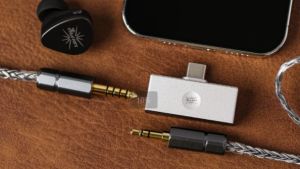
Linsoul Kiwi Ears Allegro Mini Portable IEM DAC In Ear Monitor Amplifier USB C to 3.5/4.4mm Output with Custom Chip High Resolution 32bit/384kHz HiFi Earbuds Amp for Phone/PC
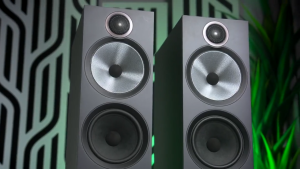
Bowers & Wilkins 603 S3 Floor-standing speakers (Red Cherry)
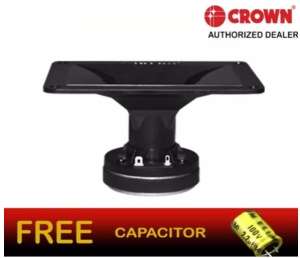
Crown HT-46 150 Watts Horn Tweeter Speaker: A Comprehensive Guide
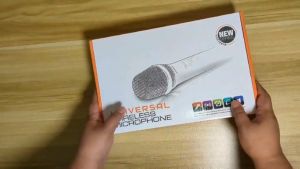
XTUGA UH01 2 Channel Universal wireless Reverb Microphone 6.35mm Multifunction Dual UHF Wireless Microphone Whole Metal Echo Microphone with Mini Potable Receiver 1/4" Output for Church/Home/Karaoke/Business Meeting VMI DIRECT
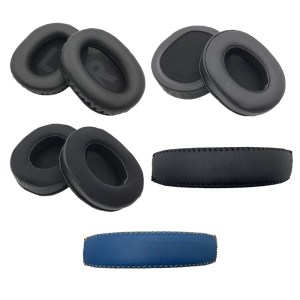
Ear Cushions Earpads Easy To Clean For GPRO X Headsets From Soft Protein Leather For Prolonged Use
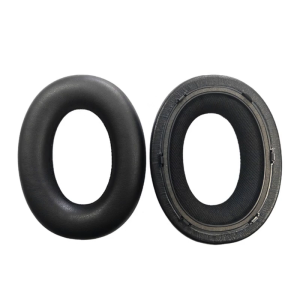
1Pair Ear Pads For Bowers&Wilkins Px7 Headphones Elastic Foam Earpads Ear Pads Sponge Ear Cushion Replace
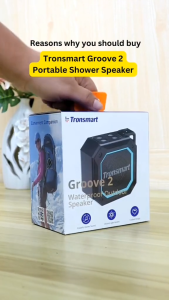
Tronsmart Groove 2: A Superior Mini Bluetooth Speaker for Outdoor & Motorcycle Use
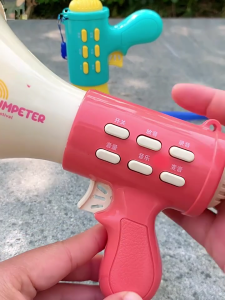
Childrens Amplifier Speaker With Built In Recorder Lightweight Design Easy Operation For Creative Play Ages 3+