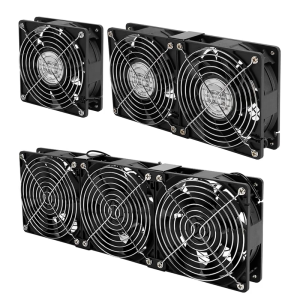
Mobile Phone Cooler for Gaming: A Compact & Durable Solution
Mobile Phone Cooler for Gaming: A Compact & Durable Solution
What is a Mobile Phone Cooler for Gaming?
A mobile phone cooler for gaming is a compact device designed to keep your smartphone cool during extended gaming sessions. This cooling device, also known as a processor heat sink or adjustable portable radiator, is specifically tailored to provide strong cooling performance for gaming devices. It typically features a metal body, which enhances durability and heat dissipation. Additionally, the device incorporates a variable frequency DC motor that ensures stable wind power and low noise operation even at high speeds.
Key Features
- 100% brand new product
- Strong cooling performance
- Metal body for durability
- Variable frequency DC motor for stable wind power and low noise operation
- Compact and easy to carry (only one-third the size of a mobile phone)
How It Works
The mobile phone cooler for gaming works by drawing heat away from your device through its metal body and dissipating it via a high-speed fan. This process helps maintain optimal operating temperatures, ensuring that your phone remains responsive and performs at its best during gaming sessions. Additionally, the device can be charged while in use, thanks to its silent phone charging capabilities.
Why Choose a Mobile Phone Cooler for Gaming?
Choosing a mobile phone cooler for gaming offers several benefits, including improved performance, extended battery life, and reduced heat-related issues. By keeping your device cool, you can enjoy smoother gameplay, faster load times, and longer gaming sessions without worrying about overheating.
Benefits of Using a Mobile Phone Cooler
- Improved performance during gaming sessions
- Extended battery life
- Reduced heat-related issues
- Enhanced responsiveness and faster load times
How to Maximize Performance
To get the most out of your mobile phone cooler for gaming, make sure to position your device correctly on the cooling surface and adjust the fan speed as needed. Additionally, consider using a compatible game launcher or app to optimize performance settings and minimize resource usage.
Choosing the Right Mobile Phone Cooler for Your Needs
When selecting a mobile phone cooler for gaming, consider factors such as compatibility, size, weight, and cooling performance. Be sure to avoid common mistakes like choosing a device that's too large or heavy, or one that doesn't provide adequate cooling for your specific needs.
Factors to Consider
- Compatibility with your smartphone model
- Size and weight of the cooler
- Cooling performance and fan speed
- Battery capacity and charging capabilities
Common Mistakes to Avoid
- Choosing a device that's too large or heavy
- Not considering cooling performance and fan speed
- Ignoring battery capacity and charging capabilities
How to Use a Mobile Phone Cooler for Gaming
Using a mobile phone cooler for gaming is simple and straightforward. Follow these setup instructions and troubleshooting tips to get started:
Setup Instructions
- Place your smartphone on the cooling surface
- Adjust the fan speed as needed
- Connect the charging cable to your device
- Enjoy improved performance during gaming sessions
Troubleshooting Tips
- If your device isn't cooling properly, check the fan speed and ensure proper positioning on the cooling surface
- If the cooler isn't charging your device, try using a different charging cable or port
Conclusion
A mobile phone cooler for gaming is a valuable accessory for any gamer who wants to maintain optimal performance during extended gaming sessions. By choosing the right device and following proper setup and usage instructions, you can enjoy improved responsiveness, faster load times, and reduced heat-related issues.

WARMHM

Review

You May Also Like
15.6" LCD Screen B156ZAN04.2 NE156QUM-N66 For Lenovo ThinkPad T590 T15 P53 P53s P1 Gen 2 Display Matrix Panel 3840x2160 No-Touch
New Original NMB 4010 DC12V 0.1a 1604KL-04W-B59 H3C Heat Sink Fan Computer Hardware Monitor Accessories Other Types
GD900 Mini Bag Packaging Thermal Paste Grease Thermal Compound Silicone 0.5g For CPU GPU Printer Heat Sink Cooling Cooler
Replacement Professional Hydraulic Joystick Lever 6 Pin 3 Button For DH150 & DH300 Models Mining Equipment
Versatile AHT21B Temperature and Humidity Sensors Module for Microcontroller Integration with Fast Response Time

Dell Latitude E7450/E7470/E7490: Intel Core i5/i7, 24G/32G RAM, 512GB/1TB SSD & HDMI/WIFI/HD Camera
Newstar Automatic Voltage Regulator Servo Motor Type AVR 3000 Watts to 10000 Watts NDVS-Series
JEYI M.2 SSD Heatsink NVME NGFF Cooling Aluminum Cooler Radiator with Thermal Silicone pad for PC / PS5 PCIE 2280 ssd icold-007
Cooling System Hose Pipe Connector With ABS Construction For Seamless Installation And Extended Service Life 8W0122293A

MDS GAMING | MMA SR 89 MITX MATX Gaming PC Case
DIODIY All in one PC Computer set i3 /i5 /i7 8G/16G RAM 128G/256G/512G SSD for online courses /Office /PC full set of 24 inch monitor