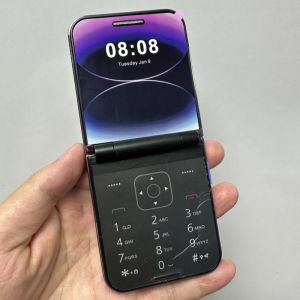
Fast Deliver Original Flip Phone i15 Pro: A Compact 2G 3G Dual Card Keypad Basic Phone
Fast Deliver Original Flip Phone i15 Pro: A Compact 2G 3G Dual Card Keypad Basic Phone
What is the Original Flip Phone i15 Pro?
Product Overview
The Original Flip Phone i15 Pro is a compact, reliable, and budget-friendly 2G 3G dual card flip phone. It offers a simple yet functional keypad interface, making it ideal for users who value straightforward communication and battery life. The package includes one phone, one battery, and one charger, providing everything you need to get started.
Key Features
- Compact design
- 2G and 3G network support
- Dual SIM card capability
- Keypad interface
- Long-lasting battery life
How to Choose the Right Flip Phone
Understanding Your Needs
Before purchasing a flip phone, consider your specific needs. Do you prioritize long battery life? Are you looking for a device that can handle both 2G and 3G networks? Is a dual SIM card feature important to you? By answering these questions, you can narrow down your search and find the perfect flip phone for your lifestyle.
Comparing Flip Phones
When comparing flip phones, consider the following factors:
- Network support (2G, 3G, 4G)
- Battery life
- Keypad vs touchscreen interface
- Dual SIM card capability
- Price
The Original Flip Phone i15 Pro stands out due to its long battery life, dual SIM card feature, and affordability. It is a great choice for users who prioritize simplicity and reliability.
Setting Up Your New Flip Phone
Unboxing & Assembly
Upon receiving your Original Flip Phone i15 Pro, carefully unbox the package and familiarize yourself with the contents. Insert the battery and charger into their respective slots, and power on the device by pressing the power button.
Connecting to a Network
To connect your Original Flip Phone i15 Pro to a network, insert a compatible SIM card into the designated slot. Power on the device, and it will automatically detect the network. If prompted, select the desired network and follow the on-screen instructions to complete the setup process.
Using Your Flip Phone
Making Calls & Sending Texts
Making calls and sending texts on the Original Flip Phone i15 Pro is simple. To make a call, enter the recipient's phone number using the keypad and press the green call button. To send a text message, press the messaging icon, enter the recipient's phone number, type your message, and press send.
Managing Contacts & Settings
The Original Flip Phone i15 Pro allows you to manage your contacts and settings easily. To add a contact, navigate to the contacts menu and enter the person's name and phone number. To access settings, press the menu button and select the desired option.
Maintaining Your Flip Phone
Battery Care & Charging
To maintain optimal battery life on your Original Flip Phone i15 Pro, charge the device regularly using the included charger. Avoid overcharging, as this can reduce the battery's lifespan. When not in use, turn off the device to conserve battery power.
Troubleshooting Common Issues
If you experience any issues with your Original Flip Phone i15 Pro, try the following troubleshooting steps:
- Restart the device by pressing and holding the power button
- Check for software updates
- Reset the device to factory settings (note: this will erase all data)
By following these guidelines, you can enjoy a reliable and long-lasting experience with your Original Flip Phone i15 Pro.

Digital house 1610350895
You May Also Like
Original Blackberry Q5 4G Mobile Phone Unlocked 3.1\\\" 8GB ROM GSM 3G 5MP WIFI GPS QWERTY Keyboard
For Nokia 230 Mobile Phone Original Dual Sim Card GSM FM Bluetooth with LED Flash Basic Keyboard
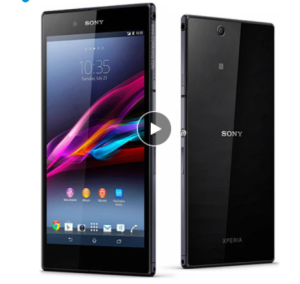
Sony Xperia Z Ultra LTE C6833 Original Unlocked 16GB Mobile Phones Quad-core 8MP 6.4" WIFI GPS 1080p

Phone Headset with Noise Canceling Mic and Mute Switch Ultra Comfort Telephone Headset for Customer Service Office
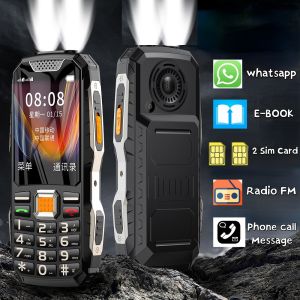
Large Screen Push Button Large Power Rugged Low Price Portable Mobile Phone Two Torchs Whatsapp Dual Sim FM Loud Soud Elderly
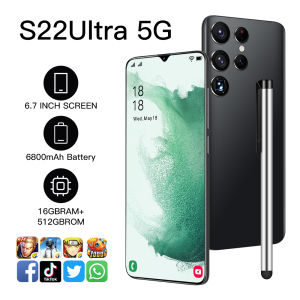
S22 Ultra 5G Phone: Features & Benefits
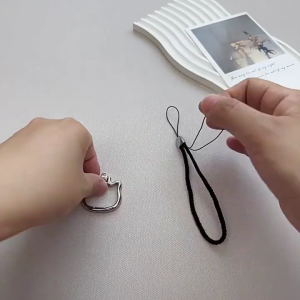
Fashion Phone Chain Cats Theme Phone Pendant with Phone Holder Adjustable Phone Strap Portable Phone Holder Strap

AVAYA J179 Voip phone

IIIF150 B3 Pro 5G Rugged Smartphone Android 14 10800mAh 16GB 512GB Mobile Phone 100MP 30W 6.6\" Dual Display Ultra-Thin Cellphone

Handmade Beaded Phone Charm Strap Showcasing Unique Design And Style Phone Lanyard For Fashionable Mobile Accessories
Rotate Leather Tablet Stand for iPad 10, 10.9, 2022 & More