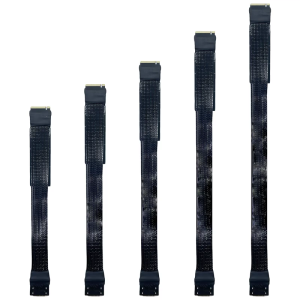
Bykski G1/4 240mm & 360mm Copper Radiators: A Comprehensive Guide
Bykski G1/4 240mm & 360mm Copper Radiators: A Comprehensive Guide
What Are Bykski G1/4 Radiators?
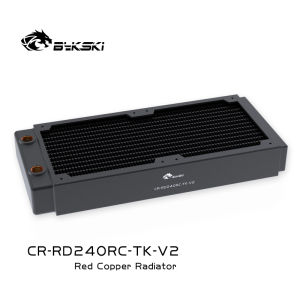
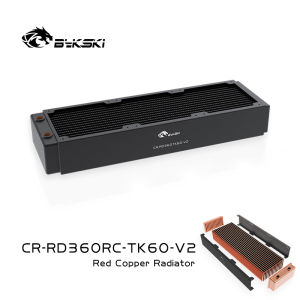
Bykski G1/4 radiators are highly efficient cooling solutions designed specifically for PC water cooling systems. These copper radiators come in two sizes: 240mm and 360mm, both featuring a thickness of 60mm. The 360mm radiator boasts a unique three-floor channel design, making it ideal for more demanding cooling needs. Both radiators are compatible with 12cm fans, providing excellent airflow and heat dissipation capabilities.
Key Features
- High-Quality Copper Construction: The Bykski G1/4 radiators are made from high-quality copper, offering superior heat conductivity and durability.
- Efficient Heat Dissipation: With their thick heat sink exchangers, these radiators ensure optimal heat dissipation, keeping your system cool under heavy loads.
- Compatibility: Both the 240mm and 360mm radiators are compatible with 12cm fans, making them versatile options for various PC builds.
- Stylish Design: The sleek and modern design of Bykski G1/4 radiators adds a touch of elegance to any PC build.
Comparison with Competitors
When compared to other popular radiator brands, Bykski G1/4 radiators stand out due to their superior heat dissipation capabilities, durability, and stylish design. The 360mm radiator with three-floor channels provides better cooling performance than many competitors' offerings. Additionally, the compatibility with 12cm fans ensures easy integration into existing builds.
How to Install the Bykski G1/4 Radiators
Installing the Bykski G1/4 radiators is a straightforward process that requires some basic tools and materials. Here's a step-by-step guide to help you install your new radiator:
Required Tools & Materials
- Screwdrivers: Phillips and flathead screwdrivers will be needed for mounting the radiator.
- Mounting Brackets: These brackets are included with the radiator and will secure it to your PC case.
- Water Blocks: Connect the water blocks to the radiator using compatible tubing.
- Fan Mounts: Secure the fans to the radiator using the provided fan mounts.
Step-by-Step Installation Guide
- Prepare Your Workspace: Clear a clean, flat surface to work on and gather all necessary tools and materials.
- Install Mounting Brackets: Attach the mounting brackets to the radiator, ensuring they are securely fastened.
- Mount Radiator: Secure the radiator to your PC case using the mounting brackets. Be sure to align the radiator with the case's fan slots.
- Connect Water Blocks: Attach the water blocks to the radiator using compatible tubing, ensuring a tight seal to prevent leaks.
- Install Fans: Mount the fans to the radiator using the provided fan mounts, securing them tightly to ensure proper airflow.
Maximizing Performance with Bykski G1/4 Radiators
To get the most out of your Bykski G1/4 radiators, follow these tips:
Fan Placement & Configuration
- Optimal Fan Placement: Position fans at the top and bottom of the radiator for maximum airflow and heat dissipation.
- Fan Speed Control: Adjust fan speeds according to system load to maintain optimal cooling performance.
Cooling Liquid Selection & Maintenance
- Coolant Choice: Use high-quality coolant specifically designed for PC water cooling systems.
- Regular Maintenance: Clean the radiator and replace coolant every six months to ensure optimal performance.
Conclusion
Bykski G1/4 radiators offer superior heat dissipation capabilities, durability, and stylish design, making them ideal choices for PC water cooling systems. With their compatibility with 12cm fans and easy installation process, these radiators are perfect for both novice and experienced builders alike. By following the tips outlined in this guide, you can maximize the performance of your Bykski G1/4 radiators and keep your PC running cool under heavy loads.

Water Cooling
Review

You May Also Like
Cooling Fan Control Unit Module OEM 499300-3400 89257-12010 4993003400 8925712010 L33L1515Y AJ51-15-15YA AJY2-15-SC0 AJ511515YA
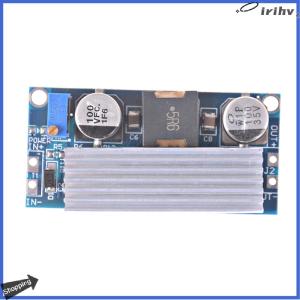
【jianzhanqinl】 100W DC-DC Boost Step Up Converter Power Supply Module

Toshiba P50-A P50-B P55-A P55T-A L50-A L50D-A Compatible Speaker Laptop Computer Audio Device Other Brand Digital Parts
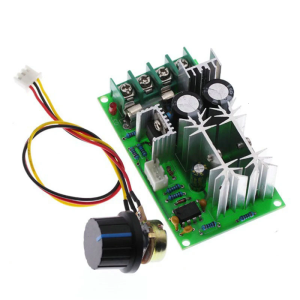
PWM Electronic Governor for Motors Offering Overcurrent Protections and 1200W Power Output
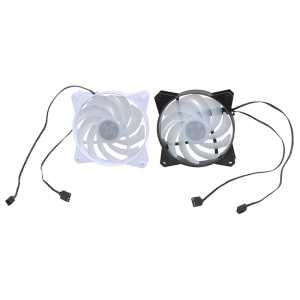
Double Apertures 120mm High Brightness LED Fan 800-1800RPM Coolers Fan For Efficient Heat Management And Quiet Performances
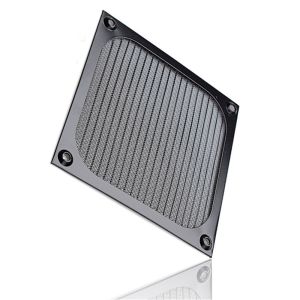
FLAIRBOX Safety PC Grill Computer Fan Cooling 120mm Dustproof Aluminum Case Dust Filter
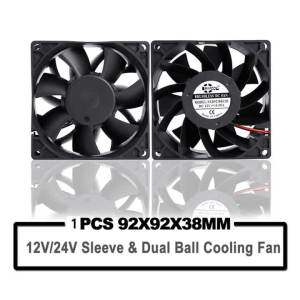
cabinets fan 92mm SXDOOL 9238 DC 12V 24V 92MM 90mm Dual Ball Bearing 92x92x38mm Powerful DC Brushless axial Cooling Fan 2-pin

YUWO 5Pcs For Raspberry Pi 2 3 4 3B+ 4B Aluminum Heatsink Radiator Cooler Kit

Practical Phonics Flash Cards Educational Toys Learn to Read Cards CVC Phonics Learning Cards For Kids Adults
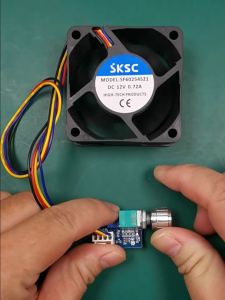
Manual 4 Wires 12V Fan Speed Controller PWM Speed Control Switch for PC CPU Case Fan with Knob Adjustable Fan Regulator

GenMachine Mini PC Ren4000 4700U AMD Ryzen7 4700U CPU 2.0GHz Up to 4.1GHz Windows 11 DDR4 3200Mhz WiFi6 NUC gaming pc