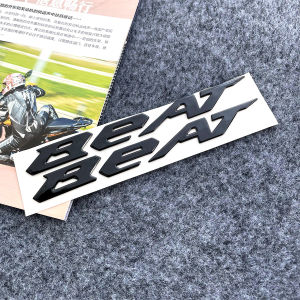
2pcs BEAT Logo Emblem 3D Gel Sticker Decor: Enhance Your Honda Beat
2pcs BEAT Logo Emblem 3D Gel Sticker Decor: Enhance Your Honda Beat
Introduction to 3D Gel Sticker Decals
Customizing your motorcycle or scooter is a great way to express your personality and style. One popular method is using 3D gel sticker decals, which add a unique touch to your vehicle. These stickers are made from high-quality resin gel, making them durable and long-lasting. In this article, we will explore the benefits of 3D gel stickers, how to choose the right sticker for your Honda Beat, and provide a step-by-step guide on installation and maintenance.
Understanding the Benefits of 3D Gel Stickers
3D gel sticker decals offer several advantages over traditional decals. Firstly, they provide a raised, three-dimensional appearance that adds depth and visual interest to your vehicle. Secondly, they are highly durable and resistant to fading, peeling, and cracking. Lastly, they are easy to install and remove, making them a versatile option for customizing your Honda Beat.
Choosing the Right Sticker for Your Honda Beat
When selecting a 3D gel sticker decal for your Honda Beat, consider the following factors:
- Color and Design: Choose a color and design that complements your scooter's existing aesthetic. You can find a wide range of options, including solid colors, patterns, and custom designs.
- Size and Placement: Measure the area where you want to apply the decal and choose a size that fits perfectly. Common placement options include the front fender, rear fender, or fuel tank.
- Compatibility: Ensure the sticker is specifically designed for your Honda Beat model. This will ensure a perfect fit and minimize the risk of damage during installation.
Installation Guide for 3D Gel Sticker Decals
Installing 3D gel sticker decals is a straightforward process that requires minimal tools and equipment. Follow these steps to achieve a professional-looking result:
Preparing Your Scooter for Decal Application
Before applying the decal, it's essential to clean and prepare the scooter's surface. Use a mild soap solution and a soft cloth to remove dirt, grease, and other contaminants. Allow the surface to dry completely before proceeding.
Step-by-Step Application Process
- Position the Decal: Place the decal on the desired location, making sure it's centered and aligned properly. Use a ruler or measuring tape to ensure accuracy.
- Remove the Backing Paper: Slowly peel off the backing paper from the decal, starting from one corner and working your way across.
- Apply the Decal: Carefully press the decal onto the scooter's surface, using a squeegee or credit card to remove any air bubbles or wrinkles.
- Trim Excess Material: If necessary, trim any excess material around the edges of the decal using scissors or a utility knife.
Troubleshooting Common Issues
If you encounter any issues during installation, such as air bubbles or misalignment, don't panic! Here are some tips to help you resolve these problems:
- Air Bubbles: Use a squeegee or credit card to gently press out any air bubbles. If necessary, carefully lift the decal and reapply it.
- Misalignment: If the decal is misaligned, carefully peel it off and reposition it. Be sure to clean the surface before reapplying.
Maintaining Your 3D Gel Sticker Decals
To ensure your 3D gel sticker decals remain in excellent condition, follow these cleaning and care tips:
Cleaning and Care Tips
- Regular Cleaning: Clean the decals regularly using a mild soap solution and a soft cloth. Avoid using abrasive cleaners or harsh chemicals, which can damage the surface.
- Avoid Direct Sunlight: Prolonged exposure to direct sunlight can cause fading and discoloration. Park your scooter in a shaded area whenever possible.
- Protection: Apply a clear coat of protectant to the decals to help prevent fading and extend their lifespan.
Extending the Lifespan of Your Decals
By following these maintenance tips, you can extend the lifespan of your 3D gel sticker decals and keep them looking great for years to come. Remember, proper care and attention will help preserve the appearance and integrity of your decals.
Frequently Asked Questions about 3D Gel Sticker Decals
What Makes 3D Gel Stickers Unique?
3D gel stickers stand out from traditional decals due to their raised, three-dimensional appearance. They provide a unique visual effect that adds depth and interest to your vehicle. Additionally, they are highly durable and resistant to fading, peeling, and cracking.
Can I Remove the Stickers Without Damaging My Scooter?
Yes, 3D gel stickers can be removed without damaging your scooter. However, it's important to note that some residue may remain on the surface. To minimize damage, carefully peel off the decal and use a mild solvent to remove any remaining adhesive.
How Do I Choose the Right Color and Design?
When selecting a color and design for your 3D gel sticker decal, consider the overall aesthetic of your Honda Beat. Choose a color and design that complements your scooter's existing look and adds a unique touch. You can find a wide range of options, including solid colors, patterns, and custom designs.

TTqp
You May Also Like

Carburator CNC PE24 / PE26 / PE28 / PE30(24MM / 26MM / 28MM / 30MM)Carburator
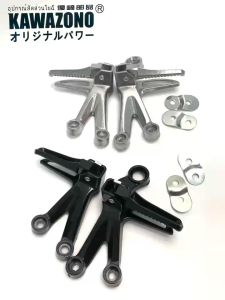
KAWAZONO GOOD QUALITY FOOTREST/FOOTSTEP RAIDER150 ALLOY (PAIR) cod
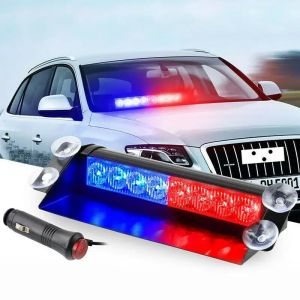
8 LED Police Lights Strobe Light For Car 12V Emergency Signal Lamps Warning Light Auto Truck Flashing Windshield Flash Lighting
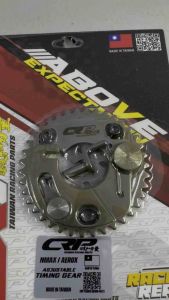
CRP ADJUSTABLE TIMING GEAR W/ COMPRESSION RELEASE NMAX155/AEROX155 V1/V2
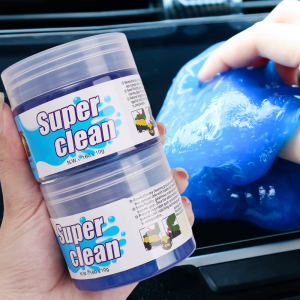
5pcs Car Cleaning Gel / Magic Mud Auto Interior Computer Keyboard Dirt Clean Dust Remover Gel / Car Wash Interior Cleaning Tools
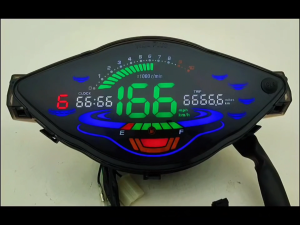
【COD】✅For Honda Wave 100 100r 110r Meter Digital Full LCD Led Speedometer Digital Odemeter Meter Tachometer Gauge
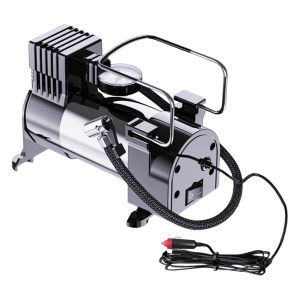
【New Arrival】 12V Portable Air Compressor Cylinder Power System Electric Tire Inflator Heavy Duty Deluxe Portable Metal Air Compressor
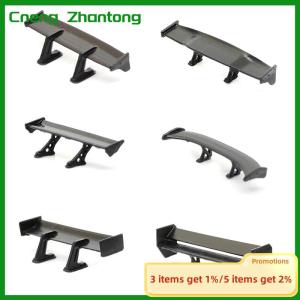
Cneng 1:64 Car Model Tail Car Rear Spoiler Mini Wing Small Model DIY Car Modified Part For Model Car Racing Vehicle Toy
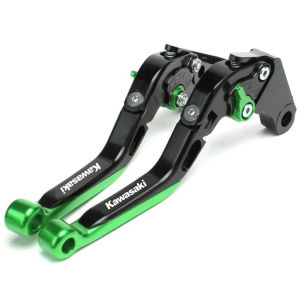
For KAWASAKI Z500 Ninja 500 Eliminator 450 Eliminator500 Ninja 250 300 400 Ninja400 Z300/Z400/Z250/VERSYS X300 Motorcycle CNC Extendable Adjustable Brake Clutch Levers Kawasaki Handle Brake Lever
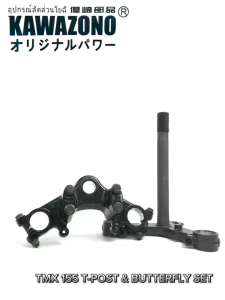
XRM 110 /125 /TMX 155 T-POST SET (BUTTERFLY /T POST ) FOR MOTORCYCLE HIGH QUALITY COD Xrm Tpost Xs 110 - Lazada
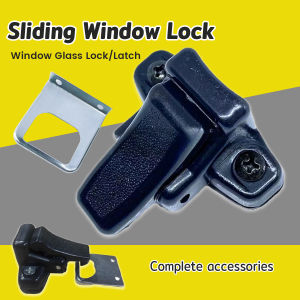
Digeo 1 Set Sliding Window Lock Latch Buckle Closed Four-wheel Car Window Glass Lock Buckle