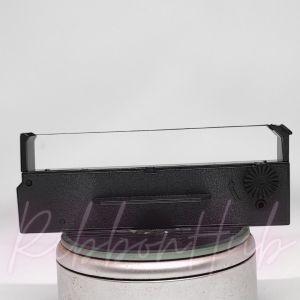
Premium Intelligent Check Printer ICP CPW-360 Printer Ribbon
Premium Intelligent Check Printer ICP CPW-360 Printer Ribbon
Introduction to Versatile Check Printing
What is a Premium Check Printer?
A premium check printer, like the ICP CPW-360, is designed to meet the needs of businesses requiring high-volume, accurate, and secure check printing. It offers a reliable solution for financial transactions and streamlines the payment process. The CPW-360 printer ribbon is an essential component that enhances check printing performance.
How Does the CPW-360 Printer Ribbon Enhance Check Printing?
The CPW-360 printer ribbon ensures clear, legible, and durable prints by transferring ink onto checks. Its high-quality construction minimizes smudging and ensures consistent print quality. Moreover, the ribbon's compatibility with the ICP CPW-360 printer guarantees optimal performance and longevity.
Key Features of the Intelligent Check Printer
High-Quality Printer Ribbon: An Essential Component
The CPW-360 printer ribbon is made from premium materials that ensure consistent print quality and durability. Its compatibility with the ICP CPW-360 printer ensures optimal performance and longevity.
Versatile Check Printing Capabilities
The ICP CPW-360 printer supports various check sizes and formats, including standard checks, payroll checks, and tax forms. Its versatile printing capabilities cater to businesses of all sizes and industries.
Easy Integration with Existing Systems
The ICP CPW-360 printer seamlessly integrates with existing accounting software and financial systems, streamlining the payment process and reducing errors. Its compatibility with popular software solutions ensures a smooth transition and minimal disruption to business operations.
Maximizing Efficiency with CPW-360 Printer Ribbon
How to Install High-Quality Printer Ribbon
Installing the CPW-360 printer ribbon is a straightforward process. Follow these steps:
- Turn off the ICP CPW-360 printer.
- Open the ribbon compartment.
- Insert the new ribbon, ensuring it is properly aligned.
- Close the ribbon compartment.
- Power on the printer.
Best Practices for Maintaining Printer Performance
To ensure optimal performance and longevity of the ICP CPW-360 printer and CPW-360 printer ribbon, follow these best practices:
- Regularly clean the printer and ribbon compartment.
- Store the printer and ribbon in a cool, dry place.
- Replace the ribbon when it shows signs of wear or decreased print quality.
Troubleshooting Common Issues
If you encounter issues with the ICP CPW-360 printer or CPW-360 printer ribbon, refer to the troubleshooting guide below:
- Print Quality: Replace the ribbon if the print quality is poor.
- Alignment Issues: Check the ribbon alignment and reinsert if necessary.
- Error Messages: Refer to the user manual for error codes and solutions.
In conclusion, the Premium Intelligent Check Printer ICP CPW-360 and its compatible CPW-360 printer ribbon offer a reliable solution for businesses requiring high-volume, accurate, and secure check printing. With its versatile printing capabilities, easy integration with existing systems, and high-quality printer ribbon, the ICP CPW-360 printer streamlines the payment process and reduces errors. By following best practices and troubleshooting common issues, businesses can maximize efficiency and ensure optimal performance.

RibbonHub.ph
You May Also Like
NIIMBOT B1 Thermal Label Printer Portable Bluetooth Inkless Label Maker Baking Fruits Snacks Beverages Tea Cookies Sticker Smart Wireless No Ink Label Machine Included Label Paper

Compatible and for Use in ricoh AF1015 MP2000 MP1500 MP1600 MP1900 PCU
LIOTOG C22 Colorful Light Mini Printer Label Thermal Printers Inkless Printing Stickers Paper 57mm Pocket mini Portable Impresora 200DPI

IR-40/IR-40T Ink Roller Replacement Calculator Printer Cash Register Ribbons Ink Roller Black & Red
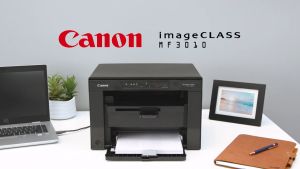
Canon imageCLASS LBP6030 Printer
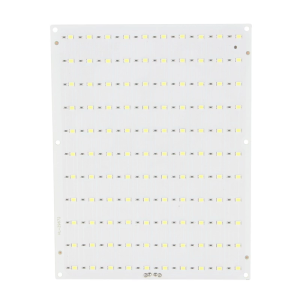
For Lab Lithophane Led Panel CMYK LED Backlight Board CMYK Lithophane Bundle 3D Print Lithophane Photo Accessories
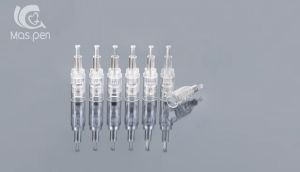
10Pcs M5/M7/N2/MYM/E30 Replacement Cartridges Nano Bayonet Slot
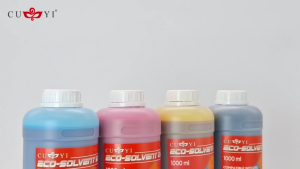
Printing View - CUYI Eco-Solvent Ink for Large Format Printer EPSON DX5/ DX7 Printer head (1000ML)
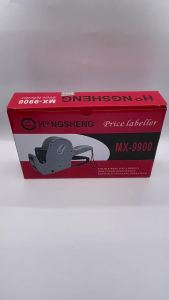
Cross-border Hot-selling Package Pricing Machine +4 Ink Roller +10000 Sticker Single Row Coding Machine Supermarket Product Pricing Machine
Brother Toner Compatible 1Kg/500g Compatible to All Monochrome Models

2D Barcode Scanner Bluetooth Mini Handheld Portable 2.4G Wireless 1D QR Code Reader For IOS Android PC