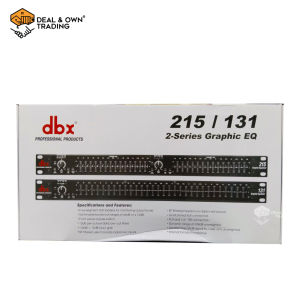
DBX 215 Dual Channel 15-Band Graphic Equalizer
DBX 215 Dual Channel 15-Band Graphic Equalizer
DBX 215 Dual Channel 15-Band Graphic Equalizer is a high-quality audio enhancement tool designed specifically for sound mixing and professional audio equalization. This article will provide a comprehensive overview of the DBX 215, including its key features, applications, benefits, and step-by-step instructions on how to use it effectively.
Introduction to DBX 215
The DBX 215 Dual Channel 15-Band Graphic Equalizer is a versatile audio processor that offers exceptional sound quality and flexibility. With its dual 15-band, 1/3-octave constant Q frequency bands, this equalizer allows users to precisely control and adjust audio signals. Additionally, it features switchable boost/cut ranges of ±6 or ±12 dB, providing greater control over sound mixing.
Key Features:
- Dual 15-band, 1/3-octave constant Q frequency bands
- Switchable boost/cut ranges of ±6 or ±12 dB
- Front panel bypass switch
- ±12 dB input gain range
- 4-segment LED ladders for monitoring output levels
Applications & Benefits:
The DBX 215 is suitable for a wide range of applications, including live sound reinforcement, studio recording, and post-production. Its high-quality audio enhancement capabilities make it an ideal choice for professionals seeking to achieve the best possible sound quality.
How to Use DBX 215 for Sound Mixing
Using the DBX 215 for sound mixing is a straightforward process that involves setting up the 15-band EQ and adjusting boost/cut ranges.
Setting Up the 15-Band EQ:
To set up the 15-band EQ, first connect the DBX 215 to your audio system. Next, adjust the frequency bands to match the desired sound characteristics. This can be done by using the front panel controls or the remote control (if available).
Adjusting Boost/Cut Ranges:
Once the EQ is set up, adjust the boost/cut ranges to fine-tune the sound. The DBX 215 offers switchable boost/cut ranges of ±6 or ±12 dB, allowing users to achieve the desired sound balance. It's important to note that adjusting the boost/cut ranges can have a significant impact on the overall sound quality, so it's essential to carefully consider the settings before making any changes.
Monitoring Output Levels with DBX 215
Monitoring output levels is crucial for achieving optimal sound quality. The DBX 215 features 4-segment LED ladders for visual feedback, allowing users to easily monitor output levels.
LED Ladders for Visual Feedback:
The LED ladders on the DBX 215 provide real-time visual feedback on output levels. By monitoring these levels, users can ensure that the sound is balanced and free from distortion.
Interpreting Output Levels:
To interpret output levels, observe the LED ladders on the front panel. The LEDs will light up in response to the output levels, providing a clear indication of the sound balance. It's important to note that different applications may require different output levels, so it's essential to adjust the settings accordingly.
Conclusion: Maximizing Audio Quality with DBX 215
The DBX 215 Dual Channel 15-Band Graphic Equalizer is a powerful tool for achieving high-quality audio enhancement. With its dual 15-band, 1/3-octave constant Q frequency bands, switchable boost/cut ranges, and 4-segment LED ladders for monitoring output levels, the DBX 215 is an excellent choice for professionals seeking to optimize their sound mixing process.
By following the steps outlined in this article, users can effectively use the DBX 215 to achieve optimal sound quality. Whether you're working in live sound reinforcement, studio recording, or post-production, the DBX 215 is sure to meet your audio enhancement needs.

Deal & Own Trading
You May Also Like
32INCH BLUETOOTH SPEAKER PORTABLE KARAOKE FREE USB WITH SONG FREE WIRELESS MIC
![[Manila in Stock] Original Baofeng Rainproof Handheld Microphone Speaker MIC for Baofeng Portable Radio UV5R BF-888S BF-UVS9 Plus UV-13 Pro Two Way Radio](https://img.lazcdn.com/g/ff/kf/S07ee60b43106405c8040b67e3e757d55g.jpg_300x300q80.jpg)
[Manila in Stock] Original Baofeng Rainproof Handheld Microphone Speaker MIC for Baofeng Portable Radio UV5R BF-888S BF-UVS9 Plus UV-13 Pro Two Way Radio
AV-902 PLUS 3000Watts LX PRO Digital Karaoke Stereo Amplifier
Headphone Headband Pads for DT700 Headphone Beam Soft Ear Cushion Headbands Protectors Ear Cushion Top Headband
High Performances 2Inch Neodymium Speakers 5W 4Ω Double Magnets Technology 16Core Surround For Clear Sound Reproduction
FT Star New EX-4USB 4 Channel Mixer with USB Input and BT Function DSP
W-KING T9 Bluetooth Speakers: A Comprehensive Guide

Imix by Trident CA-19 Professional Powered Amplifier 0RIGINAL 100%
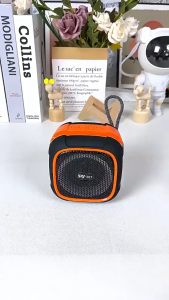
✅100% Original Smilee RGB Disco Bluetooth Speaker Multi-Mode Support (TF/USB/FM) Portable Party Speaker Dynamic
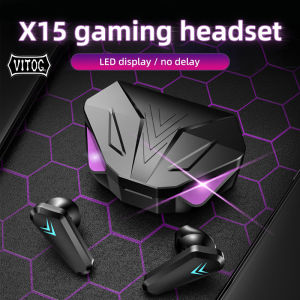
VITOG X15 TWS Mobile Game Earbuds Bluetooth Earphones HIFI Stereo Headset full bass 45ms Low Latency Chicken Eating Competitive Call headphone
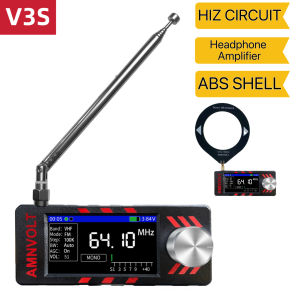
AMNVOLT ATS MINI SI4732 Full Band DSP Radio Pocket Receiver FM AM MW SW SSB with Headphone Amplifier Hi-Z