Plexor 10L/15L Automatic Motion Sensor Trash Can: A Smart Solution
Plexor 10L/15L Automatic Motion Sensor Trash Can: A Smart Solution
Introduction
The Plexor Automatic Motion Sensor Trash Can is a sleek, compact, and intelligent solution designed to make waste disposal convenient and efficient. This smart trash bin offers a range of features that cater to the needs of households, offices, and other living spaces. In this article, we will explore the key features, benefits, design, functionality, installation, setup, usage, and maintenance of the Plexor Automatic Motion Sensor Trash Can.
What is the Plexor Automatic Motion Sensor Trash Can?
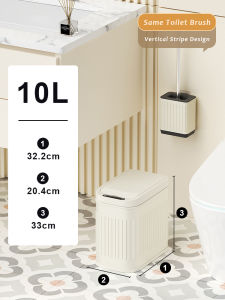
The Plexor Automatic Motion Sensor Trash Can is a slim, stainless steel garbage bin that seamlessly integrates technology and design to provide a modern waste management solution. It comes in two sizes - 10L and 15L - making it suitable for various environments, including bathrooms, offices, RVs, bedrooms, and living rooms. This small smart trash bin boasts an automatic motion sensor, a soft close lid, and an easy-to-clean inner bucket, offering a perfect blend of convenience and style.
Key Features & Benefits
- Automatic Motion Sensor: The Plexor Trash Can opens automatically when it detects motion within its range, eliminating the need to touch the lid and reducing the risk of contamination.
- Soft Close Lid Technology: The soft close lid ensures a gentle closing action, minimizing noise and preventing accidental injuries.
- Inner Bucket & Easy Cleaning: The Plexor Trash Can features a removable inner bucket, making cleaning and disposal of waste effortless.
Design & Functionality
Sleek & Compact Design
The Plexor Automatic Motion Sensor Trash Can has a slim, stainless steel design that complements any decor while saving valuable space. Its compact size makes it ideal for use in tight areas, such as bathrooms and offices.
Soft Close Lid Technology
The soft close lid technology provides a smooth and quiet closing experience, ensuring a pleasant environment for users. This feature also prevents accidental injuries caused by sudden lid movements.
Inner Bucket & Easy Cleaning
The Plexor Trash Can comes with a removable inner bucket, allowing for quick and easy cleaning. Simply remove the bucket, empty the contents, and rinse or wipe the interior to maintain hygiene.
Installation & Setup
How to Install the Plexor Trash Can
Installing the Plexor Trash Can is simple and straightforward. Follow these steps:
- Choose a suitable location for the trash can, considering factors like accessibility, proximity to power outlets, and available space.
- Place the trash can on a flat surface, ensuring it is stable and secure.
- Connect the power adapter to the trash can and plug it into a nearby outlet.
Placement Tips & Recommendations
To maximize the efficiency and effectiveness of the Plexor Trash Can, consider the following placement tips:
- Place the trash can near a power outlet to ensure continuous operation.
- Position the trash can in a central location, easily accessible to all users.
- Avoid placing the trash can near water sources or in damp areas to prevent damage to the electronic components.
Usage & Maintenance
How to Use the Plexor Trash Can
Using the Plexor Trash Can is effortless. Simply place waste items within the detection range of the motion sensor, and the lid will open automatically. Dispose of the waste, and the lid will close softly and quietly.
Cleaning & Maintenance Tips
Regular cleaning and maintenance are essential to keep the Plexor Trash Can in optimal condition. Follow these tips:
- Clean the exterior of the trash can using a damp cloth and mild detergent.
- Regularly clean the inner bucket by removing it, rinsing or wiping it down, and replacing it.
- Inspect the motion sensor periodically to ensure it functions correctly. If necessary, consult the user manual or contact customer support for assistance.

Plexor
Review

You May Also Like

Jakehoe Mop Soap Fresh Mop Soap For Floor Cleaning Mop Soap Scented New 200ml
Mosquito Proof Window Screen Patch Drainage Hole Block Door Window Flowing Water Hole Sand Window Mesh Mosquito Proof Sticker

【Spot Goods】5000 meters Gecko killer Bait 100% effective Powerful Gecko repellent lizard trap gecko trap Long-lasting Gecko repellent for home Plant-Based Formula Safe and non-toxic Gecko trap killer

620ML Contact Cleaner Electrical Contact Cleaner 550ml Screen Cleaner Fast Drying Air Duster

10pcs Strong Sticky Mouse Board Rat Traps Glue Board Mouse Pest Catcher Sticky Borad Mouse Trap Bait Sticky Mouse Board
Plastics & Paper Cup Holder: A Comprehensive Guide
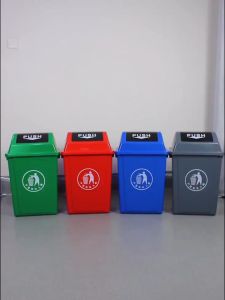
Food/Commercial and Industrial Trash Bins medium and large trash bins pop-up LIDS Plastic
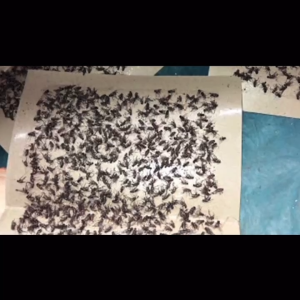
10pcs Mouse Glue (Super Strong Adhesion) Traps Rat Glue Traps Sticky Mouse Board Rodent expert Fly Trap Catcher

Citric Acid Detergent Cleaning Powder Inner Container Cleaner Electric Pots Teapot Cleaning Agent Powder
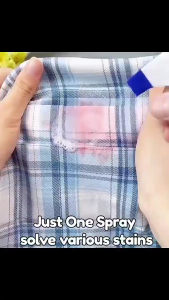
clothes stain remover Fabric Rust Stain Remover Clothes Rust Cleaner Clothing Get Rid Of Fabric Stubborn Stains With Ease For All Types Of Fabrics
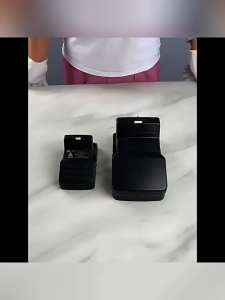
Mouse Rat Trap Upgraded mouse trap for big rats 21*14*11cm Bigsize HighSensitive Rat Killer