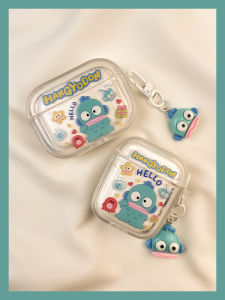
Game Controller Vibration Games Joystick with USB 2.0 Cable For PC Computer WinXP / Win7 / 8/10
Game Controller Vibration Games Joystick with USB 2.0 Cable For PC Computer WinXP / Win7 / 8/10
Introduction to Gaming Controllers & Joysticks
What is a Gaming Controller?
A gaming controller, often referred to as a gamepad, is a device used to interact with video games. It typically consists of buttons, joysticks, and other input methods to control characters or objects within a game.
What is a Joystick?
A joystick is a handheld input device that allows users to provide directional input to a computer or console. Joysticks are commonly used in flight simulators, racing games, and other types of simulation software.
Key Features of USB 2.0 Joysticks
USB 2.0 joysticks offer several advantages over older joystick technologies. They feature faster data transfer rates, improved reliability, and better compatibility with modern operating systems. Additionally, they often come equipped with built-in vibration motors to enhance the gaming experience.
Setting Up Your Game Controller & Joystick
Connecting the USB Cable
To set up your gaming controller or joystick, simply plug the USB cable into the device and connect the other end to a free USB port on your computer. This will establish a connection between the two devices.
Installing Necessary Drivers
After connecting your game controller or joystick, you may need to install the necessary drivers to ensure proper functionality. This can usually be done by downloading and running the installation files provided by the manufacturer.
Configuring Controller Settings
Once your controller or joystick is connected and the drivers are installed, you can begin configuring the settings to suit your preferences. This may include adjusting button mappings, sensitivity levels, and vibration intensity.
Enhancing Your Gaming Experience with Vibration
How Vibration Enhances Immersion
Vibration technology adds an extra layer of immersion to the gaming experience by providing tactile feedback that corresponds to in-game events. This can include rumble effects during explosions, collisions, or other actions that occur within the game.
Adjusting Vibration Intensity
Most gaming controllers and joysticks allow users to adjust the vibration intensity to their liking. This can be done through the controller settings menu or by using third-party software.
Troubleshooting Common Issues
If you're experiencing issues with vibration, try restarting your computer, updating your drivers, or checking the controller settings to ensure that vibration is enabled.
Compatibility with Windows XP/7/8/10
Ensuring Compatibility
To ensure compatibility with Windows XP/7/8/10, make sure you're using the latest version of the necessary drivers and that your operating system is up-to-date.
Upgrading Your System for Better Performance
If you're experiencing lag or other performance issues, consider upgrading your computer's hardware, such as the CPU, RAM, or graphics card.
Tips for Optimal Gaming Experience
For the best gaming experience, make sure your game controller or joystick is properly calibrated, and keep your operating system and drivers up-to-date.
Conclusion
Summary of Key Points
In summary, gaming controllers and joysticks provide a fun and immersive way to interact with video games. USB 2.0 joysticks offer improved performance and compatibility compared to older technologies, while vibration technology adds an extra layer of immersion to the gaming experience.
Final Thoughts on Gaming Controllers & Joysticks
Whether you're a casual gamer or a serious enthusiast, a quality game controller or joystick can greatly enhance your gaming experience. By following the tips outlined in this article, you can ensure that your controller or joystick is set up for optimal performance and compatibility with Windows XP/7/8/10.

PhoneAcc
Review
You May Also Like
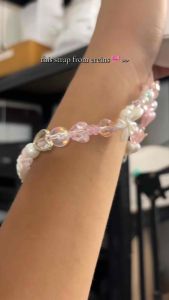
Ereins Sweetheart Charm Beaded Phone Strap Pink Edition Cellphone Accessory Smartphone
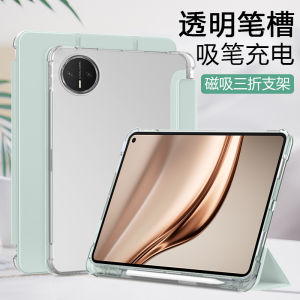
Rainpole Huawei MatePad Mini Transparent Frosted Protective Case Magnetic Absorption Three-Fold Design Tablet Cover with Pen Slot
Tecno Spark 20 & Spark 20C Phone Case: European & American Fashion Style Cover CHA29
Hontinga Case For Xiaomi Redmi 10 10A 10C 11A 12 12C 13C 8 9C 9T A1+ A2+ Note 10 Pro 10s Case Soft Original Colorful Big Wave Silicone Full Cover Shockproof Rubber Phone Cases Back Cover Phone Casing Softcase
Original LCD For Huawei Nova 3i INE-LX1 INE-LX1r P Smart Plus + 2018 Display Touch Screen Digitizer Assembly Replacement
Phone Cases: OPPO Reno13 F & OPPO Reno11 F Case
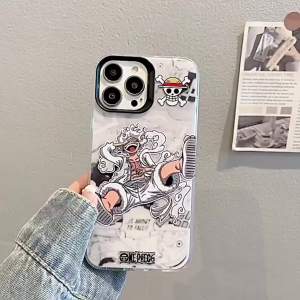
🔥【Readystock】 + FREE Shipping+ COD 🔥2024 NEW nime One Piece Luffy Silicone Phone Case
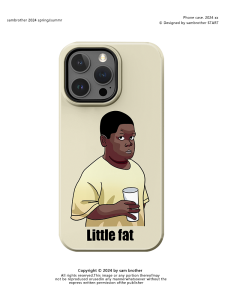
Black Boy Design Magnetic Attraction Two-In-One Film Phone Case for iPhone 17 pro Max Cute Cartoon 16 pro Max 15 plus Compatible with Huawei Xiaomi
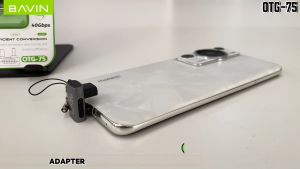
BAVIN O72 240W USB 4.0 Type-C OTG Adapter w/ 40Gbps Fast Data Transfer & 90° Angled Connector for Video Transmission
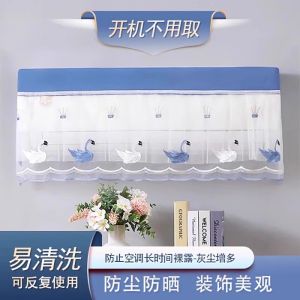
Dustproof Cover Full Wrap Hanging Air Conditioner Curtain Windproof Universal Beauty General Electric Air Conditioning Set
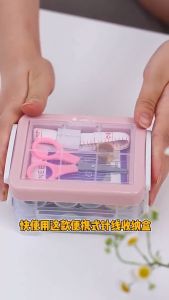
Portable 30 pcs Sewing Box Set: A Comprehensive Guide