Phomemo Label Maker Machine P12: A Portable Label Maker Compatible with Dymo LetraTag
Phomemo Label Maker Machine P12: A Portable Label Maker Compatible with Dymo LetraTag
What is the Phomemo P12?
The Phomemo Label Maker Machine P12 is a compact, portable label maker designed to make organizing your home, office, or workspace more convenient. With its multi-color text & fonts, this label maker offers a wide range of customization options to meet your needs. It is compatible with Dymo LetraTag label tapes, including models 91331, 91201, and 91221, allowing you to use various label refills for different applications.
Key Features
- Connectivity Technology: Bluetooth
- Printing Technology: Thermal
- Special Feature: Mini labeler sticker maker can print black or color labels, label maker refills are cold-resistant and oil-resistant, Bluetooth label makers can be connected in just 2 seconds, portable label maker can print fabric and satin ribbon label refills
- Model Name: Phomemo P12
- Printer Output: Monochrome/Color
- Item Weight: 180 grams
- Product Dimensions: 4.09\"D x 3.52\"W x 2.7\"H
- Controller Type: iOS, Android
Design & Dimensions
The Phomemo P12 is designed with portability in mind, measuring 4.09\"D x 3.52\"W x 2.7\"H and weighing only 180 grams. This makes it easy to carry around, whether you're organizing your home, office, or traveling. Its sleek design and compact size make it an ideal choice for anyone looking for a convenient label maker.
How to Use the Phomemo P12
Using the Phomemo P12 is simple and straightforward. Here's a step-by-step guide to help you get started:
Setting Up Bluetooth Connectivity
- Turn on your Phomemo P12 label maker.
- Connect your smartphone or tablet to the Phomemo P12 via Bluetooth.
- Open the Phomemo app on your device and follow the on-screen instructions to complete the setup process.
Printing Multi-Color Text & Fonts
Once connected, you can easily print multi-color text & fonts using the Phomemo P12. Simply open the app, select your desired font and color, and start typing your label text. When you're ready, hit the print button, and your label will be printed instantly.
Refilling the Label Maker
Refilling the Phomemo P12 is simple and easy. Follow these steps:
- Open the back cover of the label maker.
- Insert a new roll of label tape, making sure it is aligned correctly.
- Close the back cover and press the print button to start printing.
Benefits of Using Phomemo P12
Portable Label Maker for Organizing
With its compact size and lightweight design, the Phomemo P12 is perfect for organizing your home, office, or workspace. Whether you're labeling food containers, sorting files, or creating custom tags, the Phomemo P12 makes it easy to stay organized.
Compatible with Dymo LetraTag
The Phomemo P12 is compatible with Dymo LetraTag label tapes, including models 91331, 91201, and 91221. This means you can use a wide range of label refills for different applications, such as labeling food containers, sorting files, or creating custom tags.
Cold-Resistant & Oil-Resistant Label Refills
The Phomemo P12 label maker refills are cold-resistant and oil-resistant, making them perfect for labeling food containers, sorting files, or creating custom tags that can withstand harsh conditions.
In conclusion, the Phomemo Label Maker Machine P12 is a versatile, portable label maker that offers a wide range of customization options to meet your needs. With its compatibility with Dymo LetraTag label tapes, cold-resistant and oil-resistant label refills, and easy-to-use Bluetooth connectivity, the Phomemo P12 is the perfect choice for anyone looking for a convenient label maker." }

Zodzi Printer Store
You May Also Like
Mitsubishi Printing Machine CP-2FCW Ink Bucket Motor 5K Potentiometer
Mini Printer - Sticker Printer T02 Portable Thermal Printer Inkless Sticker Maker Machine Bluetooth Pocket Printer Phone Printer for Study Graphics Anatomical Diagrams Photos
Tagging gun Clothes Clothing Garment Price Label Brand Trademark Tagging Tags Machine Gun
Battlegeus Galactus PREMIUM 3D Model™ (FILE ONLY not actual toy) with FREE 16GB USB Flash Drive for 3d printing 3d printer
BROTHER TN3428 TN3448 TN3478 Toner Cartridge for use in Brother HL-L5000D HL-L5100DN HL-L6200DW DCP-L5600DN MFC-L5900DW Printers
Gprinter GP-1324D Thermal Printer
Cuyi Pigment 500 ML
UPP-110S Ultrasound Thermal Paper Fetal Monitor Medical Imaging Paper For Sony Printers
1 Liter UV Dye ink for all types of printer
Original Brother TN-263 TN263 CMYK Laser Toner Cartridge
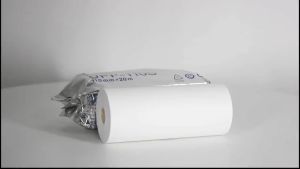
110mm*20m Ultrasound Thermal Paper For Sony Mitsubishi Printers Ultrasound Paper Type 1