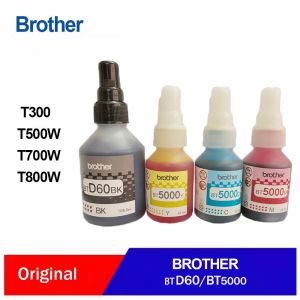
Brother Original INK SET BTD60BK BT5000 Black Cyan Magenta Yellow Ink Bottle T220 T310 T420W T520W T710W T720DW T910DW T4500DW
Brother Original INK SET BTD60BK BT5000 Black Cyan Magenta Yellow Ink Bottle T220 T310 T420W T520W T710W T720DW T910DW T4500DW
Introduction to Brother Original INK SET BTD60BK
Brother Original INK SET BTD60BK is a premium ink set designed for Brother printers, offering vibrant colors and exceptional print quality. This comprehensive guide will help you understand the key features and benefits of this ink set, its compatibility with various Brother printer models, and how to install and maintain it for optimal performance.
Overview of the Ink Set
The Brother Original INK SET BTD60BK consists of four high-quality ink bottles: black, cyan, magenta, and yellow. Each bottle is compatible with a wide range of Brother printers, including the BT5000 Black Ink Bottle, T910DW T4500DW Compatible Ink, T220 T310 T420W Ink Cartridges, T520W T710W T720DW Ink Set, and more.
Key Features and Benefits
- High-Quality Print Output: Brother Original INK SET BTD60BK produces crisp, sharp text and vivid colors, ensuring professional-looking prints every time.
- Long-Lasting Performance: Each ink bottle offers a generous yield, reducing the frequency of replacements and saving you money in the long run.
- Ease of Use: Installing the ink set is simple, even for first-time users, thanks to the intuitive design and clear instructions provided by Brother.
Compatibility & Usage
Compatible Printers
Brother Original INK SET BTD60BK is compatible with a wide range of Brother printer models, including:
- BT5000 Black Ink Bottle
- T910DW T4500DW Compatible Ink
- T220 T310 T420W Ink Cartridges
- T520W T710W T720DW Ink Set
To check if your printer is compatible with Brother Original INK SET BTD60BK, please refer to the printer's manual or visit the Brother website for more information.
How to Install the Ink Set
Installing the Brother Original INK SET BTD60BK is a straightforward process. Follow these steps to get started:
- Turn off your printer and unplug it from the power source.
- Open the front cover of your printer and locate the ink cartridge slots.
- Remove any empty ink cartridges from the slots.
- Carefully pour the contents of each ink bottle into the corresponding ink cartridge slot.
- Close the front cover of your printer and plug it back into the power source.
- Turn on your printer and follow the on-screen instructions to initialize the ink cartridges.
Performance & Maintenance
Optimizing Printer Performance
To ensure the best possible print quality and longevity of your Brother Original INK SET BTD60BK, follow these tips:
- Regularly clean the ink cartridge slots and printhead to prevent clogging.
- Keep your printer away from extreme temperatures and humidity levels.
- Use high-quality paper and settings recommended by Brother for optimal print results.
Extending Ink Life
To make the most out of your Brother Original INK SET BTD60BK, consider the following maintenance tips:
- Print in draft mode when print quality is not critical.
- Limit the use of color ink by printing in grayscale whenever possible.
- Store unused ink bottles in a cool, dry place to prevent evaporation.
Conclusion
Brother Original INK SET BTD60BK offers a reliable and cost-effective solution for printing high-quality documents and images. With its wide compatibility, ease of use, and long-lasting performance, this ink set is an excellent choice for both personal and professional printing needs. By following the installation and maintenance guidelines outlined in this guide, you can maximize the life of your ink set and enjoy exceptional print quality every time.

Focus sa Ink
You May Also Like
G2 Gel-Ink Refills for Retractable Gel Ink Pen 0.5mm/0.7mm Point Blue/Black for Student Teacher Office Worker 10 Pack

Eyoyo Portable 1D Laser Wireless Barcode Scanner via Bluetooth USB Wired Bar Code CCD Screen Scan Reader PDF417 Data Scanning For Android /IOS /Mac
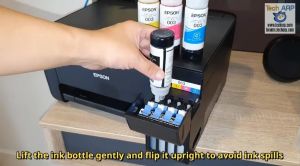
Epson ink 003 w/ BOX L3110 L3150 L5190 Epson 664 L121 L120 L360
682 Black or Colored Original Ink Cartridge
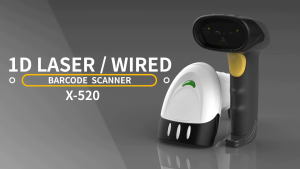
GTCODESTAR X-520AT Handheld Bar Code Scanner Wired USB Barcode Reader with Stand 1D Barcode Scanner for Warehouse Laser Barcode Scaning
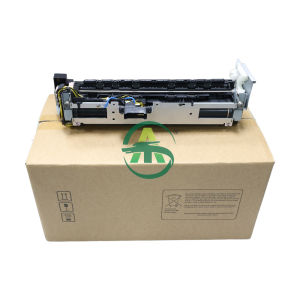
1pcs IR4025 Fuser Unit Assy For Canon NPG-56 57 GPR42 43 EXV-38 39 Fuser Assembly Fuser Kit
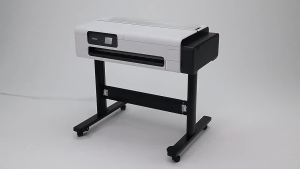
MC-31 MC 31 MC31 Compatible Maintenance Wast Ink Tank for Canon TM-5200/5205/5200MFP TM-5300/5305 TM-200/205/300/305 Printer
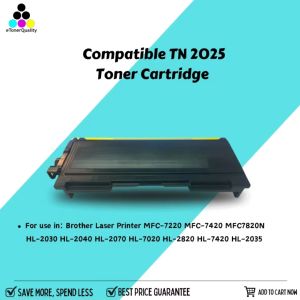
eTONER Compatible Toner Cartridge TN-2025: A Reliable Replacement Option
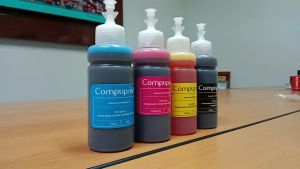
Compuprint Premium Inkjet Dye Ink & DIY Refill: A Comprehensive Guide
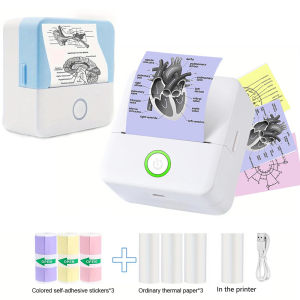
Wireless Mini Thermal Printer Wireless Mini Thermal Printer Portable Label Maker 200dpi High Resolution USB Rechargeable
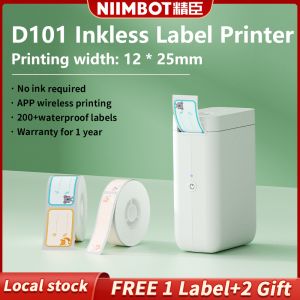
NIIMBOT Label Maker Machine D101 Label Printer Tape Included Portable Wireless Connection Multiple Templates Available for Phone Easy to Use Office Home Organization USB Rechargeable Christmas Gift Stickers Card