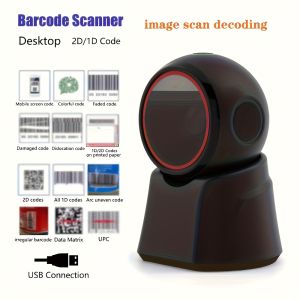
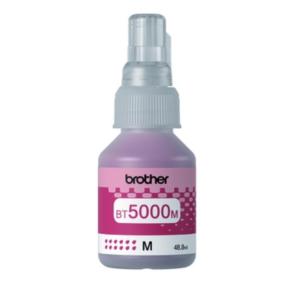
Brother Ink (Original) Set of 4 Colors BTD60BK BT5000C BT5000M BT5000Y for DCP-T310 T510W T710W MFC-T810W MFC-T910W Printer
Brother Ink (Original) Set of 4 Colors BTD60BK BT5000C BT5000M BT5000Y for DCP-T310 T510W T710W MFC-T810W MFC-T910W Printer
Introduction to Compatible & Original Brother Ink
Brother printers have gained popularity among consumers due to their reliable performance and affordability. To ensure optimal print quality, it is essential to use compatible or original Brother ink cartridges. In this article, we will explore the differences between compatible ink for T510W and T710W printers and original Brother ink for DCP-T310 printers, as well as provide guidance on selecting the right ink cartridges for MFC-T810W printers.
Overview of Compatible Ink for T510W & T710W
Compatible ink cartridges offer a cost-effective alternative to original Brother ink cartridges. These cartridges are designed to fit Brother printers, including the T510W and T710W models. While they may not provide the same level of print quality as original Brother ink, compatible ink cartridges can still produce satisfactory results. When choosing compatible ink, make sure to select reputable brands that offer reliable performance and compatibility with your printer model.
Benefits of Using Original Brother Ink for DCP-T310
Original Brother ink cartridges are specifically designed for Brother printers, such as the DCP-T310. They offer several advantages over compatible ink cartridges, including:
- Higher print quality
- Consistent color accuracy
- Longer-lasting prints
- Better compatibility with Brother printers
Investing in original Brother ink cartridges ensures that you receive the best possible print results from your DCP-T310 printer.
Choosing the Right Ink Cartridge
When selecting ink cartridges for your Brother printer, consider the following factors:
- Printer model compatibility
- Print quality requirements
- Budget constraints
For MFC-T810W printers, we recommend using the Brother Ink Set of 4 Colors, which includes the BT5000C cyan cartridge, BT5000M magenta cartridge, and BT5000Y yellow cartridge. This set provides optimal print quality and compatibility with your printer model.
Installing & Replacing Ink Cartridges
To install or replace ink cartridges in your Brother printer, follow these steps:
- Turn on your printer and open the front cover.
- Remove the empty ink cartridge by gently pulling it out of its slot.
- Remove the new ink cartridge from its packaging and remove any protective labels or seals.
- Insert the new ink cartridge into its slot and press down until it clicks into place.
- Close the front cover of your printer.
If you encounter issues during the installation process, consult your printer's user manual or contact Brother customer support for assistance.
Maintaining Optimal Print Quality
To ensure consistent print quality and extend the life of your ink cartridges, follow these tips:
- Regularly clean your printer's print heads using the cleaning function in your printer's settings menu.
- Store unused ink cartridges in a cool, dry place to prevent them from drying out.
- Replace ink cartridges before they run out completely to avoid damaging your printer's print heads.
By following these guidelines, you can maintain optimal print quality and prolong the life of your Brother ink cartridges.
Conclusion
In conclusion, choosing the right ink cartridge for your Brother printer is crucial for achieving optimal print quality and extending the life of your ink cartridges. Whether you opt for compatible ink for T510W and T710W printers or original Brother ink for DCP-T310 printers, make sure to select reputable brands and follow proper installation and maintenance procedures. With the right ink cartridges and care, your Brother printer will continue to deliver exceptional print results for years to come." }

Gamitin na tinta
You May Also Like
Wireless Mini Thermal Printer Wireless Mini Thermal Printer Portable Label Maker 200dpi High Resolution USB Rechargeable
AOS Compatible HP 81A (CF281A) black for HP LaserJet Enterprise Flow MFP M630z M604dn M604nM605dn M605n M605x
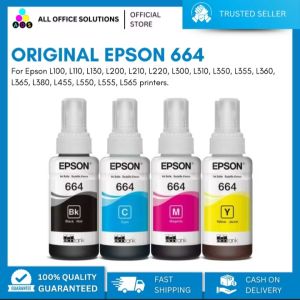
Original Epson 664 CMYK Ink Bottle
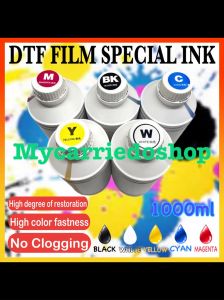
DTF Film Special Ink: A Comprehensive Guide
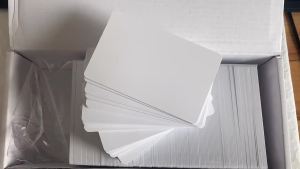
NFC 215 chip card Inkjet printable card for ESPON printer Canon printer
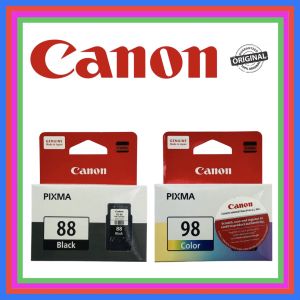
Canon PG-88 Black and CL-98 Tricolor For Canon Pixma E500 E510 E600 E610
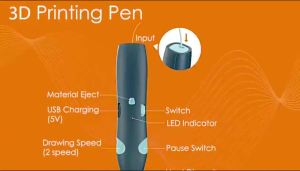
NaturHome Magic Printing Pen 3D Free 3M 3 Colors DIY PLA Filament Drawing Toy Birthday Gift for Kids
Premium Toner Cartridge CF283A 83A Black For Printer Laser Jet Pro MFP M127 M125 M225 M201
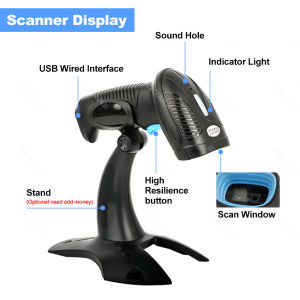
Handheld 2D Barcode Scanner Bluetooth Wireless 2.4G USB QR Code Scanner Wired 1D 2D&PDF417 Data Matrix Bar Code Reader or Stand
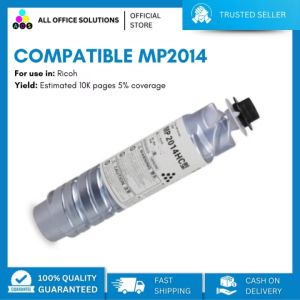
AOS Ricoh MP 2014 MP2014 HS Toner Compatible: Cost-Effective Solution
PrintYourStyle 1 Liter CUYI Cleaning Solution for Eco-Solvent Ink