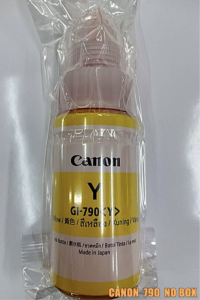
Original GI-790 Ink for Gseries Printer like G1000 G1010 G2010 G2000 to G4000
Original GI-790 Ink for Gseries Printer like G1000 G1010 G2010 G2000 to G4000
Introduction to Original & Compatible Inks for Gseries Printers
Inkjet printers are a popular choice for home and office use due to their affordability and ease of use. When it comes to Gseries printers, such as the G1000, G1010, G2010, G2000, and G4000, the choice of ink can significantly impact print quality and overall printer performance. This article will provide a comprehensive guide on choosing the right ink for your Gseries printer, focusing on the Original GI-790 Ink.
What is Original Ink for Gseries Printers?
Original ink for Gseries printers, such as the GI-790 Ink, is designed specifically for these models by the manufacturer. This ensures optimal compatibility and performance, resulting in high-quality prints with vibrant colors and sharp details. Additionally, using original ink helps maintain the warranty and longevity of your printer.
Understanding Compatible Ink for Gseries Printers
Compatible ink for Gseries printers is manufactured by third-party companies and designed to work with these models. While compatible ink can be more affordable than original ink, it may not provide the same level of print quality and performance. It's essential to weigh the pros and cons before choosing compatible ink over original ink.
Choosing the Right Ink for Your Gseries Printer
Selecting the appropriate ink for your Gseries printer is crucial for achieving optimal print quality and maintaining the longevity of your device.
How to Identify the Correct GI-790 Ink for Your Gseries Printer
To ensure you're using the correct GI-790 Ink for your Gseries printer, consult the user manual or visit the manufacturer's website. This will provide specific information on the type of ink required for your model, such as the G1000, G1010, G2010, G2000, or G4000.
Comparing Original & Compatible Inks: Pros & Cons
| Category | Original Ink | Compatible Ink | | --- | --- | --- | | Print Quality | High | Varies | | Cost | Higher | Lower | | Warranty | Maintained | May void warranty | | Longevity | Longer | Shorter |
How to Replace Ink Cartridges in Your Gseries Printer
Replacing ink cartridges in your Gseries printer is a straightforward process that can be completed in just a few steps.
Step-by-Step Guide to Replacing Gseries Printer Ink
- Turn off the printer and unplug it from the power source.
- Open the ink cartridge access door.
- Remove the empty ink cartridge by gently pulling it out.
- Insert the new ink cartridge, ensuring it clicks into place.
- Close the ink cartridge access door and turn the printer back on.
Troubleshooting Common Issues During Ink Replacement
If you encounter issues during ink replacement, consult the user manual or contact the manufacturer's customer support for assistance. Common problems include misaligned ink cartridges, incorrect ink cartridge installation, and ink cartridge failure.
Maximizing Printer Performance with GI-790 Ink
To maintain optimal printer performance and extend the life of your Gseries printer ink, follow these tips:
Tips for Maintaining Optimal Printer Performance
- Clean the print head regularly to prevent clogging and ensure consistent print quality.
- Store ink cartridges in a cool, dry place to avoid damage and deterioration.
- Follow the manufacturer's guidelines for ink cartridge replacement and maintenance.
How to Extend the Life of Your Gseries Printer Ink
- Use high-quality paper to reduce ink consumption and improve print quality.
- Adjust printer settings to optimize ink usage, such as using draft mode for less important documents.
- Avoid printing unnecessary documents to conserve ink and prolong the life of your ink cartridges.

Tulong sa Ink
Review
You May Also Like

Ribbon Master SP700 RC700B BLACK Ink Cartridges for STAR PRINTERS RIBBON

fanghui Universal Ink Bottle For Printer L3110 L4160 L6190 L3150 ET-8550 L8160 L8180 L8050 101 103 105 502 522 544 T552
Mini Pocket Printer: A Portable Thermal Sticker Printer Bluetooth Inkless Pocket Printer

30pcs 70pesos Instax Mini/Instax Square/Instax Wide Photo Print High Glossy/Rough Satin/Satin/ Linen
eTONER OPC Drum DR2455 DR-2455 DR 2455 Compatible for Brother
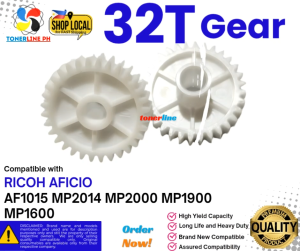
32T Gear Compatible With Ricoh MP2014 MP2000 MP1900 MP1600
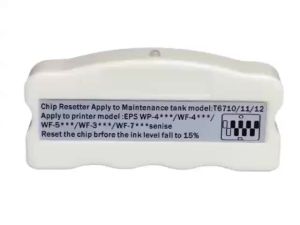
zebeaacc Ink Tank Chip Resetter T6710 T6711 T6712 for WorkForce WF-3640 WF-3620 WF-3720
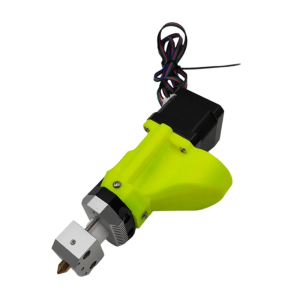
Professional 0.8mm Nozzle for 3D Printer Pellet Extruders Delivers Precise Detail for Artists and Small Manufacturers

5.7 Inch Android 12 Handheld PDA Terminal with Black Lanyard Barcode Scanner 1D/2D QR Code 4G GPS WiFi Bluetooth NFC Support for Google Store RAM4G ROM64G 4000mAh for Inventory Warehouse Cold Chain
![[COD] CHYIN Universal Ink Bottle For Printer L3110 L4160 L6190 L3150 ET-8550 L8160 L8180 L8050 101 103 105 502 522 544 T552](https://img.lazcdn.com/g/p/0e8c9892cab43e565991135a7d5059b8.jpg_300x300q80.jpg)
[COD] CHYIN Universal Ink Bottle For Printer L3110 L4160 L6190 L3150 ET-8550 L8160 L8180 L8050 101 103 105 502 522 544 T552
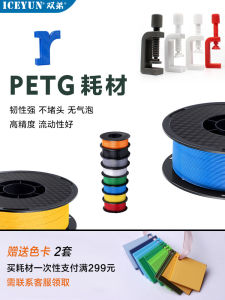
High Toughness Matte PETG 3D Printing Material Dual Color Rainbow Heat Resistant Durable for Fast Speed Bambu Compatible Inkjet