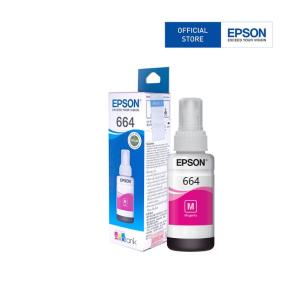
Epson 664 Inks for L1300, L200, L220, L300, L310, L350, L365, L565, L120 Printer - BK/CY/MG/YW
Epson 664 Inks for L1300, L200, L220, L300, L310, L350, L365, L565, L120 Printer - BK/CY/MG/YW
Introduction to Epson 664 Inks
Epson 664 inks are specifically designed for use with a range of printers including the L1300, L200, L220, L300, L310, L350, L365, L565, and L120 models. These printers offer high-quality printing capabilities, and using the right ink set is crucial for achieving optimal results.
Understanding the Epson 664 Ink Set
The Epson 664 ink set consists of four primary colors: Black (BK), Cyan (CY), Magenta (MG), and Yellow (YW). Each color cartridge is designed to deliver vibrant, long-lasting prints while minimizing waste and maximizing efficiency.
Compatible Printers: L1300, L200, L220, L300, L310, L350, L365, L565, L120
The Epson 664 ink set is compatible with the following printers:
- L1300
- L200
- L220
- L300
- L310
- L350
- L365
- L565
- L120
These printers are known for their reliability, ease of use, and excellent print quality.
Choosing the Right Ink Colors
Selecting the appropriate ink colors for your Epson printer is essential for producing professional-looking documents, photos, and graphics. Here's a brief overview of the four primary ink colors included in the Epson 664 ink set:
BK (Black) Inks
The BK ink cartridge is used for printing text, line art, and grayscale images. It offers sharp, crisp lines and excellent contrast, making it ideal for documents and other text-heavy projects.
CY (Cyan) Inks
CY ink is responsible for creating shades of blue, green, and teal. It works in conjunction with the other ink colors to produce a wide range of hues and tones.
MG (Magenta) Inks
MG ink is used to create shades of red, pink, purple, and orange. Like CY ink, it helps to create a diverse palette of colors when combined with the other ink cartridges.
YW (Yellow) Inks
YW ink is essential for creating warm tones and bright highlights. It complements the other ink colors to produce rich, vivid prints.
How to Install Epson 664 Inks
Installing the Epson 664 ink set is a straightforward process. Follow these steps to ensure a smooth installation:
Preparing Your Printer
- Turn off your printer and unplug it from the power source.
- Allow the printer to cool down before proceeding.
Installing the Ink Cartridges
- Open the printer's front cover and locate the empty ink cartridge slots.
- Carefully remove the new ink cartridges from their packaging.
- Peel off the protective tape from each cartridge and insert them into the corresponding slots.
- Close the printer's front cover and plug it back into the power source.
- Follow the on-screen instructions to complete the installation process.
Cleaning and Maintaining Your Printer
Regular cleaning and maintenance are essential for keeping your Epson printer running smoothly. Here are some tips for maintaining your printer:
- Clean the print head regularly to prevent clogs and ensure consistent print quality.
- Keep the printer's exterior clean and free of dust and debris.
- Replace ink cartridges promptly when they run low to avoid damaging the print head.
Epson 664 Inks vs Compatible Inks
When considering alternative ink options, it's important to weigh the pros and cons of using compatible inks versus genuine Epson 664 inks.
Cost Comparison
Compatible inks are often less expensive than genuine Epson 664 inks. However, the cost savings may be offset by potential issues with print quality and compatibility.
Quality Comparison
Genuine Epson 664 inks are specifically formulated to work with your printer, resulting in superior print quality and color accuracy. Compatible inks may produce satisfactory results, but there is no guarantee of consistency.
Compatibility Issues
Using compatible inks may lead to compatibility issues, such as clogged print heads or inconsistent print quality. In contrast, genuine Epson 664 inks are designed to work seamlessly with your printer, minimizing the risk of problems.

Tulong sa Ink
Review
You May Also Like
AOS Compatible Ricoh AF1015 Pcu Drum Unit for Use in Aficio 1015/2015/2018/2016/2020 Aficio MP2000

Compatible CRG-319 CRG-719 CRG-119 Black Toner Cartridge for Canon Printer
CT202873 Original Fuji Xerox Docucentre S2110 Toner
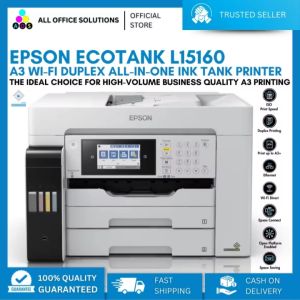
Epson EcoTank L15160 A3 Wi-Fi Duplex All-in-One Ink Tank Printer Imprimante A3 Couleur Impresora A3 - Lazada
TPU 3D Printer Filament 1.75mm High Speed 95A Transparent TPU Filament 250g/500g/1KG Dimensional Accuracy +/- 0.03mm
Manual SLA Curing Resin Recycler Resin Filter Funnel For Efficient Recycling &Filtration Of Unused Resin in 3D Printing

Tulco Discharge Powder: Screen Printing Supply Essentials
WIFI + USB Black and White 4x6 Shipping Label Printer with Large Paper Bin

VisualPrintPH Custom 3D Prints – Where Ideas Take Shape!
108 Sheets Photo Paper With 3Pcs Ink Cartridges for CP1200 CP910 CP810 CP1300 CP1000 CP800 CP710 Printer Accessories

A4/A3 Size Self Adhesive 100% Transparent Laser Film Sticker for Printer