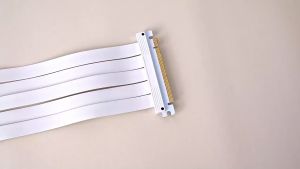
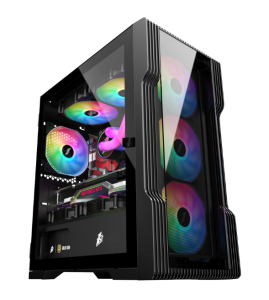
1STPLAYER TRILOBITE TG-3 MID-TOWER TEMPERED GLASS GAMING PC CASE
1STPLAYER TRILOBITE TG-3 MID-TOWER TEMPERED GLASS GAMING PC CASE
The 1STPLAYER TG-3 Gaming Case is a top-tier mid-tower tempered glass gaming PC case designed for serious gamers who demand nothing but the best. This high-quality PC case offers a plethora of features and benefits, making it an excellent choice for those looking to build or upgrade their gaming PC enclosure.
What is the 1STPLAYER TG-3 Gaming Case?
The 1STPLAYER TG-3 Gaming Case is a mid-tower PC case made from tempered glass, offering both durability and aesthetics. It comes equipped with a variety of features designed to enhance performance, cooling, and cable management, making it an ideal choice for gamers looking to build a powerful gaming PC.
Key Features & Specifications
- Tempered Glass Side Panel
- Support for ATX, Micro-ATX, and Mini-ITX motherboards
- Up to 360mm radiator support
- 8x PCI-E slots
- Multiple fan mounting options
- Easy-to-clean dust filters
- Cable management system
Benefits of Choosing the 1STPLAYER TG-3
Choosing the 1STPLAYER TG-3 Gaming Case provides numerous benefits, including improved cooling, enhanced cable management, and a sleek, modern design. Its tempered glass side panel allows you to showcase your custom build while providing protection against dust and debris. Additionally, its support for up to 360mm radiators ensures optimal cooling performance, keeping your components running smoothly and efficiently.
How to Assemble Your Gaming PC with the TG-3 Case
Assembling your gaming PC with the 1STPLAYER TG-3 Gaming Case is a straightforward process, but it does require some basic tools and accessories. Here's what you'll need:
- Screwdriver
- Thermal paste
- Cable ties
- Anti-static wrist strap
Once you have the necessary tools and accessories, follow this step-by-step assembly guide:
- Prepare your workspace by laying out all components and tools.
- Install the motherboard standoffs inside the case.
- Mount the motherboard onto the standoffs.
- Install the CPU and cooler onto the motherboard.
- Connect the power supply to the motherboard and other components.
- Install the storage drives and graphics card.
- Connect all necessary cables.
- Close the case and secure the side panels.
- Power on your PC and verify that everything is working correctly.
Maximizing Your TG-3 Case Performance
To get the most out of your 1STPLAYER TG-3 Gaming Case, consider implementing the following tips:
Optimal Cooling Solutions
Ensure that your case has adequate airflow by positioning fans strategically. The TG-3 case supports up to 8x PCI-E slots, allowing for multiple fan mounting options. Additionally, consider using a liquid cooling solution for even better performance.
Cable Management Tips
Take advantage of the TG-3 case's cable management system by routing cables neatly and securing them with cable ties. This will not only improve airflow but also make future upgrades easier.
Conclusion & Final Thoughts
The 1STPLAYER TG-3 Gaming Case is an excellent choice for gamers looking to build or upgrade their gaming PC enclosure. With its tempered glass side panel, support for multiple motherboard sizes, and optimal cooling solutions, this high-quality PC case offers both performance and aesthetics. By following the step-by-step assembly guide and implementing the tips provided, you can maximize your TG-3 case's performance and enjoy a seamless gaming experience.

ChrisRandomTech
Review

You May Also Like
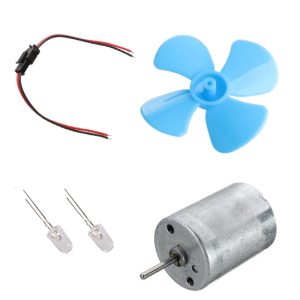
DC Motor DIY Kit Small Motor Micro Wind Turbines Small Motor Blades Generator Blades Breeze Electricity Generator
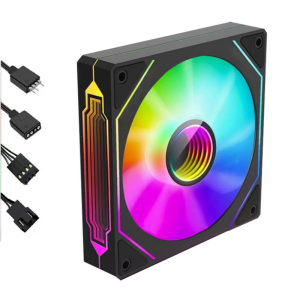
Infinitys Mirror ARGB 120mm Fan Silents Operation with High Density Bearings for Computer Chassis Cooling
![[Creative] 1Pc LED Driver 260mA 1-3W LED Power Supply Adapt AC 85V-265V to DC 5-12V LED Lights Transformers Driver for LED Drive Power](https://img.lazcdn.com/g/p/1a87e6e00039dda0885f4b5fee173de5.jpg_300x300q80.jpg)
[Creative] 1Pc LED Driver 260mA 1-3W LED Power Supply Adapt AC 85V-265V to DC 5-12V LED Lights Transformers Driver for LED Drive Power
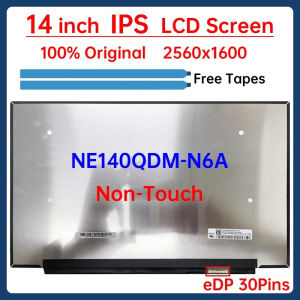
14 Inch Laptop LCD Screen NE140QDM-N6A V18.0 V18.1 LM140GF1L01 LM140GF1L02 Display Matrix Panel 2560×1600 100% sRGB eDP 30 Pins
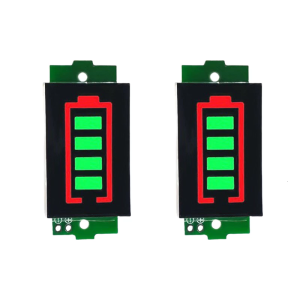
2Pieces Lithiums Capacity Displays Module For 1S 2S3S 4S 5S 6S 7S 8S LiBattery With Clear Green/Blue LED Readout
![[COD] Bsuimki Laptop CPU GPU Cooling Cooler Fan For Asus TUF Gaming TUF Gaming FX506 FX95D FX505GM FX86 FX505](https://img.lazcdn.com/g/p/c42b6ba77aebb6b715b64b638d41a837.jpg_300x300q80.jpg)
[COD] Bsuimki Laptop CPU GPU Cooling Cooler Fan For Asus TUF Gaming TUF Gaming FX506 FX95D FX505GM FX86 FX505

DC1036L 36W Digital UPS Uninterruptible Power Supply Box 5V/9V/12V/15V/24V Multi-Output for Router Home Devices-without Battery
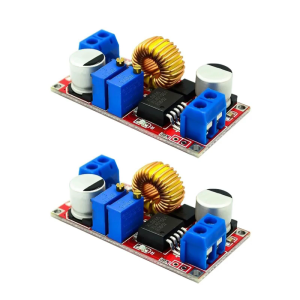
Powerful 5A DCBuck Converters Module for Robotics LED Lighting with High Conversion Efficiency Safety Protections
12V Blower Fan: High-Performance Efficiency & Quiet Cooling
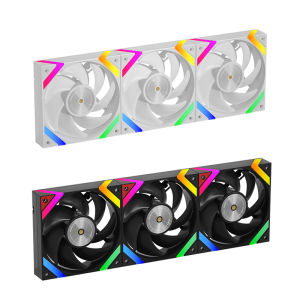
Golden Field KP-L12 12CM computer case cooling fan with ARGB 5V3 pin interface PWM temperature control thickness 28mm
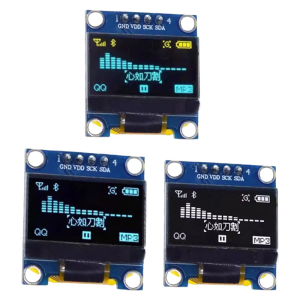
0.96inch OLEDs Display Module I2C IIC Interfaces 128x64 LCD for DIY Electronics and Embeddeds Systems