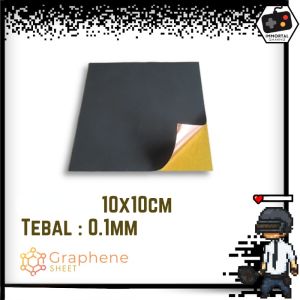
Graphene Copper Sheet Thermal Sticker Graphite for Passive Heatsink Heat Dissipation Spreader Pad Computer Phone GPU CPU VGA Heat Sink Cooling Mat Gasket
Graphene Copper Sheet Thermal Sticker Graphite for Passive Heatsink Heat Dissipation Spreader Pad Computer Phone GPU CPU VGA Heat Sink Cooling Mat Gasket
What is Graphene Copper Thermal Sticker?
Graphene copper thermal stickers are innovative cooling solutions designed to improve heat dissipation in electronic devices, particularly phones, computers, GPUs, CPUs, and other components. These thermal stickers consist of graphene, a highly conductive material, combined with copper to enhance their heat transfer capabilities. They act as passive heatsinks, spreading heat evenly across their surface to maintain optimal operating temperatures and extend the lifespan of electronic components.
Key Features & Benefits
Graphene copper thermal stickers offer numerous advantages, including:
-
Superior heat dissipation: Graphene and copper are both excellent conductors of heat, making these thermal stickers effective at dissipating heat away from sensitive components.
-
Improved performance: By keeping components cool, graphene copper thermal stickers help maintain optimal performance and reduce the risk of overheating-induced malfunctions.
-
Long-lasting durability: These thermal stickers are designed to withstand the rigors of everyday use, providing long-lasting protection for your devices.
-
Easy installation: With a simple adhesive backing, graphene copper thermal stickers can be easily applied to a variety of surfaces, making them a convenient solution for heat management.
How It Works
Graphene copper thermal stickers function by utilizing the unique properties of graphene and copper to efficiently transfer heat away from electronic components. When applied to a component, the thermal sticker creates a strong bond between the device and the heatsink, allowing heat to be transferred through the sticker and spread evenly across its surface. This process helps to maintain optimal operating temperatures and prevent overheating.
Choosing the Right Graphene Copper Thermal Sticker
When selecting a graphene copper thermal sticker, consider the following factors:
-
Application: Determine which electronic components require cooling and choose a thermal sticker that is compatible with your device.
-
Size: Ensure that the thermal sticker is large enough to cover the desired area and provide adequate heat dissipation.
-
Thickness: Select a thermal sticker with the appropriate thickness to ensure proper contact between the component and the heatsink.
-
Adhesive strength: Opt for a thermal sticker with a strong adhesive backing to ensure secure attachment to your device.
Some popular brands and models include:
- Cooler Master Graphene Copper Thermal Sticker
- Thermalright Graphene Copper Thermal Sticker
- Noctua Graphene Copper Thermal Sticker
Installing Graphene Copper Thermal Sticker
To install a graphene copper thermal sticker, follow these steps:
-
Preparation: Clean the surface of the component and the heatsink using an alcohol-based cleaner to remove any dust or debris.
-
Application: Carefully peel off the protective backing from the thermal sticker and apply it to the desired surface, ensuring proper alignment and contact.
-
Securing: Press down firmly on the thermal sticker to ensure a strong bond between the component and the heatsink.
Maximizing Heat Dissipation with Graphene Copper Thermal Sticker
To get the most out of your graphene copper thermal sticker, consider these best practices:
-
Regular cleaning: Keep the heatsink and thermal sticker free of dust and debris to maintain optimal heat dissipation.
-
Proper placement: Ensure that the thermal sticker is positioned correctly to maximize heat transfer between the component and the heatsink.
-
Avoiding excessive force: When applying the thermal sticker, avoid using excessive force, which can damage the adhesive backing.
If you encounter any issues during installation or use, refer to the troubleshooting tips below:
-
Bubbles or air pockets: If bubbles or air pockets form under the thermal sticker, gently reapply pressure to eliminate them.
-
Loose attachment: If the thermal sticker becomes loose, reapply the adhesive backing and secure it firmly.
Conclusion & Next Steps
Graphene copper thermal stickers are an effective solution for managing heat dissipation in electronic devices. By considering factors such as application, size, thickness, and adhesive strength, you can select the right thermal sticker for your needs. Proper installation and maintenance will help ensure optimal performance and extend the lifespan of your devices. For further resources on thermal management and graphene copper thermal stickers, refer to reputable online forums, product reviews, and manufacturer guidelines.
Note: This article focuses on Graphene Copper Thermal Stickers, which are highly conductive cooling solutions designed to improve heat dissipation in electronic devices. They offer superior heat dissipation, improved performance, long-lasting durability, and easy installation.

nanv
You May Also Like
14 Inch Laptop LCD Screen B140ZAN02.1 MNE007ZA1-4 MNE007ZA1-2 For Lenovo ThinkPad X1 Carbon 9th 10th Gen Display Matrix Panel
FUJIAS3 1 Set For Laptop PC Windows 10 11 RTL8822CE RTL8821CE Wifi Card And Antenna 802.11AC Network Mini Pcie BT5.0
ENVINDA X79 Motherboard: LGA 2011 USB2.0 SATA3 Support REG Memory ECC & Processor Xeon E5 4DDR3 PCI-E NVME M.2
2pcs cooling fan 5cm 5010 DC 24V 2Pin 5CM 50x50x10mm 50mm PC Heatsink Cooler Cooling Fan SXDOOL customized OEM
7.1 Channel Audio Sound USB to 3.5mm Jack Adapter Headset Headphone USB External Sound Card for Computer Laptop PC PS4/5
12V 24V Voltages Stepper Motor Driver With Integrated Speed Control And Bidirectional Rotation Capability
GD-2 Thermal Grease Processor Thermal Paste 3g 7.5 W/M-k For CPU GPU PS5 Printer Heat Sink Cooling Cooler Compound Silicone BR3
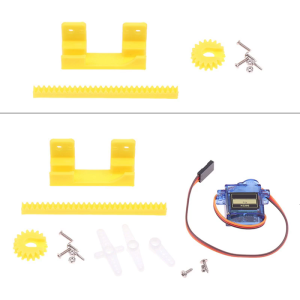
Precision 2cm 9g Servo For Linear Motion Control 3D Printing Projects Education Kits Invention Arm Protection
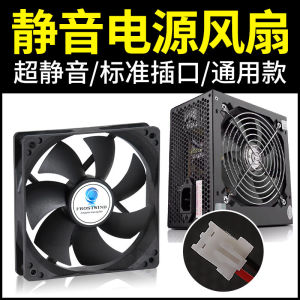
Xuanbing Style Original Genuine Goods Power Supply Fan 12cm Ultra-Quiet 2-Pin Desktop Computer Case 8cm
DC 12V 5A Power Supply Adapter For CCTV LED LCD TV 60W Power Adaptor
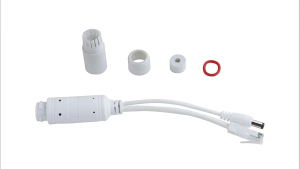
Standard 48V to 12V National Standard POE Splitter Outdoor Waterproof Camera Power Supply Module 48V to 12V POE Splitter Waterproof Adapter Cable Power Supply Module IP Camera new CCTV