



20000Games 64GB M8 Video Game Console: A Family-Friendly Gaming Experience
20000Games 64GB M8 Video Game Console: A Family-Friendly Gaming Experience
Introduction to the 20000Games 64GB M8 Video Game Console
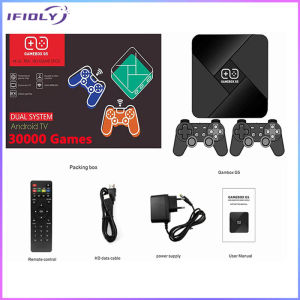
The 20000Games 64GB M8 Video Game Console is a powerful, portable gaming machine designed for family entertainment. It comes equipped with 9 Emulators Gaming Machine, 4K Ultra HD Video Games, 2.4G Wireless Game Controllers, and a 64GB storage capacity. This console is perfect for those who want to enjoy a wide range of games and media content with their loved ones.
Key Features
- 64GB Storage Capacity: Store a vast library of games and media files on this powerful gaming console.
- 9 Emulators Gaming Machine: Access a wide range of classic and modern games through various emulators.
- 4K Ultra HD Video Games: Enjoy stunning visuals and immersive gameplay with 4K Ultra HD video games.
- 2.4G Wireless Game Controllers: Connect two wireless controllers for multiplayer gaming experiences.
Compatibility & Connectivity
The 20000Games 64GB M8 Video Game Console is compatible with various devices, including TVs and projectors. It supports HDMI and USB connections, making it easy to connect and play your favorite games.
How to Set Up Your 20000Games 64GB M8 Video Game Console
Setting up your new gaming console is simple and straightforward.
Connecting to a TV or Projector
- Connect the HDMI cable to the console and your TV or projector.
- Turn on both devices and select the appropriate input source.
Setting Up the 2.4G Wireless Game Controllers
- Insert the batteries into the controllers.
- Press and hold the pairing button on the console until the LED light blinks.
- Press and hold the pairing button on the controller until the LED light turns solid.
Exploring the 9 Emulators & 4K Ultra HD Video Games
The 20000Games 64GB M8 Video Game Console offers a wide range of emulators and games to keep you entertained.
Accessing the Emulator Library
- From the main menu, select the Emulator Library option.
- Browse through the available emulators and choose the one you want to play.
Discovering 4K Ultra HD Video Games
- From the main menu, select the 4K Ultra HD Video Games option.
- Browse through the available games and choose the one you want to play.
Tips for Maximizing Your Gaming Experience
Here are some tips to help you get the most out of your gaming experience.
Customizing Your Gaming Settings
- Adjust the volume, brightness, and contrast settings to your liking.
- Customize the controller settings to suit your preferences.
Sharing the Console with Multiple Players
- Connect two wireless controllers for multiplayer gaming experiences.
- Take turns playing different games and sharing the fun with your family and friends.
Conclusion
The 20000Games 64GB M8 Video Game Console is a powerful, portable gaming machine that offers a wide range of emulators and games. With its 9 Emulators Gaming Machine, 4K Ultra HD Video Games, 2.4G Wireless Game Controllers, and 64GB storage capacity, it's the perfect choice for family entertainment. Set up your console, explore the available games, and share the fun with your loved ones!

IFIOLY
You May Also Like
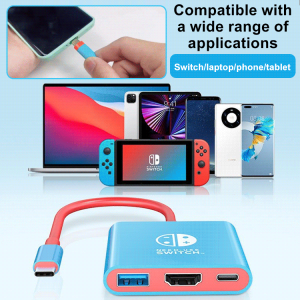
Nintendo Kingdom Tears Docking Station 3in1 Portable Screen Thrower
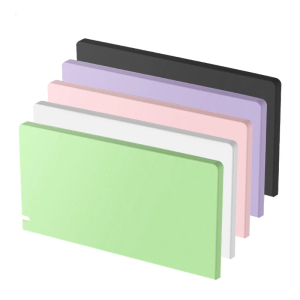
Scratch-resistant Suitable for Switch Host Base Console Dust-proof for Case Cover Protective Shockproof Durable for Shel
XF35H handheld game console. Equipped with a 3.5-inch IPS screen Linux operating system and vibration function.
2024 New Game Console with 3.5-inch IPS Screen 6000 mAh 16-bit 10000 Games Arcade Machine
Professional Grade PSPconsole 2000 Mainboard Replacement Metal Internal Part Long Lasting Durability
Childrens dinosaur shooting meat throwing game console for boys and girls educational gift thinking training attention3-14 toys
SL SR Button for Key Cable Replacement Parts for NS Switch Controller Left / Right Optional
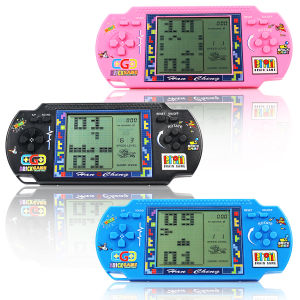
Large screen Tetris game console retro nostalgic classic childrens handheld game console electronic toy
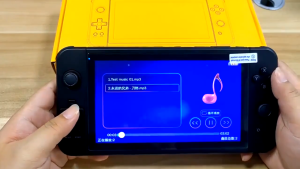
Handheld Game Console PSP X7S Retro Gamepad 32GB 3.5 Inch Built-In 1200 Games
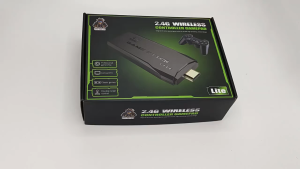
Video Game Consoles 64G Built-in 10000 Games M8 Retro handheld Game Console Wireless Controller Game Player For Children Xmas Gifts\\n\\nXmas Gifts for Gaming have never been more exciting! This 64GB Retro Handheld Game Console is the perfect gift for children of all ages. With built-in 10,000 games and wireless controllers, this game console offers endless entertainment and educational opportunities.\\n\\n What is the 64GB Retro Handheld Game Console?\\n\\nThe 64GB Retro Handheld Game Console is a portable gaming device that comes preloaded with 10,000 games, making it a perfect choice for children who love gaming. It features a large, high-resolution screen, and the wireless controllers offer a smooth and responsive gaming experience.\\n\\n Key Features & Benefits\\n\\n- **Built-in 10,000 Games:** The game console comes preloaded with a vast library of games, catering to different age groups and interests.\\n- **Wireless Controllers:** Two wireless controllers are included, providing a seamless gaming experience for children.\\n- **64GB Storage:** The large storage capacity allows for additional game downloads and updates.\\n- **HD-Compatible Extension Cable:** The included HD-compatible extension cable enables players to connect the game console to a TV for a bigger screen experience.\\n\\n Target Audience & Age Range\\n\\nThe Retro Handheld Game Console is designed for children aged 5 and up. It is perfect for kids who love gaming and want to explore a wide range of games.\\n\\n How to Use the Wireless Controllers for Children\\n\\nUsing the wireless controllers is simple and easy, making it perfect for children.\\n\\n Pairing & Connecting Process\\n\\nTo pair the wireless controllers with the game console, simply press and hold the \"Pairing\" button on the controller until the LED lights flash. Then, turn on the game console and select \"Connect Controller\" from the menu.\\n\\n Controller Customization & Settings\\n\\nThe wireless controllers offer customization options, allowing children to personalize their gaming experience. They can adjust settings such as vibration strength, button sensitivity, and more.\\n\\n Exploring 10000 Games for Kids\\n\\nWith 10,000 games built-in, there's something for everyone!\\n\\n Top Picks for Different Age Groups\\n\\n- **Ages 5-8:** Games such as \"Doodle Jump,\" \"Angry Birds,\" and \"Cut the Rope\" offer fun and engaging gameplay for younger children.\\n- **Ages 9-12:** Games such as \"Minecraft,\" \"Fortnite,\" and \"Among Us\" provide a more challenging and strategic gaming experience for older children.\\n\\n Educational & Fun Game Recommendations\\n\\nGames like \"Math Blaster,\" \"Reading Blaster,\" and \"Typing Blaster\" offer educational value while still being fun and engaging for children.\\n\\n The Included Accessories & Their Functions\\n\\nThe Retro Handheld Game Console comes with several accessories to enhance the gaming experience.\\n\\n USB Receiver & Power Cord\\n\\nThe USB receiver allows for easy connection to a TV, while the power cord ensures the game console stays charged during long gaming sessions.\\n\\n HD-Compatible Extension Cable & More\\n\\nThe included HD-compatible extension cable enables players to connect the game console to a TV for a bigger screen experience.\\n\\n Final Thoughts & Xmas Gift Ideas\\n\\nThe Retro Handheld Game Console is the perfect Xmas gift for children who love gaming. With built-in 10,000 games and wireless controllers, this game console offers endless entertainment and educational opportunities. Don't miss out on this amazing gift idea for Xmas!\\n
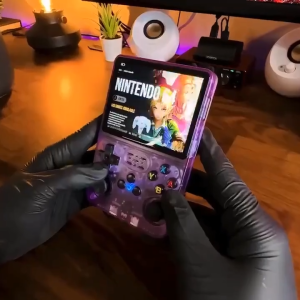
R36S game console 3.5-inch IPS screen portable game console 128G retro handheld game console built-in 15000+ classic games Linux system handheld game console
![PS5 Jujutsu Kaisen Cursed Clash [BRANDNEW]](https://img.lazcdn.com/collect/social-img/5307a3c121f14aadbf8e09a2c478988e_bda310aa2a9645b79e2f27809e28a868.png_300x300q80.png)


















