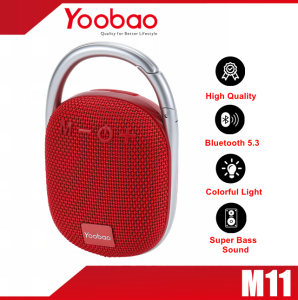
YOOBAO M1 Music Link Portable Bluetooth Speaker V5.0: A Compact Travel Companion
YOOBAO M1 Music Link Portable Bluetooth Speaker V5.0: A Compact Travel Companion
Introduction to YOOBAO M1 Music Link Speaker
The YOOBAO M1 Music Link Portable Bluetooth Speaker V5.0 is a compact wireless audio device designed for both music enthusiasts and frequent travelers. With its sleek design and powerful sound quality, this speaker has become a popular choice among users looking for a reliable travel companion that delivers high-quality audio.
Key Features & Specifications
- Version: Bluetooth 4.2
- Battery Capacity: 2000mAh
- Music Time: About 8-12 hours
- Charging Time: About 5 hours
- Effective Distance: Up to 33 feet (10 meters)
- Output Power: 3W
- Frequency Range: 250Hz-11kHz
- Charging Standard: Micro USB, DC 5V=400mA
How It Stands Out
The YOOBAO M1 Music Link Portable Bluetooth Speaker V5.0 offers several advantages over other portable speakers in its class. Firstly, it supports Bluetooth 4.2, which ensures stable connectivity and faster data transfer rates. Additionally, its compact size makes it easy to carry around, while its long battery life provides hours of uninterrupted listening. Lastly, the speaker's sound quality and frequency range make it suitable for both indoor and outdoor use.
How to Use Your YOOBAO M1
Pairing with Your Device
Pairing the YOOBAO M1 Music Link Portable Bluetooth Speaker V5.0 with your device is simple and straightforward. First, turn on the speaker by pressing the power button. Then, navigate to the Bluetooth settings on your device and select the YOOBAO M1 from the list of available devices. Once connected, you can start playing music and enjoy high-quality audio.
Charging Your YOOBAO M1
To charge the YOOBAO M1 Music Link Portable Bluetooth Speaker V5.0, simply connect the included micro USB cable to the speaker and plug it into a power source. The charging process takes about 5 hours, after which the speaker will be fully charged and ready for use.
Troubleshooting Tips
If you encounter any issues with your YOOBAO M1 Music Link Portable Bluetooth Speaker V5.0, here are some troubleshooting tips:
- Speaker Not Turning On: Ensure that the speaker is properly charged before attempting to turn it on. If the issue persists, try resetting the speaker by holding down the power button for 10 seconds.
- Poor Sound Quality: Check if the speaker is properly connected to your device via Bluetooth. If the issue persists, try restarting both the speaker and your device.
- Speaker Not Pairing: Ensure that your device's Bluetooth settings are enabled and that the speaker is within range. If the issue persists, try resetting both the speaker and your device.
Why Choose the YOOBAO M1?
Versatile Connectivity Options
The YOOBAO M1 Music Link Portable Bluetooth Speaker V5.0 supports Bluetooth 4.2, allowing you to connect it to various devices such as smartphones, tablets, and laptops. Its compact size and portability make it perfect for both indoor and outdoor use, whether you're at home, in the office, or traveling.
Long Battery Life & Portability
With a battery capacity of 2000mAh, the YOOBAO M1 Music Link Portable Bluetooth Speaker V5.0 offers up to 8-12 hours of continuous playback time. Its compact size and lightweight design make it easy to carry around, whether you're traveling or simply moving from room to room.
Sound Quality & Frequency Range
The YOOBAO M1 Music Link Portable Bluetooth Speaker V5.0 delivers powerful sound quality with a frequency range of 250Hz-11kHz. Its output power of 3W ensures clear and crisp audio, making it perfect for both indoor and outdoor use.

YOOBAO PH STORE
Review
You May Also Like
Memory Foam Ear Cushions Breathable Earpads Earmuff For M60X Headphones Enhances Comfortable Secures fit Earmuff
Original 7Hz Salnotes Zero 10mm Dynamic Driver In-Ear Earphone HIFI Audio Music Earbuds Headset 0.78mm Detachable Cable - Lazada
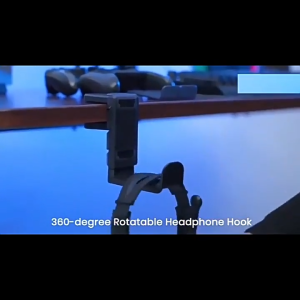
Gaming Headset Stand Adjustable Clamp-on Headphone Holder 360 Degree Swivel & Cable Clip Organizer Headphone Stand
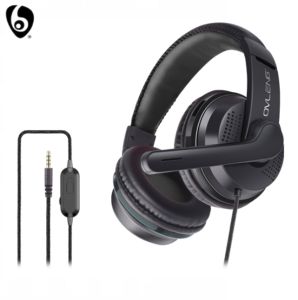
OVLENG P6 3.5mm Jack Super Bass Headphone with 120° Rotatable Microphone
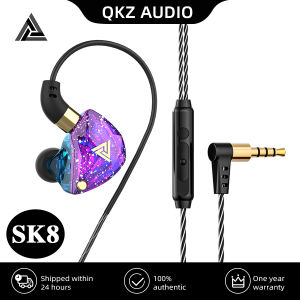
DISOUR Original QKZ SK8 Earphone: A Comprehensive Guide to Wire-Controlled Gaming Headphones
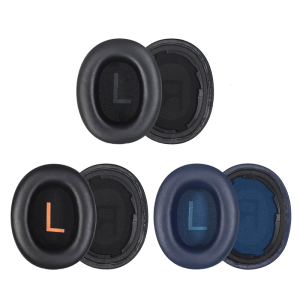
1Pair Protein Leather Soft Ear Pad Ear Cushions Cover For H3/H3 Lite Headphones Sponges Earmuff Headsets Sleeve
Flexible Skin Soft TPU Protector Case Housing For Wireless Headphone Shockproof Cover Scratch Resistant Sleeve Daily Use
【Fast delivery】 Microphone Sleeve Silicone Cover for JBL Wireless Microphone Lightweight and Portable Microphone Protector for Travel and Performances
F15 Wired LED Light HEAD PHONE GAMING HEADSET 3.5mm Noise Cancelling Stereo with Microphone
ONDOYCOM M5 Portable Two Way Radio Walkie Talkie 5W UHF with 16 Channel
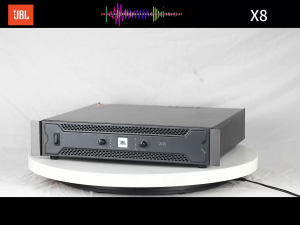
JBL/original X88Ohm 1600 Watts X2ChannelsProfessional power amplifier