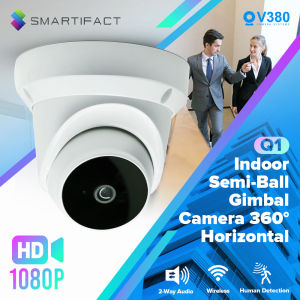
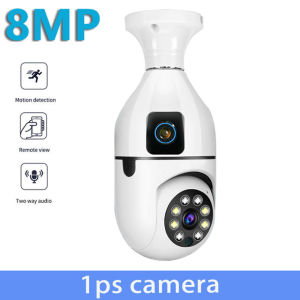
V380 PRO Dual Lens Bulb CCTV Camera: A Comprehensive Guide
V380 PRO Dual Lens Bulb CCTV Camera: A Comprehensive Guide
Introduction
The V380 PRO Dual Lens Bulb CCTV Camera is a state-of-the-art security solution designed to provide unparalleled protection for both indoor and outdoor spaces. With its sleek, bulb-shaped design, this HD 8MP PTZ camera seamlessly blends into any environment while delivering crystal-clear images and top-notch features. In this comprehensive guide, we'll explore the key features and benefits of the V380 PRO Dual Lens Bulb CCTV Camera, as well as provide step-by-step instructions for installation, setup, and maintenance.
Installation & Setup
Connecting the Camera to Your Network
To get started with your V380 PRO Dual Lens Bulb CCTV Camera, you'll first need to connect it to your home network. This can be done by plugging the camera into a power outlet and connecting it to your router via Ethernet cable. Alternatively, you can set up a wireless connection by following the instructions provided in the user manual.
Setting Up Remote Access via Mobile App
Once your camera is connected to your network, you'll need to download the V380 PRO mobile app to access and control your camera remotely. After downloading the app, follow the prompts to set up your account and connect your camera. From there, you can easily monitor your home or business from anywhere in the world.
Advanced Features & Customization
Utilizing Two-Way Audio Functionality
One of the standout features of the V380 PRO Dual Lens Bulb CCTV Camera is its two-way audio functionality. This allows you to communicate with anyone in the camera's field of view, whether it's a family member, pet, or potential intruder. To activate this feature, simply open the mobile app and tap the microphone icon.
Maximizing Night Vision Capabilities
The V380 PRO Dual Lens Bulb CCTV Camera is equipped with advanced night vision capabilities, allowing you to monitor your property even in low-light conditions. To maximize these capabilities, make sure your camera is positioned in a location with minimal obstructions and adjust the camera's sensitivity settings as needed.
Configuring Alarm Settings & Notifications
Another useful feature of the V380 PRO Dual Lens Bulb CCTV Camera is its ability to detect motion and send real-time alerts to your mobile device. To configure these settings, navigate to the 'Settings' menu within the mobile app and select 'Alarm Settings'. From there, you can customize the sensitivity of the motion detection and choose which types of notifications you'd like to receive.
Troubleshooting & Maintenance
Common Issues & Solutions
Like any electronic device, the V380 PRO Dual Lens Bulb CCTV Camera may occasionally encounter issues. Some common problems include connectivity issues, audio or video malfunctions, and incorrect time settings. To troubleshoot these issues, refer to the user manual or contact customer support for assistance.
Regular Maintenance Tips & Best Practices
To ensure your V380 PRO Dual Lens Bulb CCTV Camera continues to function optimally, it's important to perform regular maintenance tasks such as cleaning the lens, updating firmware, and checking for any signs of damage or wear. Additionally, be sure to store your camera in a cool, dry location when not in use to prolong its lifespan.

FLB-suitable for home
You May Also Like

Rover 4CH 4K UltraHD DVR + 4 units 4K 4MP Ultra HD CCTV Camera Varifocal type Bullet Outdoor CCTV Package
V380 Pro CCTV Camera: A Comprehensive Guide
V380 J2 Mini Camera smart Home Smallest Camera Full HD 1080P Micro Camcorder Wireless Infrared CCTV Hidden Spy Camera Dji Mavic Mini 2 Reviews - Lazada
Waterproofed Militaries Styles Compasses Reliability Outdoor Navigation Compasses for Hiking and Camping Trip
EZVIZ EB8 4G 2K/3MP Outdoor Waterproof Pan & Tilt 4G Battery Camera 4G CCTV CAMERA solar Connect to Cellphone 10400mAh CCTV battery operated
60X60 Day Night Vision HD Binoculars Waterproof 1000M Long Range Telescope Sports Game Camping Expedition Military Binoculars
Waterproof Junction Box For Cameras CCTV Security Cameras Base Camera Tibetan Line Box Monitoring Base
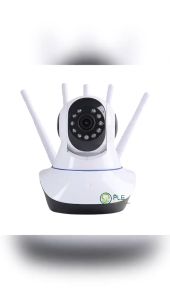
【COD】CCTV Camera Connect to Cellphone IP Camera Mini Camer Hidden Camera Spy camera CCTV Camera Connect To Cellphone With Voice CCTV Camera Outdoor With Night Vision 1080P With Pan/Tilt Two-Way Audio 5 Antennas Super Signal
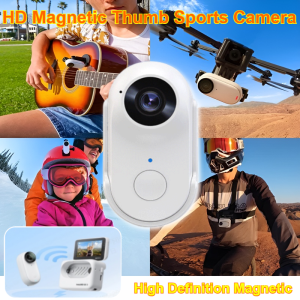
Magnetic Thumb Sports Camera Outdoor Panoramic Hd Shooting Pocket Action Camcorder Mini Portable
![TP-Link Official Store | Tapo C200C | 1080p Indoor 360 Degrees Pan and Tilt Wireless WiFi IP Security CCTV Sale Hidden Camera Connect to Cellphone Two Way Audio with Mic and Speaker [NO WALL MOUNT INCLUDED]](https://img.lazcdn.com/g/ff/kf/S75c0d53046674d2090d9fb7c879b3037u.png_300x300q80.png)
TP-Link Official Store | Tapo C200C | 1080p Indoor 360 Degrees Pan and Tilt Wireless WiFi IP Security CCTV Sale Hidden Camera Connect to Cellphone Two Way Audio with Mic and Speaker [NO WALL MOUNT INCLUDED]
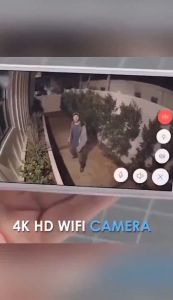
【Very small】A9 Cctv Camera 1080P HD Mini Hidden Portable Camera Night Vision Wireless Surveillance Cctv camera connect cellphone No WiFi Network required Surveillance Camera BUY 1 TAKE 1