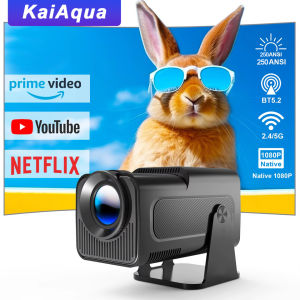
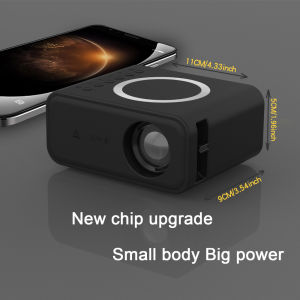
YT300 Pocket Smart Mini LED Projector: A Comprehensive Guide
YT300 Pocket Smart Mini LED Projector: A Comprehensive Guide
Introduction to the YT300 Pocket Smart Mini LED Projector
The YT300 Pocket Smart Mini LED Projector is a versatile and compact device that has gained immense popularity among users looking for a portable mobile projector. This device offers exceptional performance, making it suitable for various applications, including watching movies, presentations, gaming, and more. In this article, we will delve into the key features and benefits of the YT300 Pocket Smart Mini LED Projector, its compatibility with Miracast and AirPlay phone mirroring, and how to set it up and use it effectively.
Key Features & Benefits
The YT300 Pocket Smart Mini LED Projector boasts several remarkable features that make it stand out from other portable projectors:
- Compact Size: The device is small enough to fit in your pocket, making it easy to carry around wherever you go.
- High-Quality Picture: The projector delivers sharp, clear images with excellent color accuracy, ensuring an immersive viewing experience.
- Wired+Wireless Connectivity: The YT300 supports both wired and wireless connections, allowing you to connect to various devices seamlessly.
- Miracast & AirPlay Phone Mirroring: The projector is compatible with Miracast and AirPlay, enabling you to mirror your phone screen onto a larger display effortlessly.
Compatibility with Miracast & AirPlay Phone Mirroring
One of the most significant advantages of the YT300 Pocket Smart Mini LED Projector is its compatibility with Miracast and AirPlay phone mirroring. This feature allows you to mirror your phone screen onto a larger display, making it perfect for watching movies, presentations, or even playing games with friends and family.
To enable Miracast or AirPlay phone mirroring, simply connect your device to the projector using the appropriate wireless protocol. Once connected, your phone screen will be mirrored onto the projector display, allowing you to enjoy a larger viewing experience.
Setup & Installation
Setting up the YT300 Pocket Smart Mini LED Projector is straightforward and can be done in just a few simple steps. Here's a quick guide on how to connect the projector to your device and configure wireless connectivity:
Connecting the Projector to Your Device
To connect the YT300 Pocket Smart Mini LED Projector to your device, you can choose either wired or wireless connectivity. For wired connections, use the included HDMI cable to connect the projector to your device. For wireless connections, follow the instructions below:
- Miracast: Connect your device to the projector using the Miracast protocol. Refer to your device's manual for specific instructions on how to enable Miracast.
- AirPlay: Connect your iOS device to the projector using AirPlay. Simply tap the AirPlay icon on your device and select the projector from the list of available devices.
Configuring Wireless Connectivity
To configure wireless connectivity on the YT300 Pocket Smart Mini LED Projector, follow these steps:
- Power on the projector and select the wireless connection type (Miracast or AirPlay) from the menu.
- Follow the on-screen instructions to connect your device to the projector.
- Once connected, your device screen will be mirrored onto the projector display.
Using the YT300 Pocket Smart Mini LED Projector
Now that you've set up the YT300 Pocket Smart Mini LED Projector, it's time to start using it! Here are some tips on how to adjust picture settings and optimize your viewing experience:
How to Adjust Picture Settings
To get the best picture quality from the YT300 Pocket Smart Mini LED Projector, you can adjust several picture settings:
- Brightness: Adjust the brightness level to suit your environment and preferences.
- Contrast: Fine-tune the contrast to enhance image sharpness and detail.
- Color Temperature: Change the color temperature to achieve the desired color balance.
- Aspect Ratio: Select the appropriate aspect ratio for your content (e.g., 4:3, 16:9).
Tips for Optimal Viewing Experience
To ensure the best viewing experience with the YT300 Pocket Smart Mini LED Projector, consider the following tips:
- Positioning: Place the projector at an appropriate distance from the screen to achieve the desired image size.
- Lighting: Minimize ambient light in the room to improve picture quality.
- Screen: Use a suitable screen or white wall for optimal image clarity.
Conclusion
In summary, the YT300 Pocket Smart Mini LED Projector is a versatile and compact device that offers exceptional performance for various applications. With its compatibility with Miracast and AirPlay phone mirroring, the projector allows you to enjoy a larger viewing experience effortlessly. By following the setup and usage guidelines provided in this article, you can get the most out of your YT300 Pocket Smart Mini LED Projector and enjoy high-quality picture settings and an optimal viewing experience.
Final Thoughts
The YT300 Pocket Smart Mini LED Projector is a must-have device for anyone looking for a portable mobile projector that delivers exceptional performance. With its compact size, high-quality picture, and wireless connectivity options, the projector is perfect for watching movies, presentations, gaming, and more. So why wait? Get your hands on the YT300 Pocket Smart Mini LED Projector today and start enjoying a larger viewing experience wherever you go!

Shanweishop.ph
Review

You May Also Like
Magcubic Native 1080P 650ANSI 8K Android 14 L018 360° Projector With Auto Keystone Focus Air Mouse Wifi6 BT5.4 Portable Outdoor
Projector Screen Simple folding metal anti-light curtain 60/72/84/92/100/110/120/130 inch 16: 9 HD portable projector curtain small and large sizes
XSmart TV (MAX) Android OS 4K Streaming Bluetooth 5G WiFi For Smart & Regular TVs
Remote Control Multicolored LED Analog Projection Clock 180Degree Adjustable with Switchable Dials for Bedroom Decors
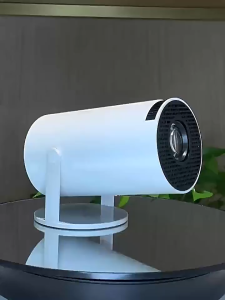
HY300 Smart Projector UHD Portable Mini WiFi Bluetooth Android Connectable to Mobile Phone 4k
SeeMore X2 Projector Full HD 720P LED Portable Android Projector Dual-Band WiFi 2.4G+5G 4K 720*1080P Global Version Smart Projector for Home
ZENOTV Allwinner H313 Quad Core Android TV Stick 4K HDR Wifi6 Voice Assistant Media Player Smart TV Box
HY300 4K Mini Projector – Game Mode with 2 Gamepads/1080P Full HD/ Built-in Apps for Gaming & Movies
![[New Arrival] Xiaomi TV A 2026 32 Inch Smart Google TV Dolby Audio Television DTS-X Premium Metal](https://img.lazcdn.com/g/ff/kf/S68bba4919ba947c1938d3db6c1da01578.png_300x300q80.png)
[New Arrival] Xiaomi TV A 2026 32 Inch Smart Google TV Dolby Audio Television DTS-X Premium Metal
Car Ai Box Android 13 Wireless Android Auto & CarPlay Smart TV Box Support Youtube Netflix Car Accessories intelligent systems

32"-50" Non Touch KIOSK SCREEN Floor Standee Vertical Screen 1080 HD Advertising Player Digital Signage