Bundy Clock Ribbon (Iwata CW1A/2A) Ink Cartridge: A Comprehensive Guide
Bundy Clock Ribbon (Iwata CW1A/2A) Ink Cartridge: A Comprehensive Guide
What is a Bundy Clock Ribbon?
A Bundy clock ribbon is a consumable component used in time clock systems that record employee attendance and working hours. These ribbons are essential for printing accurate time records onto paper cards or rolls. They come in various types, including thermal ribbons and ink cartridges, such as the Iwata CW1A/2A Ink Cartridge.
Key Features of Bundy Clock Ribbons
- High-quality ink: Provides clear and legible time records
- Durable construction: Ensures long-lasting performance
- Easy installation: Simple setup process for hassle-free use
- Compatibility: Works with various time clock systems
How Bundy Clock Ribbons Work
Bundy clock ribbons work by transferring ink onto paper cards or rolls through a printing mechanism. As the employee punches in or out, the ribbon comes into contact with the paper, leaving a printed record of the time and date. This process ensures accurate tracking of employee attendance and working hours.
Choosing the Right Ink Cartridge for Your Bundy Clock
Selecting the appropriate ink cartridge for your Bundy clock is crucial for optimal performance and accurate time tracking. Here, we'll discuss the Iwata CW1A/2A Ink Cartridge and what to look for when choosing an ink cartridge for your Bundy clock.
Iwata CW1A/2A Ink Cartridge: An Overview
The Iwata CW1A/2A Ink Cartridge is a high-quality ink cartridge designed specifically for use in Bundy clocks. This ink cartridge offers several advantages, including:
- High-resolution printing: Produces clear and legible time records
- Long-lasting performance: Ensures consistent results over time
- Easy installation: Simple setup process for hassle-free use
- Compatibility: Works with various time clock systems
Ink Cartridge for Bundy Clocks: What to Look For
When selecting an ink cartridge for your Bundy clock, consider the following factors:
- Quality: Look for ink cartridges with high-quality ink that produces clear and legible time records.
- Durability: Choose ink cartridges that offer long-lasting performance to minimize replacement costs.
- Compatibility: Ensure the ink cartridge is compatible with your specific time clock system.
- Ease of installation: Opt for ink cartridges that have a simple setup process for hassle-free use.
Installing and Using the Iwata CW1A/2A Ink Cartridge
Proper installation and usage of the Iwata CW1A/2A Ink Cartridge are essential for optimal performance and accurate time tracking. Here, we'll provide a step-by-step guide to installing the ink cartridge and troubleshooting common issues with Bundy clock ribbons.
Step-by-Step Guide to Installing the Iwata CW1A/2A Ink Cartridge
- Turn off and unplug your Bundy clock.
- Remove the old ink cartridge by carefully pulling it out of the time clock system.
- Insert the new Iwata CW1A/2A Ink Cartridge into the designated slot.
- Turn on and plug in your Bundy clock.
- Test the ink cartridge by punching in and out to ensure accurate time records.
Troubleshooting Common Issues with Bundy Clock Ribbons
- Faded or unclear prints: Replace the ink cartridge if the prints are too light or difficult to read.
- Ribbon jams: Check for any obstructions in the ribbon path and remove them before attempting to print again.
- Inconsistent printing: Adjust the tension of the ribbon to ensure consistent results.
Replacing Your Bundy Clock Ribbon
Regularly replacing your Bundy clock ribbon is essential for maintaining accurate time tracking and preventing issues with faded or unclear prints. Here, we'll discuss when to replace your Bundy clock ribbon and how to choose a replacement ink cartridge for Bundy clocks.
When to Replace Your Bundy Clock Ribbon
Replace your Bundy clock ribbon when you notice any of the following issues:
- Faded or unclear prints
- Ribbon jams
- Inconsistent printing
Choosing a Replacement Ink Cartridge for Bundy Clocks
When choosing a replacement ink cartridge for your Bundy clock, consider the following factors:
- Quality: Look for ink cartridges with high-quality ink that produces clear and legible time records.
- Durability: Choose ink cartridges that offer long-lasting performance to minimize replacement costs.
- Compatibility: Ensure the ink cartridge is compatible with your specific time clock system.
- Ease of installation: Opt for ink cartridges that have a simple setup process for hassle-free use.
By following these guidelines, you can ensure accurate time tracking and optimal performance from your Bundy clock ribbon and Iwata CW1A/2A Ink Cartridge.

4A Right
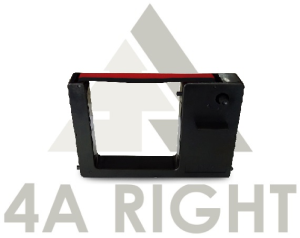
Review

You May Also Like

Inkpiu UV Dye Ink 1000ML (1 Liter) for HP Canon Epson & Brother Printers Stickers C/M/Y/K/LC/LM
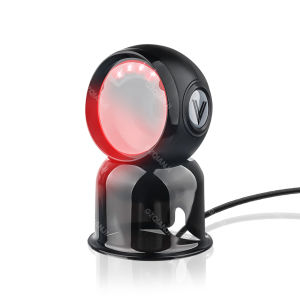
GZQIANJI Desktop 1D 2D Barcode Scanner Platform Automatic Sensing Scan Omnidirectional Hands Free QR Bar Code Scan Reader for POS System Small Business Retail Store Compatibility Linux Android Windows

CANON MAINTENANCE CARTRIDGE 31

30 Sheets Transparency Film Paper 8.5x11 Inches Transparent Film for Ink Jet Printer 100% Transparencies Printing Transparent Film Sheets for Overhead Projector Silk Screen Printing
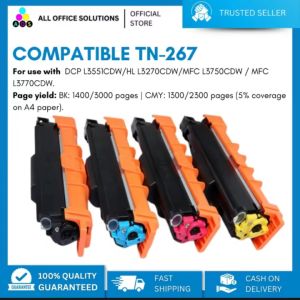
AOS Compatible TN267 High Yield Toner Compatible with HL-L3230CDN HL-L3270CD DCP-L3551CDW
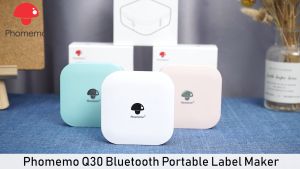
Phomemo Q30 Label Maker Wireless Mini Thermal Printer Portable Adhesive Sticker Barcode Labeling Machine for School Home Office Christmas Gift
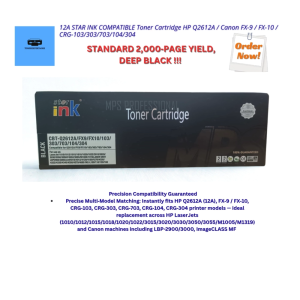
12A STAR INK COMPATIBLE Toner Cartridge HP Q2612A / Canon FX‑9 / FX‑10 / CRG‑103/303/703/104/304

iPrintph Waste ink pad maintenance box sponge pad set With shell & Without shell for Epson printer

Eyoyo 1D Wearable Ring Barcode Scanner Upgrade Portable Mini Finger Bar Code Reader with 2.4GHz Wireless & Bluetooth & USB Wired Connection Fast Scanning for iPhone IPad Android IOS for Warehouse
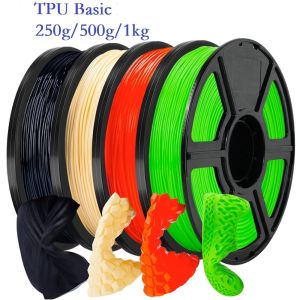
Flexible Filament Basic TPU 1.75mm 1kg 500g 250g FDM 3D Printer Soft TPU High Toughness Filament Black Whte Green High Speed

INKSCRIBED TN3448 TN-3448 TN3478 TN-3478 Compatible Toner Cartridge for Brother HL-L5000D HL-L5100DN MFC-L5900 L5900DW MFC-L5800DW MFC-L6900DW DCP-L5500DN DCP-L5600DN