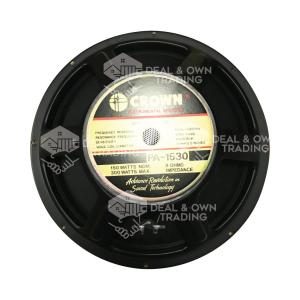
Crown PA-1530 15 inch 300 watts Instrumental Speaker
Crown PA-1530 15 inch 300 watts Instrumental Speaker
Overview of the Professional Audio Speaker
The Crown PA-1530 is a high-performance professional audio speaker designed for a wide range of applications, including live performances, studio recordings, and portable music setups. This 15-inch instrumental speaker boasts a powerful 300 watts output, making it a perfect choice for musicians and audio enthusiasts looking for a reliable and robust audio solution. In this article, we will dive deep into the specifications, usage scenarios, and how to optimize the Crown PA-1530 for the best possible audio experience.
Speaker Specifications
The Crown PA-1530 has the following specifications:
- Speaker Type: Instrumental
- Size: 15 inches
- Max Power: 300 Watts
- Impedance: 8 Ohms
- Sensitivity: 96 dB/W/M
- Freq. Res.: 25Hz~4.25kHz
- Voice coil: 49.5mm
- Magnet size: 156x20mm
These specifications make the Crown PA-1530 a versatile and powerful speaker that can handle a wide range of audio inputs, from low-frequency bass tones to high-frequency treble sounds.
Applications & Usage Scenarios
The Crown PA-1530 is perfect for a variety of usage scenarios, including live performances, studio recordings, and portable music setups. Its powerful output and versatile frequency response make it ideal for musicians, audio enthusiasts, and professionals who demand high-quality sound.
In live performances, the Crown PA-1530 can handle a wide range of instruments and audio inputs, from electric guitars and basses to drums and vocals. Its powerful output ensures that every note and sound is heard clearly, even in large venues.
In studio recordings, the Crown PA-1530 can capture the nuances and subtleties of different instruments and audio inputs, making it an excellent choice for producers and engineers looking for a reliable and accurate audio solution.
In portable music setups, the Crown PA-1530 can be easily transported and set up, making it perfect for musicians and audio enthusiasts who want to take their sound on the go.
How to Set Up Your High-Performance Speaker System
Setting up your Crown PA-1530 speaker system is simple and straightforward. Follow these steps to ensure optimal performance and sound quality.
Connecting the Portable Music Speaker
Connect the Crown PA-1530 to your audio source using the appropriate cables and connectors. Make sure to match the impedance and sensitivity settings of your audio source and the Crown PA-1530 to ensure optimal performance.
Configuring Impedance & Sensitivity Settings
Configure the impedance and sensitivity settings of your Crown PA-1530 to match the specifications of your audio source. This ensures that the speaker system can handle the audio input without distortion or clipping.
Enhancing Your Audio Experience with the Crown PA-1530
To get the most out of your Crown PA-1530, follow these tips to optimize its performance and sound quality.
Optimizing Frequency Response
Adjust the frequency response of your Crown PA-1530 to match the specific needs of your audio input. For example, if you're playing bass-heavy music, adjust the frequency response to emphasize the lower frequencies. Conversely, if you're playing treble-heavy music, adjust the frequency response to emphasize the higher frequencies.
Customizing Voice Coil & Magnet Size
Customize the voice coil and magnet size of your Crown PA-1530 to match the specific needs of your audio input. A larger voice coil and magnet size will produce more powerful sound, while a smaller voice coil and magnet size will produce more nuanced and subtle sounds.
Troubleshooting Common Issues
If you're experiencing issues with your Crown PA-1530, follow these troubleshooting tips to resolve common problems.
Addressing Volume & Sound Quality Problems
If you're experiencing volume or sound quality issues with your Crown PA-1530, check the following:
- Make sure the impedance and sensitivity settings are correctly configured.
- Adjust the frequency response to match the specific needs of your audio input.
- Check the cables and connectors for any damage or loose connections.
Fixing Connectivity & Power Supply Issues
If you're experiencing connectivity or power supply issues with your Crown PA-1530, check the following:
- Make sure the cables and connectors are securely connected.
- Check the power supply for any issues, such as loose connections or voltage fluctuations.
- If using a battery-powered setup, ensure the batteries are fully charged and properly connected.

Deal & Own Trading
Review

You May Also Like
NEW XM-521K Strong Magnetic Bluetooth Speaker With Phone Holdersupport And 2 Pcs Wireless Microphone For Home KTV Karaoke
MUSICHOUSE TTD-2810A Enhanced Bass Stereo Bass Speaker Bluetooth Portable Wireless Partybox Dual 8.5 Inches Speaker Karaoke System Music House Partybox Partybox 2810A - Lazada
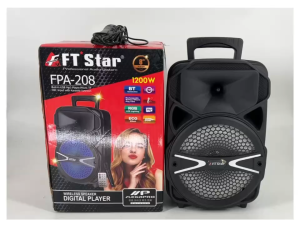
FT-Star FPA-208 8" Inches Trolley Speaker
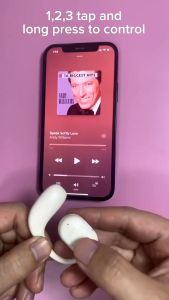
CTMALL M50 Bluetooth 5.4 Earphones Ear Clip Headphones Sports Wireless Earbud Microphone Single
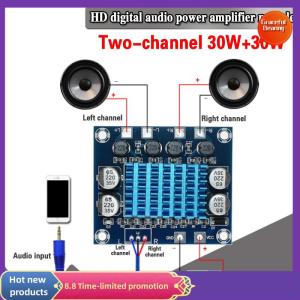
Graceful TPA3110 XH-A232 30W+30W 2.0 Channel Digital Stereo Audio Power Amplifier Board
![[Local 24H] G900 E-Sports Gaming Headset 3D Surround Sound Microphone for Desktop Laptops](https://img.lazcdn.com/g/ff/kf/Sef43e56da87d414fa46cb16bae723068e.jpg_300x300q80.jpg)
[Local 24H] G900 E-Sports Gaming Headset 3D Surround Sound Microphone for Desktop Laptops
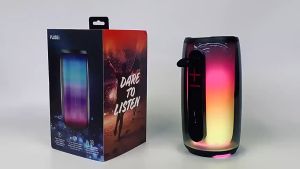
PLUSE6 TWS Portable Wireless Bluetooth V5.0 Loud Bass Speaker with RGB Colorful Glare Lights and Wireless Microphone
302: Violin Dedicated Wireless Bluetooth Vibration Pickup Performance Amplifier
Edifier Portable Bluetooth Speaker HECATE G200 RGB Lighting Magnetic Speaker BT5.3 Mini Sound Box 7 Hours Playback Phone Holder
KTS-2071 Wireless Bluetooth Speaker – 15" Subwoofer Karaoke with Free Wired/Wireless Microphone FM Radio USB/SD Support 35W+15W Power & 1-2 Hours Playtime
Bluetooth 5.0 MP3 Player Decoder Board Speaker 12V USB TF Radio Wireless Music Car Kit Motherboard Radio Module Bluetooth Decoder Audio Accessories With Remote Control