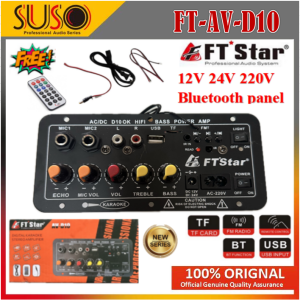
FT STAR (12V & 24V & 220V) Digital Bluetooth Stereo Amplifier Board: A Comprehensive Guide
FT STAR (12V & 24V & 220V) Digital Bluetooth Stereo Amplifier Board: A Comprehensive Guide
Introduction to FT-AV-D10 BOARD
The FT-AV-D10 BOARD is a versatile digital Bluetooth stereo amplifier board designed for optimal performance in various audio applications. This advanced device supports multiple power sources, including 12V, 24V, and 220V, making it compatible with a wide range of devices and systems. In this comprehensive guide, we will explore the key features, setup process, and tips for optimal performance of the FT-AV-D10 BOARD.
Key Features of the FT-AV-D10 BOARD
The FT-AV-D10 BOARD boasts several impressive features that set it apart from other amplifiers in the market:
- Digital Bluetooth Stereo Amplifier: Connect wirelessly to Bluetooth-enabled devices for a seamless audio experience.
- 12V 24V Amplifier Board: Compatible with different power sources, making it suitable for various applications.
- Subwoofer Amplifier: Enhance your audio system with a powerful subwoofer amplifier for deep bass response.
- 220V Karaoke Amplifier: Ideal for karaoke enthusiasts, this amplifier delivers clear vocals and balanced sound.
- Dual Microphone Amplifier: Supports two microphones, allowing for simultaneous karaoke performances.
Compatibility with Different Power Sources
One of the standout features of the FT-AV-D10 BOARD is its compatibility with various power sources. This versatility allows users to integrate the amplifier into different audio systems, including vehicles, home theaters, and portable speakers. The ability to switch between 12V, 24V, and 220V power sources ensures maximum flexibility and convenience for users.
How to Set Up Your Digital Bluetooth Stereo Amplifier
Setting up the FT-AV-D10 BOARD is a straightforward process. Follow these steps to get started:
Connecting to Bluetooth Devices
To connect your Bluetooth-enabled device to the FT-AV-D10 BOARD, follow these steps:
- Turn on the FT-AV-D10 BOARD and ensure it is in pairing mode.
- On your device, go to the Bluetooth settings and search for available devices.
- Select the FT-AV-D10 BOARD from the list of available devices.
- Follow any additional prompts to complete the pairing process.
Pairing with Subwoofer Amplifiers
To pair the FT-AV-D10 BOARD with a subwoofer amplifier, follow these steps:
- Connect the subwoofer amplifier to the FT-AV-D10 BOARD using the appropriate cables.
- Power on both devices and adjust the volume levels as needed.
- Fine-tune the sound settings to achieve the desired audio output.
Using Dual Microphones with the Amplifier
The FT-AV-D10 BOARD supports dual microphones, allowing for simultaneous karaoke performances. To connect two microphones, follow these steps:
- Connect the first microphone to the FT-AV-D10 BOARD using the appropriate cable.
- Connect the second microphone to the FT-AV-D10 BOARD using another cable.
- Adjust the volume levels and sound settings to achieve balanced audio output.
Tips for Optimal Performance
To get the most out of your FT-AV-D10 BOARD, consider these tips for optimal performance:
Adjusting Volume Levels
Fine-tune the volume levels on the FT-AV-D10 BOARD to achieve the desired audio output. Adjusting the volume levels ensures a balanced sound and prevents distortion.
Customizing Sound Settings
Experiment with the sound settings on the FT-AV-D10 BOARD to tailor the audio output to your preferences. Customizing the sound settings allows you to achieve the perfect balance of bass, treble, and midrange frequencies.
Troubleshooting Common Issues
If you encounter any issues with the FT-AV-D10 BOARD, refer to the troubleshooting guide in the user manual. Common issues include connection problems, audio distortion, and subwoofer amplifier malfunctions. Addressing these issues promptly ensures optimal performance and longevity of the device.

suso
Review

You May Also Like
Armor Phone Case For Samsung Galaxy S24 S22 S21 S23 Ultra Plus A55 A15 A35 5G A54 A14 A53 A05S With Ring Holder Shockproof Cover
New 10Pcs Metal Spring Clamps 2" Clip for w/ Soft Plastic Tips Grip Photos
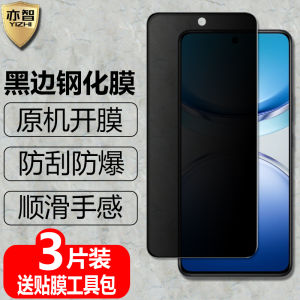
Privacy Screen Protector Tempered Glass for iQOOZ10x/Z10Turbo/Z10TurboPro+ Full Screen Anti Glare Mobile Phone Accessories

Wireless Keyboard & Mouse Combo: A Comprehensive Guide

Kumeng for Apple iPhone 15 Pro Max Case: All-Inclusive Protection for Your Device
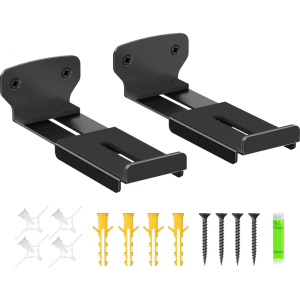
Speaker Slide Rail Heavy Duty Metal Construction Adjustable Soundbar Mount For Home Cinema
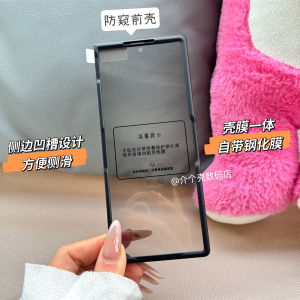
Samsung Fold7 Front Cover Glass Tempered Privacy Screen Protector Full Protection Shockproof Shell Black Edge Mobile Phone Case

2 Pieces Full HD Tempered Glass Film Screen Protector For Huawei MatePad 12 X 2025 12-inch PC Screen Anti Scratch Hard Cover
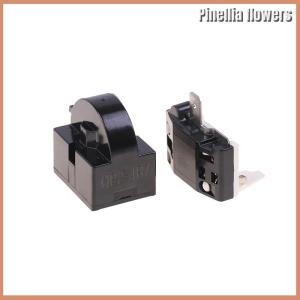
【Pinellia flowers】 2PCS QP2-4.7 PTC Starter Relay 1 Pin Refrigerator Starter Relay And 6750C-0005P Refrigerator Overload Protector

CrashStar MagSafe Cute Cartoon Transparent Soft Shockproof Phone Case

Cool Personality Phone Cases & Hand Rope Mobile Phone Covers for VIVO & Samsung