GREAT LOVE 4 in 1 Music Light: A Comprehensive Guide
GREAT LOVE 4 in 1 Music Light: A Comprehensive Guide
Introduction to GREAT LOVE 4 in 1 Music Light
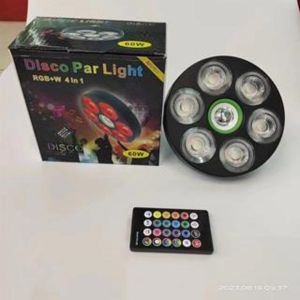
The GREAT LOVE 4 in 1 Music Light is a versatile, high-quality lighting solution designed to enhance any home or event space. This 60W Par Light features a powerful combination of RGB+W LED technology, remote control functionality, and a range of customizable color and effect settings.
Overview of the Product
The GREAT LOVE Light is a top-of-the-line music light that offers a wide array of features and benefits, making it an ideal choice for anyone looking to elevate their lighting experience. This product includes one 60W Par Light, which can be easily controlled via a convenient remote control. The GREAT LOVE Light supports various color and effect settings, allowing users to customize their lighting experience according to their preferences.
Key Features & Benefits
- 4 in 1 Design: The GREAT LOVE Light combines four different lighting modes into one sleek, compact design, providing maximum versatility and convenience.
- RGB+W LED Technology: This cutting-edge technology allows for a wide range of color options, including red, green, blue, and white, creating a vibrant and dynamic lighting experience.
- Remote Control Functionality: With the included remote control, users can easily adjust color settings, brightness levels, and more, without having to physically interact with the light itself.
- Customizable Color & Effect Settings: Users can choose from a variety of pre-set color and effect combinations, or create their own unique lighting experience using the GREAT LOVE Light's intuitive interface.
How to Set Up Your GREAT LOVE 4 in 1 Music Light
Setting up your GREAT LOVE Light is a simple process that can be completed in just a few steps. Follow these instructions to get started:
Unboxing & Initial Setup
- Carefully unbox your GREAT LOVE Light and remove all packaging materials.
- Connect the power cord to the back of the light and plug it into a nearby electrical outlet.
- Turn on the light by pressing the power button located on the front of the unit.
Connecting the Remote Control
- Press and hold the 'Mode' button on the remote control until the light blinks twice, indicating that it has entered pairing mode.
- Point the remote control at the GREAT LOVE Light and press the 'Mode' button again.
- The light will blink once, confirming that the remote control has successfully paired with the device.
Powering On & Basic Controls
To turn on the GREAT LOVE Light, simply press the power button on the front of the unit or use the remote control. Once powered on, you can adjust the brightness level, color settings, and other parameters using the buttons on the remote control.
Exploring the Capabilities of GREAT LOVE 4 in 1 Music Light
Now that your GREAT LOVE Light is set up and ready to go, it's time to explore its many capabilities and features.
Customizing Colors & Effects
With the GREAT LOVE Light, you have complete control over the colors and effects that you want to display. Using the remote control, you can select from a variety of pre-set color combinations or create your own custom settings. Simply press the 'Color' button on the remote control to cycle through the available options.
Syncing with Music
One of the most exciting features of the GREAT LOVE Light is its ability to sync with music. By connecting your audio source to the light, you can enjoy a synchronized lighting experience that enhances the mood and atmosphere of any event or gathering.
Remote Control Functions
The remote control for the GREAT LOVE Light offers a range of functions and features, including:
- Brightness Adjustment: Adjust the brightness level of the light to suit your needs.
- Color Selection: Choose from a variety of pre-set color combinations or create your own custom settings.
- Effect Settings: Select from a range of pre-set effects or create your own unique lighting experience.
Troubleshooting Common Issues
If you're experiencing issues with your GREAT LOVE Light, try the following troubleshooting tips:
Connectivity Problems
- Ensure that the remote control is properly paired with the light.
- Check that the batteries in the remote control are fully charged.
- If the issue persists, try resetting the remote control by pressing and holding the 'Mode' button for 10 seconds.
Power Supply Issues
- Verify that the power cord is securely connected to both the light and the electrical outlet.
- Check that the electrical outlet is functioning properly.
- If the issue persists, try using a different power cord or electrical outlet.
Color & Effect Settings
- Make sure that the remote control is properly paired with the light.
- Double-check that the correct color or effect setting is selected on the remote control.
- If the issue persists, try resetting the remote control or contacting customer support for further assistance.

GREAT LOVE
Review

You May Also Like
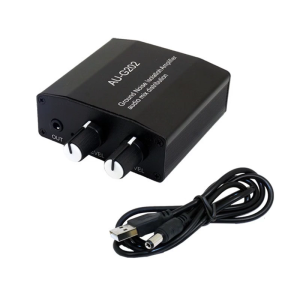
Aluminum Case 2Channel 3.5mm Stereo Auditory Mixer Headphones Mixing Console Easy Operating
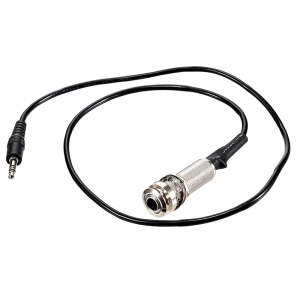
Stereo Instrument Cable 660mm Piezo Endpin Output Jacks for Guitar Pickup No Soldering Needed Quick Connecting Adapter

Kindergarten Early Childhood Development ECCD Assessment Tool
![[The Secret of the Centenarian Longevity Village] Effective Traditional Remedies](https://img.lazcdn.com/g/p/7bb2388b51f310d9c44eed38bad88da6.png_300x300q80.png)
[The Secret of the Centenarian Longevity Village] Effective Traditional Remedies
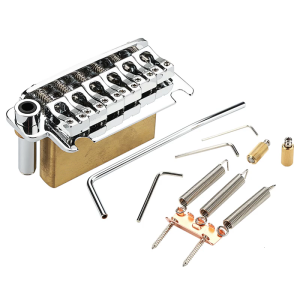
2 Point Electric Guitar Tremolo Bridge Replacement Tremolo Bridge and Full Size Brass Block for 6 String Guitar

Lighting Crystal Magic Ball Projector Rotating Crystal Magic Ball RGB Stage Light Music Lights Strobe Dancing Lamp Birthday KTV Club Dancing Bulb With Remote Control Kedia

Fast Shipping Chrome Floor Tom Drum Leg Bracket: Replacement & Quality Assurance
Gold Plated Clarinet Model Miniature Clarinet with Stand and Case Desk Decoration Music Scene Accessory Enduring
Music Stand 180cm Portable Foldable Space-Saving Rack - Professional Music Performance Accessory
21 Key Light Through Keycaps With Artistic Butterflylove Plan And Global Mechanical Keyset Fit
Sight Words Write and Search Game Workbook Preschool English Learning Aids Learn to Read for Beginners Vocabulary Building