Key Tracker for AirTag: A Comprehensive Guide
Key Tracker for AirTag: A Comprehensive Guide
Introduction to AirTag Key Chain & Silicone Waterproof Protective Case
AirTag is a small, round device designed by Apple to help users locate their belongings. It is a compact, Bluetooth-enabled tracker that connects to your iPhone or iPad, allowing you to find misplaced items quickly. In this guide, we will explore the features of the AirTag key chain and silicone waterproof protective case, providing a comprehensive understanding of how to use them effectively.
What is an AirTag?
An AirTag is a small, circular device that uses Apple's Find My network to track your belongings. It can be attached to keys, wallets, bags, and other valuable items, making it easy to locate them if they go missing. The AirTag uses Bluetooth technology to connect with nearby Apple devices, which then report the location back to the Find My network.
Understanding the Key Chain with AirTag
The AirTag key chain is a convenient way to attach your AirTag to your keys. It features a sturdy clip that securely holds the AirTag in place, ensuring it stays attached even during the most active days. The key chain is made from durable materials, making it resistant to wear and tear.
Exploring the Silicone Waterproof Protective Case
The silicone waterproof protective case is designed to protect your AirTag from water, dust, and other environmental factors. It is made from high-quality silicone material that provides a snug fit around the AirTag, keeping it safe and secure. The case is easy to install and remove, allowing you to quickly access your AirTag when needed.
How to Use Your AirTag Key Chain
Setting up and using your AirTag key chain is simple and straightforward. Follow these steps to get started:
Step-by-Step Setup Process
- Remove the AirTag from its protective packaging.
- Attach the AirTag to the key chain clip.
- Open the Find My app on your iPhone or iPad.
- Tap on the 'Add Item' button and select 'AirTag'.
- Follow the on-screen instructions to set up your AirTag.
Tips for Maximizing Your AirTag Experience
- Keep your AirTag close to your iPhone or iPad to ensure it stays connected to the Find My network.
- Use the AirTag key chain to attach your AirTag to your keys, making it easy to locate them if they go missing.
- Take advantage of the 'Lost Mode' feature to lock your AirTag and prevent unauthorized access.
Troubleshooting Common Issues
If you encounter any issues with your AirTag, refer to the troubleshooting guide in the Find My app for solutions. Some common issues include:
- AirTag not connecting to the Find My network: Ensure your AirTag is within range of your iPhone or iPad and try resetting the device.
- AirTag not showing location: Check that your AirTag is connected to the Find My network and that the battery is charged.
Choosing the Right Pet Positioning Device
While AirTags are primarily designed for locating personal belongings, there are other devices available specifically for tracking pets. In this section, we will explore the different options on the market and provide guidance on selecting the right pet positioning device for your needs.
Comparing Different Options on the Market
There are several pet positioning devices available, including GPS trackers, Bluetooth trackers, and Wi-Fi trackers. Each type has its own advantages and disadvantages, so it's important to consider your specific needs before making a purchase.
Factors to Consider When Selecting a Device
When choosing a pet positioning device, consider the following factors:
- Range: How far can the device track your pet?
- Battery life: How long will the device last before needing a recharge?
- Water resistance: Is the device waterproof?
- Compatibility: Does the device work with your smartphone?
Benefits of Using a Pet Positioning Device
Using a pet positioning device can provide peace of mind knowing that you can locate your pet if they go missing. It can also help you keep track of their daily activities and ensure they stay within a safe area.
Enhancing Security with an Airtag Anti-Loss Device
In addition to locating personal belongings, AirTags can also be used to enhance security by preventing theft and loss. In this section, we will explore the benefits of using an AirTag anti-loss device and provide tips for protecting your valuables.
Why Choose an Anti-Loss Device?
An AirTag anti-loss device can help prevent theft and loss by providing a quick and easy way to locate your belongings. It can also deter potential thieves by making it clear that your items are being tracked.
Protecting Your Valuables with an Airtag
To protect your valuables with an AirTag, simply attach the device to your item and use the Find My app to track its location. If your item goes missing, you can quickly locate it using the Find My network.
Maintaining Privacy While Using an Airtag
It's important to maintain privacy while using an AirTag by keeping it secure and not sharing your location with others. You can also use the 'Lost Mode' feature to lock your AirTag and prevent unauthorized access.
In conclusion, the AirTag key chain and silicone waterproof protective case are valuable tools for keeping track of your belongings. By following the steps outlined in this guide, you can maximize the benefits of your AirTag and enjoy peace of mind knowing that your items are always within reach.

szkoston flagship store
You May Also Like
✨Limited discount✨ Smart GPS anti-lost locator 【No more lost items】 Smart square Bluetooth Key bag mobile phone anti-lost tracker
S10 Ultra Max Smartwatch 4G Android 10 2.29inch Amoled Rotary Camera Video Call GPS WIFI App Download S10 Ultra Smart Watch Men
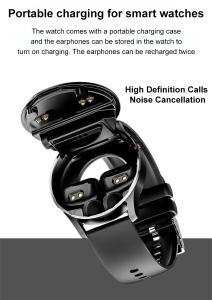
Ultra thin sports bracelet watch GT5buds Bluetooth Smart Watch with Earbuds HD large screen Bluetooth headset smart bracelet
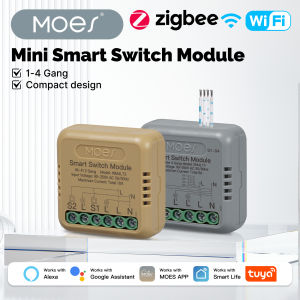
MOES Tuya WiFi Zigbee Mini DIY Smart Switch Module 1-4 Gang Timer Home Automation Compatible with Google Home Alexa

XDOBO Hero 1999 50W Bluetooth 5.0 Portable Speaker Deep Bass Soundbar with IPX7 Waterproof Speaker
![[New]Xiaomi Watch S4 Global Version With 1-Year Warranty | 1.43 AMOLED display Up to 15 days of battery life interchangeable bezel design Classic rotating crown for intuitive interaction](https://img.lazcdn.com/g/ff/kf/S486cbeaf3ae745e59999e00a46a96d90W.png_300x300q80.png)
[New]Xiaomi Watch S4 Global Version With 1-Year Warranty | 1.43 AMOLED display Up to 15 days of battery life interchangeable bezel design Classic rotating crown for intuitive interaction

Smart Watch Bluetooth Phone Call Waterproof Fitness Tracker Full Touch Screen Multifunctional Sport Running Watch Jam Tangan efon Monitor Blu
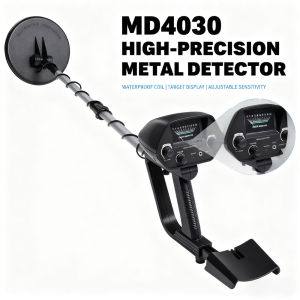
Hot Sell MD4030 Metal Detector for Gold/Underground - High Accuracy Treasure Hunter w/ Display & Waterproof Coil
Guoftstars Smart Watch for Men Women Android iPhone Smartwatch with Alexa Built-in & Bluetooth Call(Answer/Make Call) 1.81" Fitness Tracker Bluetooth waterproof
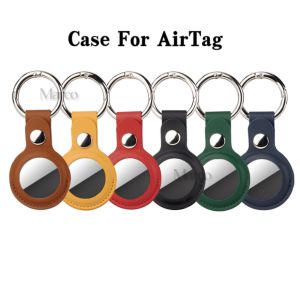
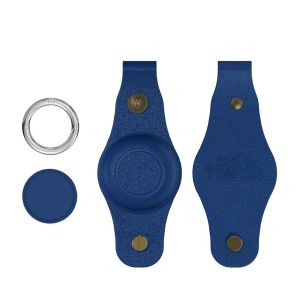
Leather Case For Apple AirTag Apple Locator Tracker Air Tag With Keychain Anti-lost Cover Protective Casing Airtags Holder Top Sale
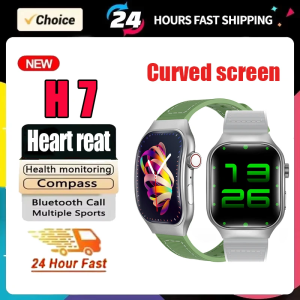
Curved Screen H7 Smart Watch Blood Glucose Bluetooth 2.01 Screen Step Counting Dynamic lsland Watch For Huawei Sport Alarm Clock