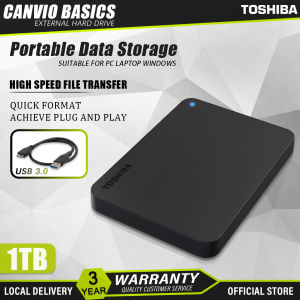
Toshiba External Hard Drive: 1TB/2TB Canvio Basics USB 3.0 HDD Enclosure Portable 2.5\" Hard Drive External Storage
Toshiba External Hard Drive: 1TB/2TB Canvio Basics USB 3.0 HDD Enclosure Portable 2.5" Hard Drive External Storage
What is the Toshiba External Hard Drive?
The Toshiba External Hard Drive is a portable storage solution designed to provide ample space for storing files, documents, photos, videos, and other digital media. It comes in two sizes, 1TB and 2TB, and is available in the Canvio Basics series. This external hard drive features a USB 3.0 interface, making it compatible with both PCs and laptops, as well as providing fast data transfer speeds. The 2.5 inch external storage device is compact and lightweight, making it easy to carry around and store your important files wherever you go.
Key Features
- Capacity: Available in 1TB and 2TB models
- Connectivity: USB 3.0 interface
- Compatibility: Suitable for PC and laptop use
- Portability: Lightweight and compact design
Comparison with Other Brands
When compared to other external hard drive brands, the Toshiba External Hard Drive stands out due to its affordable price point, reliable performance, and sleek design. Some notable competitors include Seagate, Western Digital, and Samsung. However, Toshiba offers a more budget-friendly option without compromising on quality and functionality.
How to Choose the Right Toshiba External Hard Drive
When selecting the appropriate Toshiba External Hard Drive, consider the following factors:
Capacity & Connectivity
Choose the capacity that best suits your needs. If you have a large collection of files, opt for the 2TB model. For more modest storage requirements, the 1TB version may suffice. Additionally, ensure the drive has a USB 3.0 interface to guarantee fast data transfer speeds.
Compatibility with PC & Laptop
The Toshiba External Hard Drive is compatible with both PCs and laptops, making it a versatile choice for various computing environments. Ensure that your device has a USB port to connect the external hard drive.
How to Use Toshiba External Hard Drive
Once you've chosen the right Toshiba External Hard Drive, follow these steps to set it up and use it effectively:
Setup & Installation
- Connect the USB cable to the external hard drive and your computer.
- Wait for the system to recognize the new hardware.
- Format the drive if necessary.
Data Transfer & Backup
- Copy files from your computer to the external hard drive using drag-and-drop functionality or file transfer software.
- Schedule regular backups to ensure your data remains safe and secure.
Toshiba External Hard Drive: Benefits & Drawbacks
Advantages
- Affordable: Offers reliable performance at a budget-friendly price point.
- Fast Data Transfer: USB 3.0 interface provides quick file transfers.
- Compatibility: Works seamlessly with PCs and laptops.
- Compact Design: Lightweight and portable for easy storage and transport.
Disadvantages
- Limited Capacity Options: Only available in 1TB and 2TB sizes.
- No Built-in Encryption: Data security may be a concern for some users.
Toshiba External Hard Drive: Maintenance & Troubleshooting
To ensure optimal performance and longevity, follow these maintenance tips:
Cleaning & Care
- Handle the external hard drive with care to avoid physical damage.
- Keep the USB port and cable clean and free from debris.
Common Issues & Solutions
- Drive Not Recognized: Ensure the USB cable is securely connected and try using a different port.
- Slow Data Transfer: Check for firmware updates or try connecting the drive to another computer.

Seagate Data store
You May Also Like
New Seagate External Hard Drive Expansion USB 3.0 HDD High Speed 1TB/2TB Hard Disk For Laptop/PC With Windows/Android
BL® USB3.0/2.0 2.5inch SATA HDD SSD Enclosure Mobile Hard Disk Case Box for Laptop
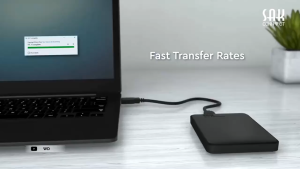
【Ready Stock】WD 1TB/2TB External Hard Drive - High-Quality Portable HDD USB 3.0 2.5" Mobile Storage Solution
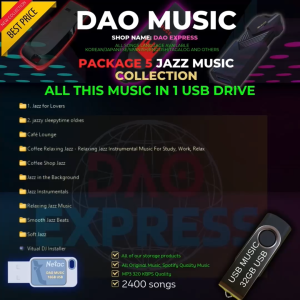
JAZZ MUSIC COLLECTION | MP3 320kbps Quality | USB FLASHDRIVE | ARRANGED AND PACKED
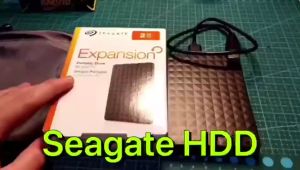
Seagate Expansion HDD 1TB & 2TB USB3.0 Portable External Hard Disk Drive 📌2.5 Inches
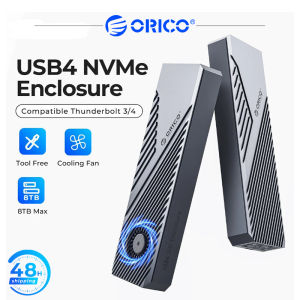
ORICO 20Gpbs/40Gbps NVME Enclosure with Cooling Fan 8TB PCIe4.0 Compatible Thunderbolt 3/4 for mac mini iMac laptop
FREE+ COD Memory Card 8/16/32/64/128GB Class10 Micro SD A1+ Free Adapter Phone PC Computer
ORICO Portable M.2 NVMe SSD Enclosure NVME SATA Dual Protocol Case Tool Free M.2 SSD Enclosure
32GB Flash Drive with GRENDIZER UFO Mecha Robot Animated Anime Series Complete 74 Episodes with English Subtitles with Free Surprise Gift & OTG Connector
Xiaomi A1 Memory Card: Class10 UHS-1 Flash Card & MicroSD TF/SD Card
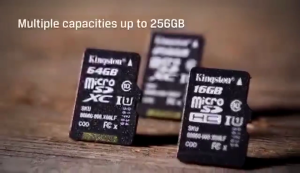
Kingston Micro SD memory card 64gb/128gb memory card SDXC 32gb 256gb 512gb Class 10 with SD card holder + adapter