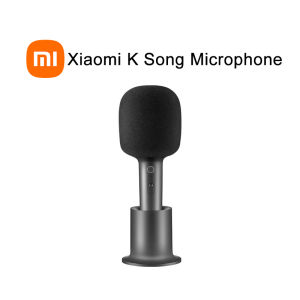
Xiaomi Mijia K Song Microphone Bluetooth Videoke Mic KTV Stereo Rechargeable DSP Karaoke Speaker
Xiaomi Mijia K Song Microphone Bluetooth Videoke Mic KTV Stereo Rechargeable DSP Karaoke Speaker
What is the Mijia K Song Microphone?
The Mijia K Song Microphone is a compact, rechargeable Bluetooth videoke mic designed for both home and portable use. This stereo karaoke device provides a high-quality sound experience and is compatible with various devices. With its DSP technology, the Mijia K Song Microphone ensures clear and crisp audio output.
Product Overview
Developed by Xiaomi, the Mijia K Song Microphone is a popular choice among karaoke enthusiasts. It features a sleek design, easy-to-use controls, and a built-in rechargeable battery for extended use. The microphone supports Bluetooth connectivity, allowing users to connect it to smartphones, tablets, and other Bluetooth-enabled devices.
Key Features
- Compact and portable design
- Built-in rechargeable battery
- Bluetooth connectivity
- DSP technology for high-quality sound
- Easy-to-use controls
Comparison with Competitors
Compared to other Bluetooth videoke mics, the Mijia K Song Microphone stands out due to its compact size, rechargeable battery, and DSP technology. While other devices may offer similar features, the Mijia K Song Microphone provides a superior sound quality and user experience.
How to Use the Mijia K Song Microphone?
Using the Mijia K Song Microphone is simple and straightforward. Follow the steps below to set up and connect the device to your preferred Bluetooth-enabled device.
Setup & Pairing
- Turn on the Mijia K Song Microphone by pressing the power button.
- On your smartphone, tablet, or other Bluetooth-enabled device, navigate to the Bluetooth settings and enable Bluetooth.
- Search for available devices and select the Mijia K Song Microphone from the list.
- Once connected, the microphone is ready to use.
Connecting to Bluetooth Devices
The Mijia K Song Microphone supports Bluetooth connectivity, allowing users to connect it to various devices such as smartphones, tablets, and laptops. To connect the microphone to a device, follow the steps mentioned above under Setup & Pairing.
Adjusting Sound Settings
The Mijia K Song Microphone offers adjustable sound settings, including volume control and DSP effects. Users can customize the sound output according to their preferences by adjusting these settings through the connected device's audio settings.
Benefits of Using the Mijia K Song Microphone
The Mijia K Song Microphone offers several benefits, making it an excellent choice for karaoke enthusiasts.
High-Quality Sound & DSP Technology
With its DSP technology, the Mijia K Song Microphone delivers a high-quality sound experience. The microphone captures clear and crisp audio, enhancing the overall karaoke experience.
Rechargeable Battery & Portable Design
The Mijia K Song Microphone is equipped with a built-in rechargeable battery, allowing users to enjoy karaoke sessions without worrying about power issues. Its compact and portable design makes it easy to carry around and use at home or during outdoor gatherings.
Stereo Karaoke Experience
The Mijia K Song Microphone supports stereo audio output, providing a rich and immersive karaoke experience. Users can enjoy their favorite songs with clear and balanced sound quality.
Troubleshooting Common Issues
If you encounter any issues while using the Mijia K Song Microphone, refer to the troubleshooting guide below.
Bluetooth Connectivity Problems
If you're experiencing Bluetooth connectivity issues, try restarting both the microphone and the connected device. If the problem persists, ensure that your device's Bluetooth settings are enabled and try pairing the microphone again.
Volume Control Issues
If you're having trouble adjusting the volume on the Mijia K Song Microphone, check the connected device's audio settings. Make sure that the microphone's volume is set to an appropriate level and that no other audio settings are interfering with the microphone's output.
Sound Quality Concerns
If you notice poor sound quality from the Mijia K Song Microphone, try adjusting the DSP effects through the connected device's audio settings. Experiment with different settings to find the optimal sound output for your preferences.

Xiaomi Mall PH
Review
You May Also Like

Replacement Ear Pads Compatible for JR300 T450BT T500BT Tune600 Headphones for Enhanced Comfort and Sound Isolation
T&G TG-162 Wireless Bluetooth Subwoofer With LED Lights Portable Multi Function Speaker with Strap
GEDI-G PORTABLE G-2801 BLUETOOTH 8 INCH X 2 SPEAKER SYSTEM
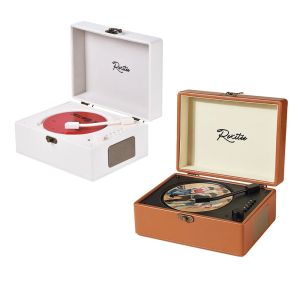
Vintage Leather CD Player Two-way Bluetooth 5.0 Built-in Speaker Portable Rechargeable CD Music Player USB Lossless Player
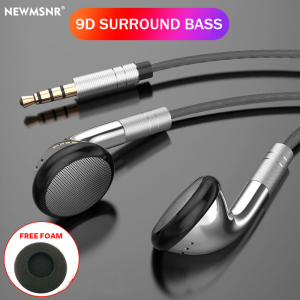
9D Surround Bass Wired Control Earphones 3.5mm In-Ear Headphones For IOS Earbuds with HD Mic Headsets Sports Gaming Handsfree
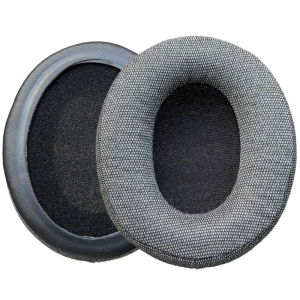
Earpads Head-mounted Headphone Ear Pad Earphone Cover Improved Comfort for Cloud 2/ Flight GPROX
21" Epic Sound Neodymium Subwoofer 4Ohms 2000W With 125mm Voice Coil - 21SW125
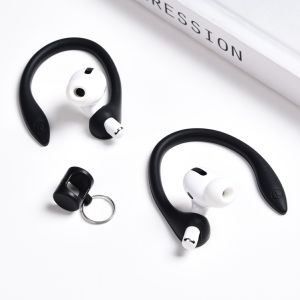
Huawei FreeBuds7i/6i/5i AirPods2 Protective Ear Hook Sport Anti-Loss Rope Earphone Strap Anti-Slip Earphone Accessories
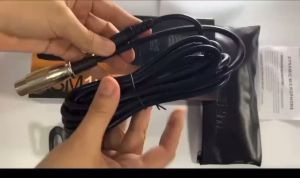
GOODLIGHT-lus SHORE Wired Precision Crafted Vocal Microphone KS-M10 Microphone
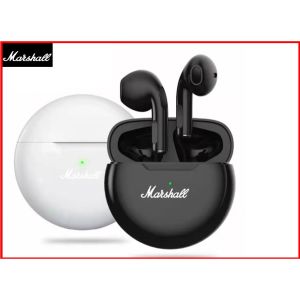
🎧【Readystock】 + FREE Shipping 🎧 Marshall TWS Bluetooth Earphones Stereo Wireless 5.0 Bluetooth Headphones Touch Control Noise Cancelling Gaming Headset
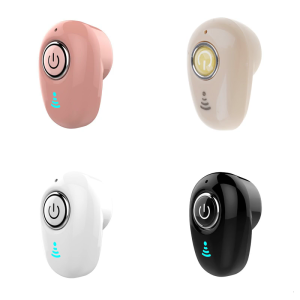
Wireless Bluetooth-compatible Earphone Semi In Ear Earbud Sweatproof & Waterproof Sports Earbud Support Fast Charging