[Local 24H]Samsung SSD 860 EVO 250GB 500GB 1TB SATA3 2.5 " For Laptop Desktop PC PS4 Internal
1TB(Free tools) 250GB(Free tools) 500GB(Free tools) 870 EVO 2TB. Powered by Samsung V-NAND Technology. Optimized Performance for Everyday Computing. Enhanced Performance: Sequential Read/Write speeds up to 550MB/s and 520MB/s respectively. Ideal for mainstream PCs and laptops for personal, gaming and business use. Operating Temperature: 0-70 Operating Temperature. Hardware/Software Compatibility: Windows 8/Windows 7/Windows Server 200332-bit and 64-bit), Vista SP1 and above), XP SP2 and above), MAC OSX, and Linux. Included Contents: 2.5 7mm SATA III 6Gb/s SSD User Manual All Other Cables, Screws, Brackets Not Included). 5-Year Warranty. Welcome To SPE MALL. Follow our store to get voucher). Original brand, provide the cheapest price and best quality. All products are ready to provide high-quality and efficient services at any time. Fast local delivery, shipped within 24 hours, and delivered to you in 1-3 days. Double Check Before ship, Secure Packaging. If you have any questions, pleas

FAST STORE(Computer Accessories)
![[Local 24H]Samsung SSD 860 EVO 250GB 500GB 1TB SATA3 2.5 " For Laptop Desktop PC PS4 Internal](https://img.lazcdn.com/g/p/0284c4e9ed0c998d209d12389fa78058.jpg_300x300q80.jpg)
Review
You May Also Like
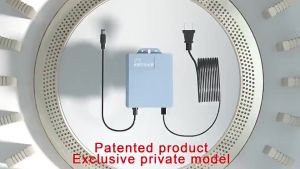
DC 12V-2A Mini UPS Battery Backup: A Comprehensive Guide
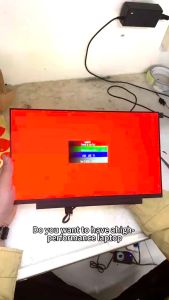
15.6\" For Lenovo Legion 5-15ARH05 15IMH05 S7-15IMH5 fit For NV156FHM-NY4 V8.0 B156HAN13.1LCD SCREEN 144hz

JUHOR RGB Memory DDR5 16GB 6800MHz Gaming Memoria Ram
![Lenovo Thinkpad P16s Gen 2 AMD Ryzen 7 Pro 7840U Radeon 780M 32GB DDR5 1TB 4K OLED 16" Work from Home Laptop [PRELOVED]](https://img.lazcdn.com/collect/social-img/e8744ce5325a4af89fc65e97666d69bf_470c49553a504a80a2eb07bc3c7fd602.png_300x300q80.png)
Lenovo Thinkpad P16s Gen 2 AMD Ryzen 7 Pro 7840U Radeon 780M 32GB DDR5 1TB 4K OLED 16" Work from Home Laptop [PRELOVED]
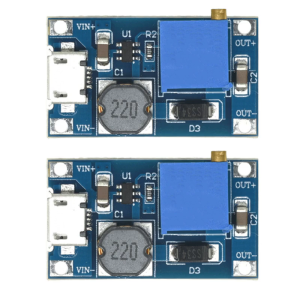
Compactly Adjustable Micros/TYPE C Voltages Boosters Module 2V-24V Input 5V-28V Output for Portable Electronic Devices
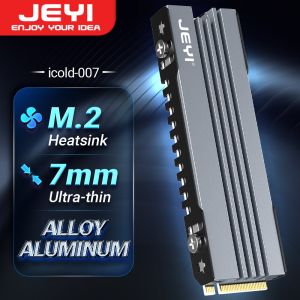
JEYI M.2 SSD Heatsink 2280 NVME NGFF SSD Cooling Full Aluminum Cooler Radiator with Thermal Silicone Pad for Motherboard / PS5
LPO Laptop LCD Screen 16.1 inches 40 Pins FHD 1920 x 1080 144Hz Thin Bezel Borderless NV161FHM-NX2

17.3 inch Portable Monitor USB C 1080P 2K IPS LCD Monitor Laptop Second Display Screen for Computer Mac Phone Xbox Switch PS4
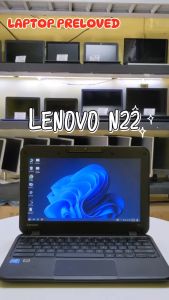
Lenovo N22/23 Preloved Laptop: Key Features & Performance
![[Jocestyle Mall]12cm 4 Pin High Speed Desktop Chassis Fan Large Air Volume PC Case Radiator](https://img.lazcdn.com/g/ff/kf/S92c3e5995cf34c09897d7a0c85c60c35e.jpg_300x300q80.jpg)
[Jocestyle Mall]12cm 4 Pin High Speed Desktop Chassis Fan Large Air Volume PC Case Radiator
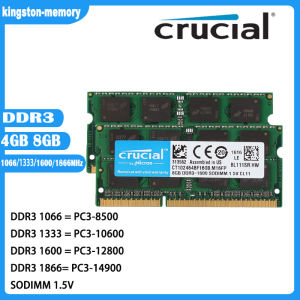
Crucial 8GB & 4GB DDR3 1866Mhz RAM: A Comprehensive Guide\\n\\n What is Crucial DDR3 Laptop RAM?\\n\\nCrucial DDR3 Laptop RAM is a type of Random Access Memory (RAM) designed specifically for laptops and notebooks. This particular RAM module is available in two capacities - 8GB and 4GB - and operates at various speeds including 1866MHz, 1600MHz, 1333MHz, and 1066MHz. It supports PC3-14900, PC3-12800, PC3-10600, and PC3-8500 speed ratings, making it compatible with a wide range of notebook models.\\n\\n Key Features of Crucial DDR3 RAM\\n\\n- **Capacity**: Available in 8GB and 4GB configurations\\n- **Speed**: Supports 1866MHz, 1600MHz, 1333MHz, and 1066MHz speeds\\n- **Voltage**: 1.5V 204pin SO-DIMM memory\\n- **Compatibility**: PC3-14900, PC3-12800, PC3-10600, and PC3-8500 speed ratings\\n\\n Compatibility with Various Notebooks\\n\\nCrucial DDR3 Laptop RAM is compatible with a wide range of notebook models, including those from popular manufacturers like Dell, HP, Lenovo, and Acer. To ensure compatibility with your specific laptop model, refer to the manufacturer's specifications or consult Crucial's compatibility checker.\\n\\n How to Choose the Right Crucial RAM for Your Notebook\\n\\nChoosing the right Crucial DDR3 Laptop RAM for your notebook involves understanding your laptop's RAM requirements and identifying the appropriate speed rating.\\n\\n Understanding PC3-14900 & Other Speed Ratings\\n\\nThe speed ratings of Crucial DDR3 Laptop RAM include PC3-14900, PC3-12800, PC3-10600, and PC3-8500. These ratings represent the theoretical peak transfer rate of the memory module, measured in megabytes per second (MB/s).\\n\\n- **PC3-14900**: 1866MHz speed, 14,900 MB/s transfer rate\\n- **PC3-12800**: 1600MHz speed, 12,800 MB/s transfer rate\\n- **PC3-10600**: 1333MHz speed, 10,600 MB/s transfer rate\\n- **PC3-8500**: 1066MHz speed, 8,500 MB/s transfer rate\\n\\n Identifying Your Laptop's RAM Requirements\\n\\nTo determine the appropriate Crucial DDR3 Laptop RAM for your notebook, consult the manufacturer's specifications or use Crucial's compatibility checker. Consider factors such as the maximum supported capacity, voltage, and speed rating when selecting the right RAM module for your laptop.\\n\\n Installing Crucial DDR3 RAM: A Step-by-Step Guide\\n\\nInstalling Crucial DDR3 Laptop RAM is a straightforward process that involves preparing for installation, inserting the RAM module into your notebook, and verifying installation success.\\n\\n Preparing for Installation\\n\\nBefore installing Crucial DDR3 Laptop RAM, ensure that your laptop is powered off and unplugged from any power sources. Gather necessary tools, such as a screwdriver, and prepare a clean, static-free workspace.\\n\\n Inserting the RAM Module into Your Notebook\\n\\n1. Open your laptop's RAM compartment by removing the screws securing the panel.\\n2. Align the notches on the Crucial DDR3 Laptop RAM module with the slots on your notebook's motherboard.\\n3. Gently press the RAM module into place until it clicks.\\n4. Replace the screws securing the RAM compartment panel.\\n\\n Verifying Installation Success\\n\\nAfter installing Crucial DDR3 Laptop RAM, power on your laptop and enter the BIOS/UEFI settings to verify that the new RAM module is recognized. Check your operating system's system information to confirm that the correct amount of RAM is installed.\\n\\n Maximizing Performance with Crucial DDR3 RAM\\n\\nTo maximize performance with Crucial DDR3 Laptop RAM, optimize your laptop's settings and enhance system stability and speed.\\n\\n Optimizing Your Laptop's Settings\\n\\nAdjust your laptop's power settings, disable unnecessary startup programs, and configure the operating system's virtual memory settings to improve overall performance.\\n\\n Enhancing System Stability & Speed\\n\\nRegularly update your operating system and drivers, defragment your hard drive, and run system maintenance tasks to maintain optimal system stability and speed.\\n\\n Conclusion: Upgrade Your Notebook with Crucial DDR3 RAM\\n\\nUpgrading your notebook with Crucial DDR3 Laptop RAM can significantly enhance performance and stability. By understanding your laptop's RAM requirements, choosing the right Crucial DDR3 Laptop RAM, and following the installation process, you can enjoy faster system speeds and improved overall performance.\"