Smartifact MXQ Pro TV98 S905 HD 4K Smart TV Box: A Comprehensive Guide
Smartifact MXQ Pro TV98 S905 HD 4K Smart TV Box: A Comprehensive Guide
Key Features & Specifications
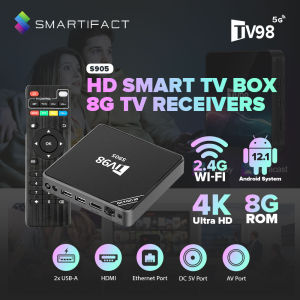
The Smartifact MXQ Pro TV98 S905 HD 4K Smart TV Box is a top-tier media player designed to enhance your home entertainment experience. This powerful device comes equipped with Android 12.1, Amlogic S905 Quad Core processor, and support for DLNA & AirPlay. It offers a wide range of features and capabilities, making it a perfect addition to any modern home entertainment system.
Android 12.1 Smart TV Receiver
With Android 12.1, the Smartifact MXQ Pro TV98 S905 HD 4K Smart TV Box provides a seamless user interface and access to a vast array of apps and streaming services. It supports multiple languages, including English, French, German, Spanish, Italian, and more.
Amlogic S905 Quad Core Media Player Set
The Amlogic S905 Quad Core processor ensures smooth performance and fast boot times. This powerful chip allows for quick app loading and lag-free video playback, making it ideal for streaming high-definition content.
Support for DLNA & AirPlay
The Smartifact MXQ Pro TV98 S905 HD 4K Smart TV Box supports DLNA and AirPlay, enabling easy file sharing and wireless mirroring between devices. These features allow you to stream content from your smartphone, tablet, or computer directly to your TV.
Setup & Installation
Setting up the Smartifact MXQ Pro TV98 S905 HD 4K Smart TV Box is simple and straightforward. Follow these steps to get started:
Connecting to Your TV
- Connect the HDMI cable from the Smart TV Box to your TV's HDMI port.
- Connect the power adapter to the Smart TV Box and plug it into a power outlet.
- Turn on your TV and select the appropriate HDMI input.
Configuring WiFi & Network Settings
- Press the Home button on the remote control to enter the main menu.
- Navigate to Settings > Network > Wi-Fi Settings.
- Select your Wi-Fi network and enter the password if required.
Installing Apps & Updates
- Press the Home button on the remote control to enter the main menu.
- Navigate to Apps > Google Play Store.
- Search for and install your desired apps.
- Check for updates regularly to ensure optimal performance.
Enhancing Your Viewing Experience
The Smartifact MXQ Pro TV905 HD 4K Smart TV Box offers numerous features to enhance your viewing experience. Here are some tips and tricks to make the most out of your device:
Exploring Supported Video Formats
The Smartifact MXQ Pro TV98 S905 HD 4K Smart TV Box supports a wide range of video formats, including 4K@60fps, H.265, AVI, H.264, VC-1, MPEG-2, MPEG-4, DIVD/DIVX, Real8/9/10, RM, RMVB, PMP, FLV, MP4, M4V, VOB, WMV, 3GP, MKV, and more.
Accessing Online Content & Streaming Services
With access to the Google Play Store, you can install popular streaming services such as Netflix, Hulu, YouTube, and more. Simply search for and install your desired apps to start streaming instantly.
Utilizing Smart TV Box 4K Capabilities
Take advantage of the Smartifact MXQ Pro TV98 S905 HD 4K Smart TV Box's 4K capabilities by connecting your device to a 4K TV. Enjoy stunning picture quality and immersive sound with your favorite movies and TV shows.
Frequently Asked Questions
What is DLNA?
DLNA (Digital Living Network Alliance) is a set of standards that allows digital media devices to connect and share content over a network. With DLNA support, you can easily stream music, photos, and videos from your computer or smartphone to your TV.
How to Use Miracast with the Smart TV Box?
To use Miracast with the Smartifact MXQ Pro TV98 S905 HD 4K Smart TV Box, enable Miracast on your smartphone or tablet and select the Smart TV Box as the display device. Once connected, you can stream content directly from your mobile device to your TV.
Is the Smartifact MXQ Pro TV98 Compatible with All Smart TVs?
The Smartifact MXQ Pro TV98 S905 HD 4K Smart TV Box is compatible with most modern smart TVs that support HDMI input. However, compatibility may vary depending on the specific model and manufacturer of your TV.

Smartifact Technology
You May Also Like

Yunnan Dali AR Flowing Sand Fridge Magnet Decorative Puer Lijiang Tourism Cultural Creative Museum Souvenir New Chinese Style
COCOQAC Wireless Keyboard: A Compatible Solution for iPad Users
WiFi To Powerbank Cable Connector DC 5V To 12V USB Power Cable Boost Converter Step-up Cord For WiFi Router Modem Fan Speaker
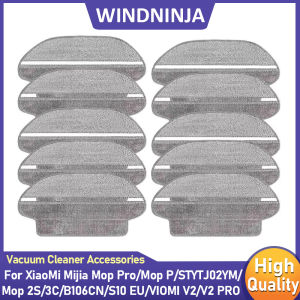
Dry Wet Separation Mop Cloth For Xiaomi Mijia Mop 2S/Pro/P/3C/S10 EU/S12/LDS STYTJ02YM/VIOMI V2Pro/V3 SE Vacuum Cleaner Part

Rui Sound 8-Inch Portable USB Fan High Wind Power Mini Fan for Home Office Computer Desktop Charging Table Fan Student Dormitory
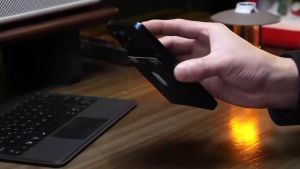
MagSafe Magnetic Card Wallet: A Secure & Stylish Companion for Your iPhone\\n\\n What is a MagSafe Magnetic Card Wallet?\\n\\nA MagSafe magnetic card wallet is a convenient accessory designed specifically for iPhones equipped with the MagSafe feature. It allows users to securely attach their credit cards, ID cards, and other essential items to their iPhone, creating a seamless and stylish solution for everyday use. This innovative product offers a wide range of benefits, including easy integration with Apple's Find My network, compatibility with Qi wireless chargers, and RFID-blocking technology to protect against unauthorized scanning.\\n\\n How It Works\\n\\nThe MagSafe magnetic card wallet features a strong magnetic attachment that securely holds onto all MagSafe-enabled iPhone models. The wallet itself is made from high-quality leather or eco-friendly materials, ensuring durability and a sleek look. Its slim and stylish design maintains the elegance of your iPhone while carrying essential cards.\\n\\n Benefits of Using a MagSafe Card Holder\\n\\n- **Find My Integration**: Effortlessly locate your wallet using Apple's Find My network. Never lose your wallet again.\\n- **MagSafe Compatibility**: Strong magnetic attachment to all MagSafe-enabled iPhone models for a secure hold.\\n- **Wireless Charging**: Works seamlessly with all Qi wireless chargers—power up anytime, anywhere!\\n- **Premium Material**: Crafted from high-quality leather or eco-friendly materials for durability and a sleek look.\\n- **Slim and Stylish Design**: Ultra-thin profile that maintains the elegance of your iPhone while carrying essential cards.\\n- **Capacity**: Holds 3-4 cards comfortably while maintaining a slim appearance.\\n- **Enhanced Security**: RFID-blocking technology to protect your cards from unauthorized scanning.\\n\\n Key Features of a MagSafe Magnetic Card Wallet\\n\\n Find My Integration\\n\\nThe MagSafe magnetic card wallet integrates with Apple's Find My network, allowing users to effortlessly locate their wallet if it ever goes missing. This feature ensures peace of mind and eliminates the worry of losing your essential cards.\\n\\n MagSafe Compatibility\\n\\nThe wallet is compatible with all MagSafe-enabled iPhone models, including iPhone 12, 13, 14, 15, 16, and 17. Its strong magnetic attachment provides a secure hold, ensuring that your wallet stays in place even during the most active moments.\\n\\n Wireless Charging\\n\\nThe MagSafe magnetic card wallet works seamlessly with all Qi wireless chargers, making it easy to power up your iPhone anytime, anywhere. No need to remove the wallet for charging—simply place your iPhone on a wireless charger, and the wallet will stay attached securely.\\n\\n Material & Design\\n\\nCrafted from high-quality leather or eco-friendly materials, the MagSafe magnetic card wallet offers both durability and a sleek look. Its slim and stylish design maintains the elegance of your iPhone while carrying essential cards.\\n\\n Capacity & Security\\n\\nThe wallet holds 3-4 cards comfortably while maintaining a slim appearance. Its RFID-blocking technology protects your cards from unauthorized scanning, ensuring enhanced security for your personal information.\\n\\n Choosing the Right MagSafe Magnetic Card Wallet\\n\\n Compatibility with iPhone Models\\n\\nWhen choosing a MagSafe magnetic card wallet, consider compatibility with your iPhone model. Ensure that the wallet is designed for MagSafe-enabled iPhone models, including iPhone 12, 13, 14, 15, 16, and 17.\\n\\n Material Preferences\\n\\nChoose a wallet made from high-quality leather or eco-friendly materials to ensure durability and a sleek look. Consider your personal preferences when selecting the material that best suits your style.\\n\\n Security Features\\n\\nLook for a wallet with RFID-blocking technology to protect your cards from unauthorized scanning. This feature ensures enhanced security for your personal information.\\n\\n Conclusion\\n\\nA MagSafe magnetic card wallet is a must-have accessory for iPhone users who want a secure and stylish solution for carrying essential cards. With its Find My integration, MagSafe compatibility, wireless charging, and RFID-blocking technology, this innovative product offers a wide range of benefits that make it an ideal choice for everyday use. Choose the right wallet based on your iPhone model, material preferences, and security features to enjoy a seamless and convenient experience.\"
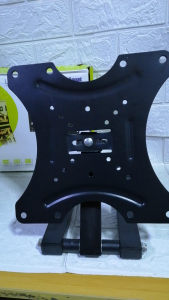
14\"-42\" Universal LED/LCD Plasma TV Wall Bracket CP302

Japanese South Korea Ins Style Fancy Pure Color Three-Dimensional Butterfly Electroplating Mobile Phone Bracket Foldable Drop-Resistant Metal Ring Buckle Adhesive Supporting Seat Stylish Creative Portable Back Sticker Binge-watching Young Adult Heart
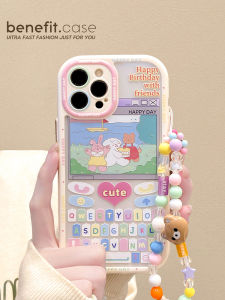
Benefit of Cute Cartoon Silicone Phone Case with Bracelet & Women's Style Full Cover Anti-Fall for Apple 15, 13, 14 Pro Max, 12 Series, 11, XS Max, XR, 8 Plus
Apple Polishing Cloth Screen Cleaning Cloth for MacBook Computer Notebook Phone Display Non-Flocking Cloth Lens iPad Glasses Wiping Cloth

LPO Laptop Charger 19.5V 7.7A 150W Circle Pin 7.4mm x 5.0mm AC Adapter Compatible with HP TouchSmart Elite 7320